

wxpy也是一个python的模块,利用它我们可以做很多有意思的事情
首先利用一句代码我们就可以利用python登录网页版微信
bot = Bot(cache_path= True)
这条语句会产生一个二维码,我们扫描了这个二维码之后就可以登录我们的微信了
功能一:获得微信好友信息
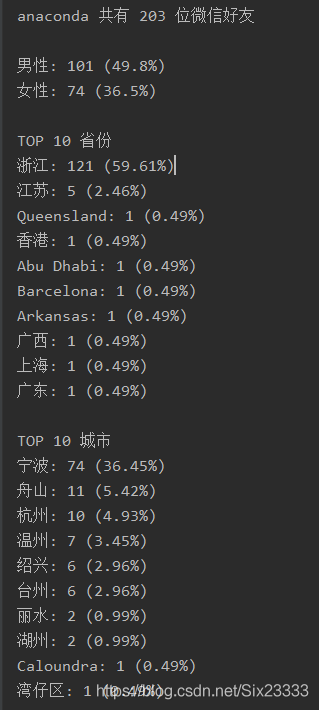
利用一行语句获得你微信好友的个数、男女比例、TOP10省份及TOP10城市
my_friends.stats_text()
效果如图
利用下面两行代码我们可以给微信好友发送信息
friends = my_friends.search('你想要发送的人名')[0]
friends.send('你想要发送的信息')
所以衍生了下面两个功能
功能二:群发消息
my_friend = bot.friends()
for i in my_friend[1:]:
 a = i.name
 friend = my_friend.search(a)[0]
 print('正在发送',friend)
 friend.send('')#你想要发送的内容
 print('ok')
 time.sleep(1)#由于发送消息太快最后加上一个延迟
功能三:消息轰炸
friends = my_friends.search('你想要发送的人名')[0]
for i in range(50):
 friends.send('你想要发送的信息')
我这里是发了50遍,记得加上time.sleep(),要是发送太快会被禁止发信息的
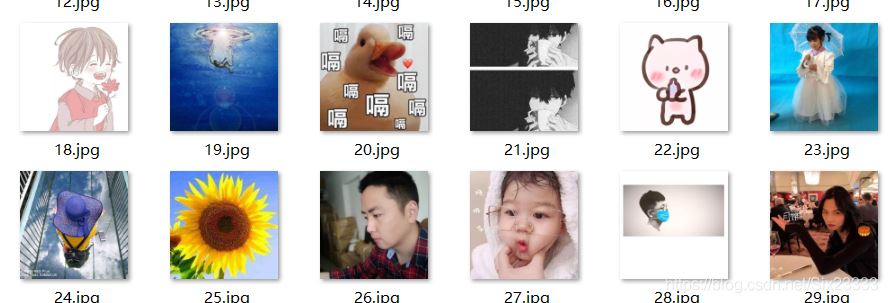
功能四:获得好友头像
利用friend.get_avatar函数
def CREATE_PICPATHT():
 path = os.getcwd() +"\\pic\\"
 if not os.path.exists(path):
  os.mkdir(path)
  return path
def IMAGE_SAVE(path):
 my_friends = bot.friends()
 num = 0
 for friend in my_friends:
  print(friend.name)
  friend.get_avatar(path + '\\' + str(num) + ".jpg")
  num = num + 1
path = CREATE_PICPATHT()
IMAGE_SAVE(path)
效果如图:
功能五:头像拼接
下面展示一些 内联代码片。
def PJ_IMAGE(path):
 length = len(os.listdir(path))
 image_size = 2560
 each_size = math.ceil(2560 / math.floor(math.sqrt(length)))
 x_lines = math.ceil(math.sqrt(length))
 y_lines = math.ceil(math.sqrt(length))
 image = Image.new('RGB', (each_size * x_lines, each_size * y_lines))
 x = 0
 y = 0
 for (root, dirs, files) in os.walk(path):
  for pic_name in files:
   try:
    with Image.open(path + pic_name) as img:
     img = img.resize((each_size, each_size))
     image.paste(img, (x * each_size, y * each_size))
     x += 1
     if x == x_lines:
      x = 0
      y += 1
   except IOError:
    print("头像读取失败")
  img = image.save(os.getcwd() +"/wechat.png")
  print('已完成')
path就是上面获得头像的path,这串代码是借鉴别的大神的

最后我把代码整合在了一起并加上了按钮和界面,如下图
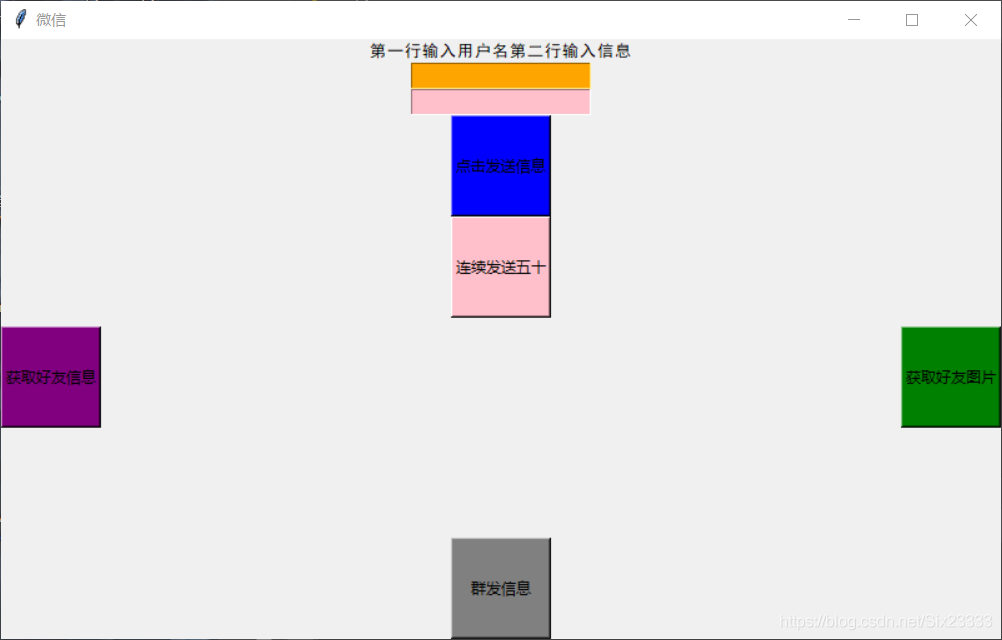
输入的用户名可以是备注也可以是原名,然后群发的消息也是放在第二行点击一下就好了,好友信息会以txt的文件存放,好友图片会放在文件夹里,虽然亚子有点丑

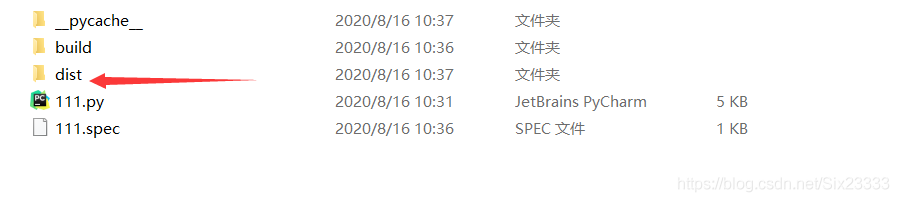
最后我也打包成了exe文件,可以直接执行

最后附上完整代码
下面展示一些 内联代码片。
from wxpy import *
import os
import tkinter as tk
import tkinter
import math
from PIL import Image
import time
window = tkinter.Tk()
window.title('微信')
window.geometry("800x480")
bot = Bot(cache_path= True)
l1 = tk.Label(window, text="第一行输入用户名第二行输入信息",
    font=("黑体", 10))
l1.pack()
ask_text = tk.Entry(background = 'orange')
ask_text.pack()
ask_text1 = tk.Entry(background = 'pink')
ask_text1.pack()
def onclick():
 a = ask_text.get()
 my_friends = bot.friends()
 friends = my_friends.search(a)
 return friends[0]
def onclick1():
 a = ask_text1.get()
 return a
def CREATE_PICPATHT():
 path = os.getcwd() +"\\pic\\"
 if not os.path.exists(path):
  os.mkdir(path)
  return path
def IMAGE_SAVE(path):
 my_friends = bot.friends()
 num = 0
 for friend in my_friends:
  print(friend.name)
  friend.get_avatar(path + '\\' + str(num) + ".jpg")
  num = num + 1
def CREATE_TXTPATH():
 a = os.getcwd()
 filename = a + '\用户信息' + '.txt'
 return filename
def GET_FriendSTXT(filenmame):
 my_friend = bot.friends()
 with open(filenmame,'w') as f:
  f.write(my_friend.stats_text())
 print('ok')
def SEARCH_FRIENDS(name):
 my_friends = bot.friends()
 friends = my_friends.search(name)
 return friends[0]
def SEND_MESSAGES(friends,message):
 friends.send(message)
def func():
 path = CREATE_TXTPATH()
 GET_FriendSTXT(path)
def func1():
 path = CREATE_PICPATHT()
 IMAGE_SAVE(path)
 PJ_IMAGE(path)
def func2():
 a = onclick()
 b = onclick1()
 a.send(b)
 print('发送成功')
def func3():
 for i in range(50):
  time.sleep(1)
  func2()
def PJ_IMAGE(path):
 length = len(os.listdir(path))
 image_size = 2560
 each_size = math.ceil(2560 / math.floor(math.sqrt(length)))
 x_lines = math.ceil(math.sqrt(length))
 y_lines = math.ceil(math.sqrt(length))
 image = Image.new('RGB', (each_size * x_lines, each_size * y_lines))
 x = 0
 y = 0
 for (root, dirs, files) in os.walk(path):
  for pic_name in files:
   try:
    with Image.open(path + pic_name) as img:
     img = img.resize((each_size, each_size))
     image.paste(img, (x * each_size, y * each_size))
     x += 1
     if x == x_lines:
      x = 0
      y += 1
   except IOError:
    print("头像读取失败")
  img = image.save(os.getcwd() +"/wechat.png")
  print('已完成')

def func4():
 my_friend = bot.friends()
 b = onclick1()
 for i in my_friend[1:]:
  a = i.name
  friend = my_friend.search(a)[0]
  print('正在发送', friend)
  friend.send(b) # 你想要发送的内容
  print('ok')
  time.sleep(1)
window.bind('<Return>', onclick)
click_button = tkinter.Button(window,
        text = '获取好友信息',
        background = 'purple',
        width = 10,
        height = 4,
        command = func)

click_button.pack(side = 'left')
click_button1 = tkinter.Button(window,
        text = '获取好友图片',
        background = 'green',
        width = 10,
        height = 4,
        command = func1)
click_button1.pack(side = 'right')
click_button2 = tkinter.Button(window,
        text = '点击发送信息',
        background = 'blue',
        width = 10,
        height = 4,
        command = func2)
click_button2.pack(side = 'top')
click_button3 = tkinter.Button(window,
        text ='连续发送五十',
        background = 'pink',
        width = 10,
        height = 4,
        command = func3)
click_button3.pack()
click_button4 = tkinter.Button(window,
        text ='群发信息',
        background = 'grey',
        width = 10,
        height = 4,
        command = func4)

click_button4.pack(side = 'bottom')
window.mainloop()


