

先来描述一下我遇到的问题,在进行matplotlib学习时, plot.show() 总是无法成功运行,总是会报一个错:
RuntimeError: Python is not installed as a framework. The Mac OS X backend will not be able to function correctly if Python is not installed as a framework. See the Python documentation for more information on installing Python as a framework on Mac OS X. Please either reinstall Python as a framework, or try one of the other backends. If you are using (Ana)Conda please install python.app and replace the use of 'python' with 'pythonw'. See 'Working with Matplotlib on OSX' in the Matplotlib FAQ for more information.
其实意思很简单,就是我用的python并不是一个作为系统框架存在的,因为我为了方便管理python的版本,选择了 pyenv 这个管理工具,是一个独立出来的python环境。
尝试解决无果
参考网上众多的解决方法,例如以下两个最常见的:
方法一: 添加如下两行 代码解决:
>>> import matplotlib
>>> matplotlib.use('TkAgg')
##在import matplotlib下的模块,如pyplot等之前添加上面2句
>>> import matplotlib.pyplot as plt
方法二: 添加一下matplotlib的配置:
echo "backend: TkAgg" >> ~/.matplotlib/matplotlibrc
然而,以上这两种解决方式都***无法解决我的问题***,此时出现了第二个错误:
No module named '_tkinter'
说是找不到 tkinter 这个模块,找了网上大多数方法,全都是linux系统下的解决方案,我真的很好奇没有一个使用mac的用户出现我这样的问题吗? 究其原因,是因为,使用 pyenv 独立安装出来的python中并没有 tkinter 这个模块,于是尝试直接安装 tkinter ,结果竟然提示没有发现 tkinter 包!
pip3 install tkinter
Collecting tkinter
Could not find a version that satisfies the requirement tkinter (from versions: )
No matching distribution found for tkinter
来到这,我不禁陷入了深深的思考,这个 tkinter 到底是何方神圣,去了Python社区:https://docs.python.org/3/library/tkinter.html ,这才懂了他是啥玩意:
The tkinter package (“Tk interface”) is the standard Python interface to the Tk GUI toolkit. Both Tk and tkinter are available on most Unix platforms, as well as on Windows systems. (Tk itself is not part of Python; it is maintained at ActiveState.) Running python -m tkinter from the command line should open a window demonstrating a simple Tk interface, letting you know that tkinter is properly installed on your system, and also showing what version of Tcl/Tk is installed, so you can read the Tcl/Tk documentation specific to that version.
说白了, tkinter 就是一个利用python做GUI(图形用户界面),它提供各种标准的 GUI 接口项,以利于迅速进行高级应用程序开发。
那么究竟去哪安装这个 tkinter 包,说实话到现在我也不知道如何利用 pyenv 去安装 tkinter ,那这个问题又该怎么解决呢?
曲线救国
既然 tkinter 这个GUI库没用,那换个库是不是就好了呢?结果的确和我想的一样,在我换了一个GUI库之后,他的确成功了。 具体操作如下: 在出现 Python is not installed as a framework. The Mac OS X backend will not be able to function correctly if Python is not installed as a framework. 这个错误的时候,在终端输入以下命令:
echo "backend : Qt5Agg" > ~/.matplotlib/matplotlibrc
如果提示你没有安装 PyQt 的话,你就需要执行
brew install pyqt
然后在执行
pip install PyQt5
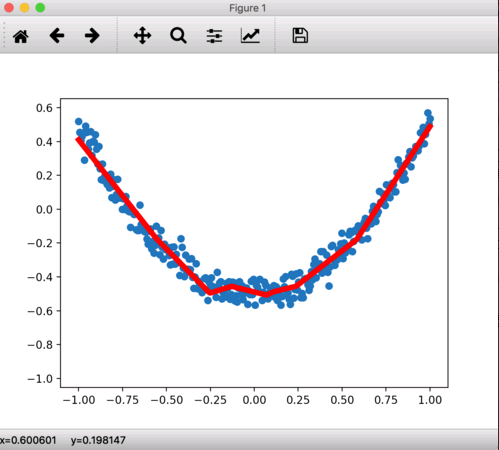
这时候在运行你的代码就可以了。
以上就是本文的全部内容,希望对大家的学习有所帮助,也希望大家多多支持脚本之家。


