

官网地址:https://www.example-code.com/delphiDll/default.asp
实例代码:(不包括全局解锁) 密码生成器:https://www.cnblogs.com/hhmm99/p/11383027.html
uses
 Winapi.Windows, Winapi.Messages, System.SysUtils, System.Variants, System.Classes, Vcl.Graphics,
 Vcl.Controls, Vcl.Forms, Vcl.Dialogs, Vcl.StdCtrls, SFtp;
...
procedure TForm1.Button1Click(Sender: TObject);
var
sftp: HCkSFtp;
hostname: PWideChar;
port: Integer;
success: Boolean;
remoteFilePath: PWideChar;
localFilePath: PWideChar;
begin
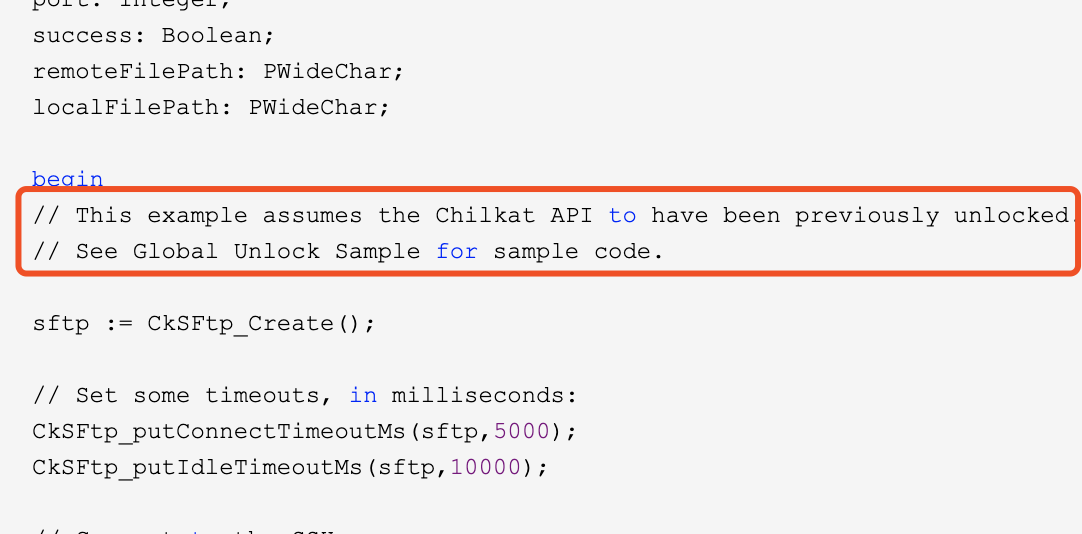
// This example assumes the Chilkat API to have been previously unlocked.
// See Global Unlock Sample for sample code.
sftp := CkSFtp_Create();
// Set some timeouts, in milliseconds:
CkSFtp_putConnectTimeoutMs(sftp,5000);
CkSFtp_putIdleTimeoutMs(sftp,10000);
// Connect to the SSH server.
// The standard SSH port = 22
// The hostname may be a hostname or IP address.
hostname := 'sftp.example.com';// ip
port := 22;// 端口
success := CkSFtp_Connect(sftp,hostname,port);
if (success <> True) then
 begin
 Memo1.Lines.Add(CkSFtp__lastErrorText(sftp));
 Exit;
 end;
// Authenticate with the SSH server. Chilkat SFTP supports
// both password-based authenication as well as public-key
// authentication. This example uses password authenication.
success := CkSFtp_AuthenticatePw(sftp,'myLogin','myPassword');// 账号密码
if (success <> True) then
 begin
 Memo1.Lines.Add(CkSFtp__lastErrorText(sftp));
 Exit;
 end;
// After authenticating, the SFTP subsystem must be initialized:
success := CkSFtp_InitializeSftp(sftp);
if (success <> True) then
 begin
 Memo1.Lines.Add(CkSFtp__lastErrorText(sftp));
 Exit;
 end;
// Download the file:
localFilePath := 'c:/temp/hamlet.xml';// 本地保存路径
remoteFilePath := 'subdir1/subdir2/hamlet.xml'; // 服务器文件路径
// The ResumeDownloadFileByName method will check
// the local file and begin downloading the remote file
// at the appropriate point. For example, if the local
// file is already 215624 bytes long, it will begin downloading
// the remote file at the 215625'th byte -- appending to
// the local file.
success := CkSFtp_ResumeDownloadFileByName(sftp,remoteFilePath,localFilePath);
if (success <> True) then
 begin
 Memo1.Lines.Add(CkSFtp__lastErrorText(sftp));
 Exit;
 end;
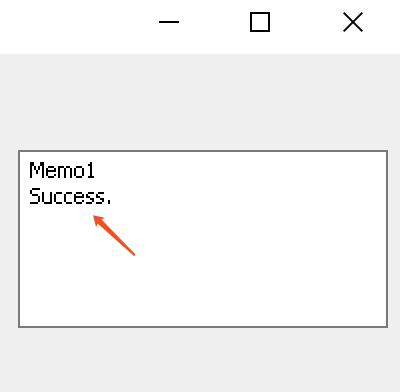
Memo1.Lines.Add('Success.');
CkSFtp_Dispose(sftp);
end;
© 2000-2019 Chilkat Software, Inc. All Rights Reserved.
解锁:
uses
 Winapi.Windows, Winapi.Messages, System.SysUtils, System.Variants, System.Classes, Vcl.Graphics,
 Vcl.Controls, Vcl.Forms, Vcl.Dialogs, Vcl.StdCtrls, Global;
...
procedure TForm1.Button1Click(Sender: TObject);
var
glob: HCkGlobal;
success: Boolean;
status: Integer;
begin
// The Chilkat API can be unlocked for a fully-functional 30-day trial by passing any
// string to the UnlockBundle method. A program can unlock once at the start. Once unlocked,
// all subsequently instantiated objects are created in the unlocked state.
//
// After licensing Chilkat, replace the "Anything for 30-day trial" with the purchased unlock code.
// To verify the purchased unlock code was recognized, examine the contents of the LastErrorText
// property after unlocking. For example:
glob := CkGlobal_Create();
success := CkGlobal_UnlockBundle(glob,'Anything for 30-day trial');
if (success <> True) then
 begin
 Memo1.Lines.Add(CkGlobal__lastErrorText(glob));
 Exit;
 end;
status := CkGlobal_getUnlockStatus(glob);
if (status = 2) then
 begin
 Memo1.Lines.Add('Unlocked using purchased unlock code.');
 end
else
 begin
 Memo1.Lines.Add('Unlocked in trial mode.');
 end;
// The LastErrorText can be examined in the success case to see if it was unlocked in
// trial more, or with a purchased unlock code.
Memo1.Lines.Add(CkGlobal__lastErrorText(glob));
CkGlobal_Dispose(glob);
end;
成功:
以上所述是小编给大家介绍的delphi使用Chilkat 组件和库从SFTP下载文件的方法,希望对大家有所帮助,如果大家有任何疑问欢迎给我留言,小编会及时回复大家的!


