

小熊维尼拼图
jQuery代码实现拼图小游戏,鼠标选中拼块,用上下左右键移动拼块。
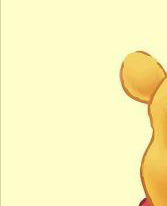

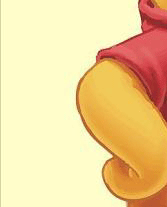
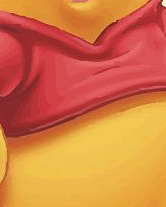
html代码
<div id="box-div">
  <!--走不通时的提示!-->
  <div id="tips">
    <p>\(╯-╰)/ 哎呦,走不通啦!</p>
  </div>
  <div id="container">
    <div class="row">
      <div class="unit"><img src="https://zhanzhang360.qulang.net/imgupload/005212/weini_part_01.png" alt="photo1"/></div>
      <div class="unit"><img src="https://zhanzhang360.qulang.net/imgupload/005212/weini_part_02.gif" alt="photo2"/></div>
      <div class="unit"><img src="https://zhanzhang360.qulang.net/imgupload/005212/weini_part_03.gif" alt="photo3"/></div>
    </div>
    <div class="row">
      <div class="unit"><img src="https://zhanzhang360.qulang.net/imgupload/005212/weini_part_04.gif" alt="photo4"/></div>
      <div class="unit"><img src="https://zhanzhang360.qulang.net/imgupload/005212/weini_part_05.gif" alt="photo5"/></div>
      <div class="unit"><img src="https://zhanzhang360.qulang.net/imgupload/005212/weini_part_06.gif" alt="photo6"/></div>
    </div>
    <div class="row">
      <div class="unit"><img src="https://zhanzhang360.qulang.net/imgupload/005212/weini_part_07.gif" alt="photo7"/></div>
      <div class="unit"><img src="https://zhanzhang360.qulang.net/imgupload/005212/weini_part_08.gif" alt="photo8"/></div>
      <div class="unit"><img src="https://zhanzhang360.qulang.net/imgupload/005212/weini_part_09.gif" alt="photo9"/></div>
    </div>
  </div>
</div
#box-div {
  position: relative;
  width: 508px;
  height: 631px;
  margin: 0 auto;
}

#container {
  width: 508px;
  height: 631px;
  margin: 0 auto;
  -webkit-box-sizing: border-box;
  -moz-box-sizing: border-box;
  box-sizing: border-box;
  border: 1px solid #d5e0e6;
}

#container > .row {
  display: -webkit-box;
  white-space: nowrap;
}

#container > .row > .unit {
  width: 169px;
  height: 209px;
  display: inline-block\9;/*兼容IE9/10*/
  vertical-align: top\9;/*兼容IE9/10*/
  box-sizing: border-box;
  border: 1px solid rgba(7, 157, 239, 0);
}

#container > .row > .unit.move {
  border: 1px solid rgba(7, 157, 239, 1);
}

#tips {
  width: 200px;
  height: 50px;
  background: rgb(152, 206, 50);
  position: absolute;
  z-index: 5;
  top: -50px;
  left: calc(50% - 100px);
  opacity: 0;
}

#tips > p {
  margin: 0;
  line-height: 50px;
  text-align: center;
  color: white;
}
.directions{
  width:50%;
  margin:0 auto;
  text-align: center;
  line-height: 30px;
  color: white;
  background-color: #a7cbf0;
}
jquery代码
$("#container>.row>.unit>img").each(function () {
  $(this).click(function (event) {
    event.stopPropagation();
    $(".unit").removeClass("move");
    $(this).parent(".unit").addClass("move");
  })
});
move(".move","#tips");
function move(className,idName) {
  /* 提示信息 */
  function tipsAlert(idName) {
    $(idName).animate({top: "0", opacity: "1"}, 500);
    setTimeout(function () {
      $(idName).animate({top: "-50px", opacity: "0"}, 800);
    }, 1000)
  }
  /* 上下左右按键移动 */
  $(document).keydown(function (e) {
    var code = e.keyCode;
    if (code > 40 || code < 37) {
      return false;
    }
    var prev = $(className)[0].previousElementSibling;//选中元素前置位元素是否存在,以此判断元素是否还可以左右移动
    var next = $(className)[0].nextElementSibling;//选中元素后置位元素是否存在,以此判断元素是否还可以左右移动
    var paprev = $(className).parent()[0].previousElementSibling;//选中元素父级前置位元素是否存在,以此判断元素是否还可以上下移动
    var panext = $(className).parent()[0].nextElementSibling;//选中元素父级后置位元素是否存在,以此判断元素是否还可以上下移动
    var index = $(className).index();//根据选中元素的索引值,来确定上下移动时对换的位置
    var movenDiv = $(className).next()[0];//以此确定上下对换元素添加方式
    var movepDiv = $(className).prev()[0];//以此确定上下对换元素添加方式
    switch (code) {
      case 37://左
        if (prev) {
          $(className).insertBefore(prev);
        } else {
          tipsAlert(idName);
        }
        break;
      case 38://上
        if (paprev) {
          var exchangeTop = $(paprev).children()[index];
          $(className).insertBefore(exchangeTop);
          if (movenDiv) {
            $(exchangeTop).insertBefore(movenDiv);
          } else {
            $(exchangeTop).insertAfter(movepDiv)
          }

        } else {
          tipsAlert(idName);
        }
        break;
      case 39://右
        if (next) {
          $(className).insertAfter(next);
        } else {
          tipsAlert(idName)
        }
        break;
      case 40://下
        if (panext) {
          var exchangeBottom = $(panext).children()[index];
          $(className).insertBefore(exchangeBottom);
          if (movenDiv) {
            $(exchangeBottom).insertBefore(movenDiv);
          } else {
            $(exchangeBottom).insertAfter(movepDiv)
          }
        } else {
          tipsAlert(idName);
        }
        break;

    }
  });


}
以上这篇jQuery实现拼图小游戏(实例讲解)就是小编分享给大家的全部内容了,希望能给大家一个参考,也希望大家多多支持脚本之家。


