

效果图:
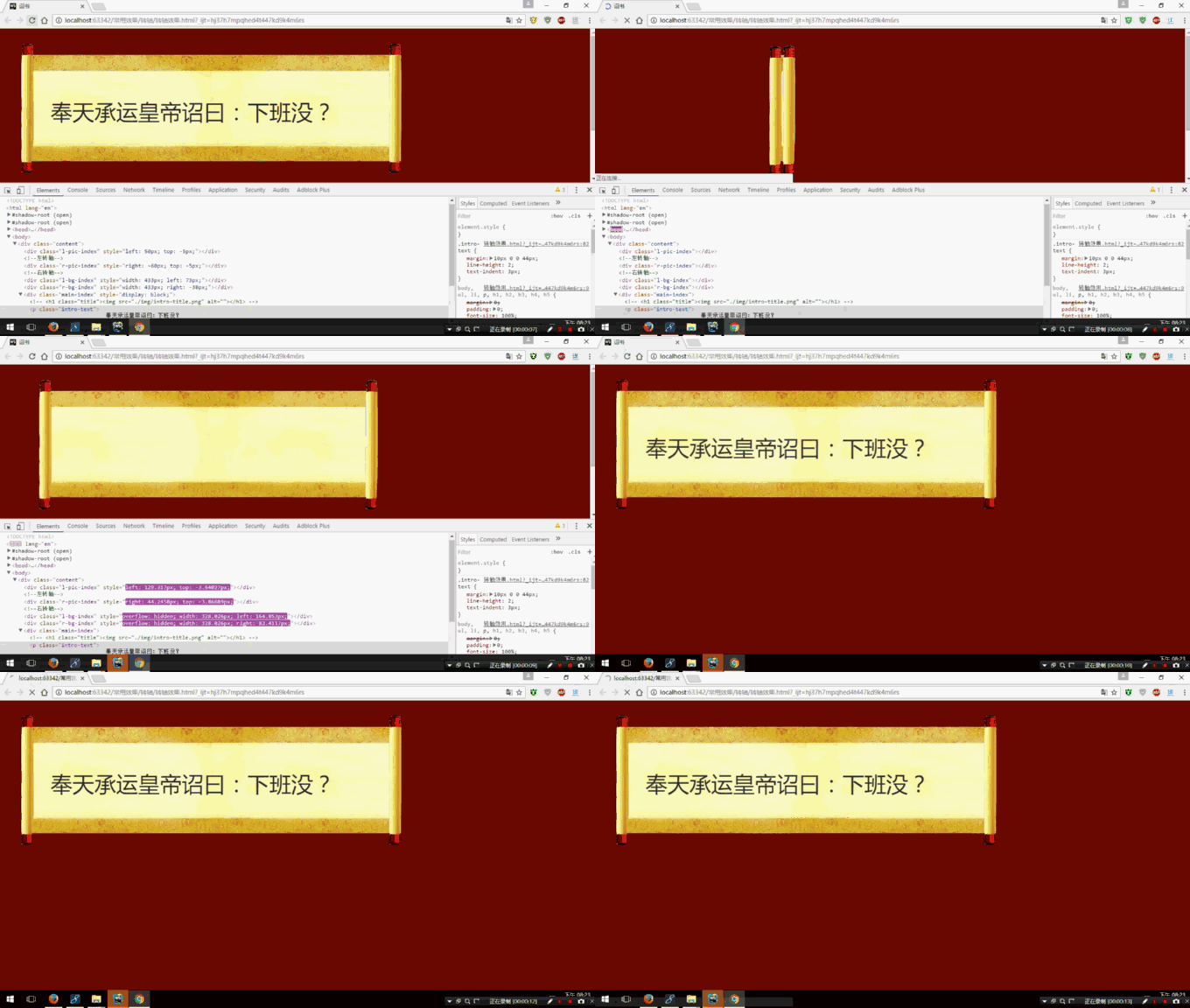
代码如下:
<!DOCTYPE html>
<html lang="en">
<head>
<meta charset="UTF-8">
<script type="text/javascript" src="jQuery 3.1.1.js"></script>
<title>诏书</title>
<style type="text/css">
body,ul,li,p,h1,h2,h3,h4,h5{
 margin:0;
 padding:0;
 font-size:100%;
}
body{
 font-family: 'Microsoft YaHei UI', 'Microsoft YaHei', SimSun, 'Segoe UI', Tahoma, Helvetica, Sans-Serif;
 font-size: 50px;
 background: #6f0b02;
}
img{
 border:0;
}
.content{
 position: relative;
 margin: 40px 0 0 -21px;
 width: 900px;
 height: 460px;
}
.l-pic-index{
 position: absolute;
 left: 400px;
 top: 1px;
 z-index:2;
 width:50px;
 height:460px;
 background: url("images/11.png") no-repeat right 0;
}
.r-pic-index{
 position: absolute;
 right: 400px;
 top: 0;
 z-index: 2;
 width:50px;
 *width:82px;
 height:460px;
 background: url("images/11.png") no-repeat left 0;
}
.l-bg-index{
 position: absolute;
 top: 20px;/*中间转轴位置*/
 left: 430px;
 z-index: 1;
 width: 25px;
 height: 459px;
 background: url("images/bg1.png") right 0 no-repeat;
}
.r-bg-index{
 position: absolute;
 top: 20px;
 right: 430px;
 z-index: 1;
 width: 25px;
 height: 459px;
 background: url("images/bg1.png") 0 0 no-repeat;
}
.main-index{
 display: none;
 overflow: hidden;
 zoom:1;
 position: absolute;
 z-index: 5;
 width:700px;
 height:280px;
 left:90px;
 top:90px;
 color: #2e2e2e;
}
.intro-text{
 margin: 10px 0 0 44px;
 line-height: 2;
 text-indent: 3px;
}
</style>
</head>
<body>
<div class="content">
  <div class="l-pic-index"></div><!--左转轴-->
  <div class="r-pic-index"></div><!--右转轴-->
  <div class="l-bg-index"></div>
  <div class="r-bg-index"></div>
  <div class="main-index">
   <!-- <h1 class="title"><img src="./img/intro-title.png" alt=""></h1> -->
     <p class="intro-text">
      奉天承运皇帝诏曰:下班没?
     </p>
  </div>
 </div>
</body>
<script>
  window.onload = function(){
    //卷轴展开效果
  $(".l-pic-index").animate({'left':'50px','top':'-5px'},1450);
  $(".r-pic-index").animate({'right':'-60px','top':'-5px'},1450);
  $(".l-bg-index").animate({'width':'433px','left':'73px'},1500);
  $(".r-bg-index").animate({'width':'433px','right':'-38px'},1500,function(){
   $(".main-index").fadeIn(800);
  });
  }
</script>
</html>
以上就是本文的全部内容,希望本文的内容对大家的学习或者工作能带来一定的帮助,同时也希望多多支持脚本之家!


