

本文为大家分享了使用vue.js结合bootstrap 开发的分页控件,供大家参考,具体内容如下
效果如下
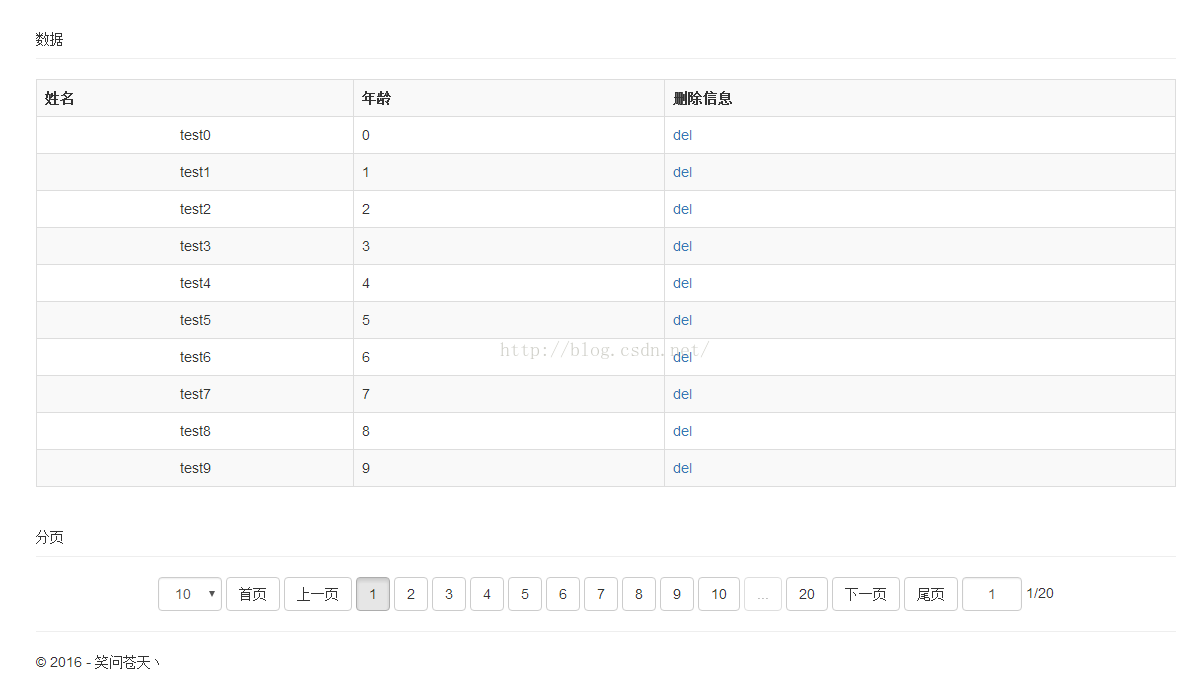
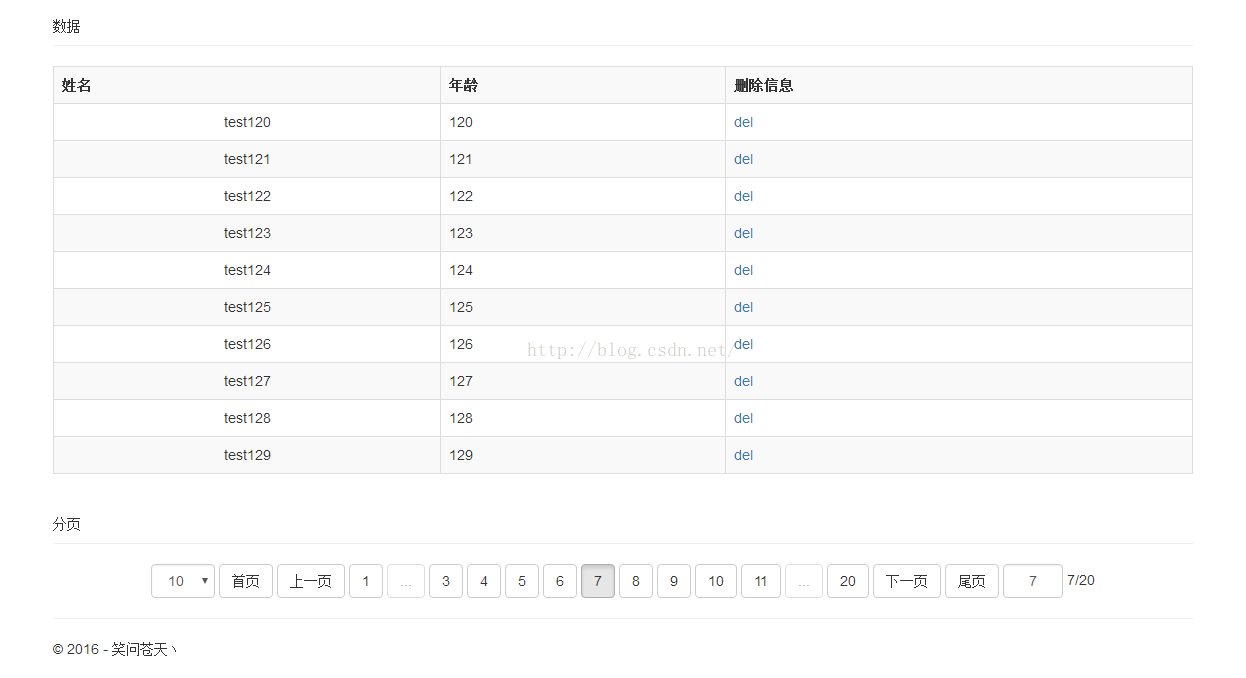
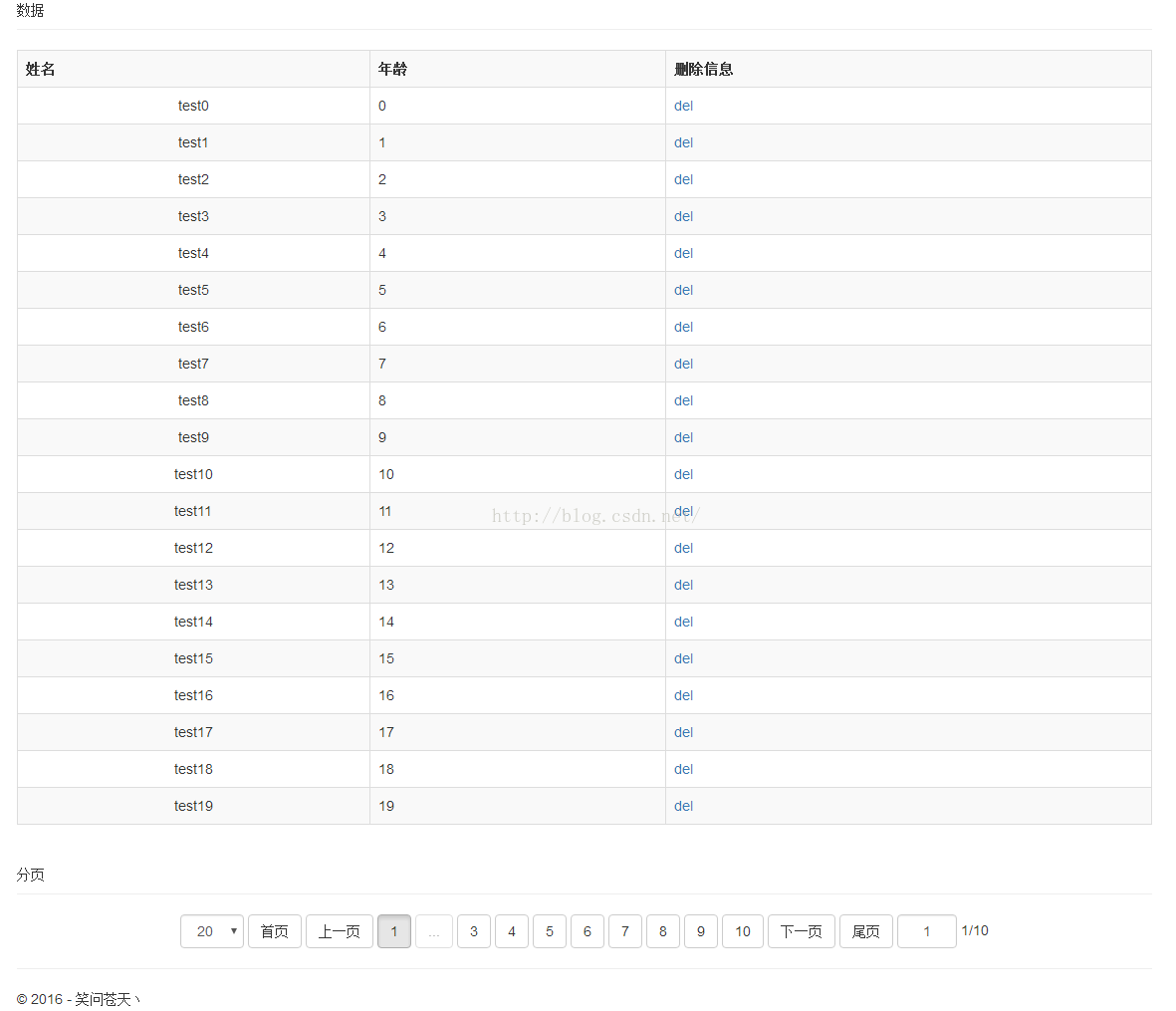
实现代码:
<!DOCTYPE html>
<html>
<head>
<meta charset="utf-8" />
<meta name="viewport" content="width=device-width, initial-scale=1.0" />
<title> Vue-PagerTest</title>
<link rel="stylesheet" href="/lib/bootstrap/dist/css/bootstrap.css" />
</head>
<body>
<div class="container body-content">
<div id="test" class="form-group">
<div class="form-group">
<div class="page-header">
数据
</div>
<table class="table table-bordered table-responsive table-striped">
<tr>
<th>姓名</th>
<th>年龄</th>
<th>删除信息</th>
</tr>
<tr v-for="item in arrayData">
<td class="text-center">{{item.name}}</td>
<td>{{item.age}}</td>
<td><a href="javascript:void(0)" rel="external nofollow" v-on:click="deleteItem($index,item.age)">del</a></td>
</tr>
</table>
<div class="page-header">分页</div>
<div class="pager" id="pager">
<span class="form-inline">
<select class="form-control" v-model="pagesize" v-on:change="showPage(pageCurrent,$event,true)" number>
<option value="10">10</option>
<option value="20">20</option>
<option value="30">30</option>
<option value="40">40</option>
</select>
</span>
<template v-for="item in pageCount+1">
<span v-if="item==1" class="btn btn-default" v-on:click="showPage(1,$event)">
首页
</span>
<span v-if="item==1" class="btn btn-default" v-on:click="showPage(pageCurrent-1,$event)">
上一页
</span>
<span v-if="item==1" class="btn btn-default" v-on:click="showPage(item,$event)" v-bind:class="item==pageCurrent?'active':''">
{{item}}
</span>
<span v-if="item==1&&item<showPagesStart-1" class="btn btn-default disabled">
...
</span>
<span v-if="item>1&&item<=pageCount-1&&item>=showPagesStart&&item<=showPageEnd&&item<=pageCount" class="btn btn-default" v-on:click="showPage(item,$event)" <span style="font-family: Arial, Helvetica, sans-serif;"> v-bind:class="item==pageCurrent?'active':''"</span><span style="font-family: Arial, Helvetica, sans-serif;">></span>
{{item}}
</span>
<span v-if="item==pageCount&&item>showPageEnd+1" class="btn btn-default disabled">
...
</span>
<span v-if="item==pageCount" class="btn btn-default" v-on:click="showPage(item,$event)" <span style="font-family: Arial, Helvetica, sans-serif;">v-bind:class="item==pageCurrent?'active':''"</span><span style="font-family: Arial, Helvetica, sans-serif;">></span>
{{item}}
</span>
<span v-if="item==pageCount" class="btn btn-default" v-on:click="showPage(pageCurrent+1,$event)">
下一页
</span>
<span v-if="item==pageCount" class="btn btn-default" v-on:click="showPage(pageCount,$event)">
尾页
</span>
</template>
<span class="form-inline">
<input class="pageIndex form-control" style="width:60px;text-align:center" type="text" v-model="pageCurrent | onlyNumeric" v-on:keyup.enter="showPage(pageCurrent,$event,true)" />
</span>
<span>{{pageCurrent}}/{{pageCount}}</span>
</div>
</div>
</div>
<hr />
<footer>
<p>© 2016 - 笑问苍天丶</p>
</footer>
</div>
<script src="/lib/jquery/dist/jquery.js"></script>
<script src="/lib/bootstrap/dist/js/bootstrap.js"></script>
<script src="/lib/vue.js"></script>
<script>
//只能输入正整数过滤器
Vue.filter('onlyNumeric', {
// model -> view
// 在更新 `<input>` 元素之前格式化值
read: function (val) {
return val;
},
// view -> model
// 在写回数据之前格式化值
write: function (val, oldVal) {
var number = +val.replace(/[^\d]/g, '')
return isNaN(number) ? 1 : parseFloat(number.toFixed(2))
}
})
//数组删除某项功能
Array.prototype.remove = function (dx) {
if (isNaN(dx) || dx > this.length) { return false; }
for (var i = 0, n = 0; i < this.length; i++) {
if (this[i] != this[dx]) {
this[n++] = this[i]
}
}
this.length -= 1
}
var vue = new Vue({
el: "#test",
data: {
//总项目数
totalCount: 200,
//分页数
pageCount: 20,
//当前页面
pageCurrent: 1,
//分页大小
pagesize: 10,
//显示分页按钮数
showPages: 11,
//开始显示的分页按钮
showPagesStart: 1,
//结束显示的分页按钮
showPageEnd: 100,
//分页数据
arrayData: []
},
methods: {
//分页方法
showPage: function (pageIndex, $event, forceRefresh) {
if (pageIndex > 0) {
if (pageIndex > this.pageCount) {
pageIndex = this.pageCount;
}
//判断数据是否需要更新
var currentPageCount = Math.ceil(this.totalCount / this.pagesize);
if (currentPageCount != this.pageCount) {
pageIndex = 1;
this.pageCount = currentPageCount;
}
else if (this.pageCurrent == pageIndex && currentPageCount == this.pageCount && typeof (forceRefresh) == "undefined") {
console.log("not refresh");
return;
}
//测试数据 随机生成的
var newPageInfo = [];
for (var i = 0; i < this.pagesize; i++) {
newPageInfo[newPageInfo.length] = {
name: "test" + (i + (pageIndex - 1) * 20),
age: (i + (pageIndex - 1) * 20)
};
}
this.pageCurrent = pageIndex;
this.arrayData = newPageInfo;
//计算分页按钮数据
if (this.pageCount > this.showPages) {
if (pageIndex <= (this.showPages - 1) / 2) {
this.showPagesStart = 1;
this.showPageEnd = this.showPages - 1;
console.log("showPage1")
}
else if (pageIndex >= this.pageCount - (this.showPages - 3) / 2) {
this.showPagesStart = this.pageCount - this.showPages + 2;
this.showPageEnd = this.pageCount;
console.log("showPage2")
}
else {
console.log("showPage3")
this.showPagesStart = pageIndex - (this.showPages - 3) / 2;
this.showPageEnd = pageIndex + (this.showPages - 3) / 2;
}
}
console.log("showPagesStart:" + this.showPagesStart + ",showPageEnd:" + this.showPageEnd + ",pageIndex:" + pageIndex);
}
}
, deleteItem: function (index, age) {
if (confirm('确定要删除吗')) {
//console.log(index, age);
var newArray = [];
for (var i = 0; i < this.arrayData.length; i++) {
if (i != index) {
newArray[newArray.length] = this.arrayData[i];
}
}
this.arrayData = newArray;
}
}
}
});
vue.$watch("arrayData", function (value) {
//console.log("==============arrayData begin==============");
//console.log(value==vue.arrayData);
//console.log(vue.arrayData);
//console.log("==============arrayData end==============");
});
vue.showPage(vue.pageCurrent, null, true);
</script>
</body>
</html>
源码下载: bootstrap分页控件
参考资料: Vue.js官网
以上就是本文的全部内容,希望对大家的学习有所帮助,也希望大家多多支持脚本之家。


