

本章将讲解字体图标(Glyphicons),并通过一些实例了解它的使用。Bootstrap 捆绑了 200 多种字体格式的字形。首先让我们先来理解一下什么是字体图标。
首先给大家介绍什么是字体图标:
字体图标是在 Web 项目中使用的图标字体。字体图标在下载的Bootstrap的fonts文件夹中。
.glyphicon {
 position: relative;
 top: 1px;
 display: inline-block;
 font-family: 'Glyphicons Halflings';
 -webkit-font-smoothing: antialiased;
 font-style: normal;
 font-weight: normal;
 line-height: 1;
 -moz-osx-font-smoothing: grayscale;
}
.glyphicon class 声明一个从顶部偏移 1px 的相对位置,呈现为 inline-block,声明字体,规定 font-style 和 font-weight 为 normal,设置行高为 1。除此之外,使用-webkit-font-smoothing: antialiased 和 -moz-osx-font-smoothing: grayscale; 获得跨浏览器的一致性。
关于-webkit-font-smoothing和-moz-osx-font-smoothing:
-webkit-font-smoothing属性。这个属性可以使页面上的字体抗锯齿,使用后字体看起来会更清晰舒服。
none ------ 对低像素的文本比较好
subpixel-antialiased ------默认值
antialiased ------抗锯齿很好
auto
inherit ------继承父元素
initial
-moz-osx-font-smoothing属性,其中-osx-表明这是mozilla难得的给特定操作系统推出的特性增强,由于缺乏文档,目前已知的取值是:
grayscale ------抗锯齿很好
auto ------默认值
inherit ------继承
Bootstrap提供了200个字体图标,每个图标对应一个class,在使用时,我们只需要包含glyphicon和对应的class即可。
使用方法:
<!DOCTYPE html>
<html>
<head>
  <meta charset = "utf-8">
  <title>demo</title>
  <link href="bootstrap-3.3.4-dist/css/bootstrap.min.css" rel="stylesheet">
  <style type="text/css">
    body{padding: 20px;}
  </style>
</head>
<body>
  <span class = "glyphicon glyphicon-lock"></span>
  <span class = "glyphicon glyphicon-lock" style = "font-size:30px;"></span>
  <span class = "glyphicon glyphicon-lock" style = "font-size:60px;"></span>
</body>
</html>
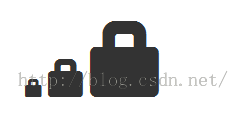
配合button使用:
<body>
  <button class="btn btn-default">
    <span class = "glyphicon glyphicon-home"></span>
  </button>
  <button class="btn btn-success">
    <span class = "glyphicon glyphicon-home"></span> Home
  </button>
  <button class="btn btn-info">
    <span class = "glyphicon glyphicon-home"></span> Home
  </button>
  <button class="btn btn-warning">
    <span class = "glyphicon glyphicon-home"></span> Home
  </button>
  <button class="btn btn-warning btn-lg">
    <span class = "glyphicon glyphicon-home"></span> Home
  </button>
  <button class="btn btn-warning btn-sm">
    <span class = "glyphicon glyphicon-home"></span> Home
  </button>
</body>
效果:

定制字体图标
在上一个例中,其实我们已经实现了对字体图标大小和颜色的定制,此处再做进一步说明。
通过改变字体的大小或button的大小,可以改变字体图标的大小。
通过设置color的颜色,可以改变字体图标的颜色,如下:
<body>
  <button class="btn btn-success">
    <span class = "glyphicon glyphicon-home"></span> Home
  </button>
  <button class="btn btn-success" style="color:#FF0000;">
    <span class = "glyphicon glyphicon-home"></span> Home
  </button>
  <button class="btn btn-success">
    <span class = "glyphicon glyphicon-home" style="color:#FF0000;"></span> Home
  </button>
</body>
效果:
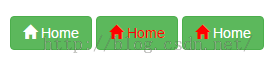
可以看出:通过改变其父元素或者是span本身的color,都可以改变字体图标的颜色。
应用文本阴影
<body>
  <button class="btn btn-success">
    <span class = "glyphicon glyphicon-home"></span> Home
  </button>
  <button class="btn btn-success btn-lg" style="text-shadow: black 3px 2px 3px;">
    <span class = "glyphicon glyphicon-home"></span> Home
  </button>
  <button class="btn btn-success btn-lg">
    <span class = "glyphicon glyphicon-home" style="text-shadow: black 3px 2px 3px;"></span> Home
  </button>
</body>
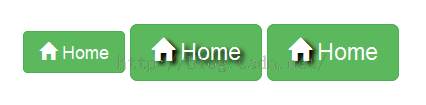
更多请查看字体图标,可以bootstrap官方文档:
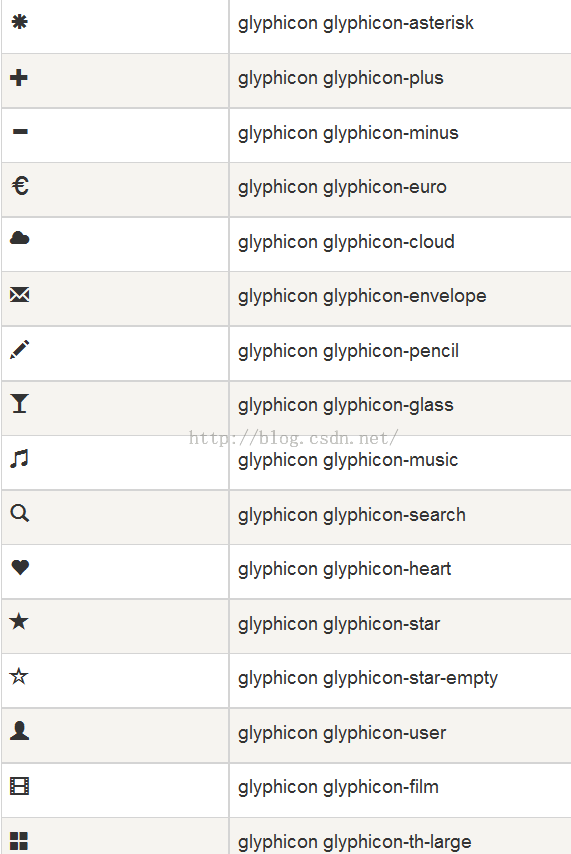
以上内容给大家介绍了Bootstrap glyphicons字体图标的相关知识,希望大家喜欢。


