

本文所使用的软件及环境:
Visual Studio Ultimate 2013;
MVC5 + EF6 + .NET Framework 4.5 + LocalDB;Windows 7 x64 Professional
说明:
1.在EF (Entity Framework,以下简称EF6)框架下,操作数据的方式有三种:Database First, Model First, 以及 Code First,本文基于Code First创建。
2.本文是基于MVC5创建:
3.LocalDB
一、创建基于MVCWeb Application
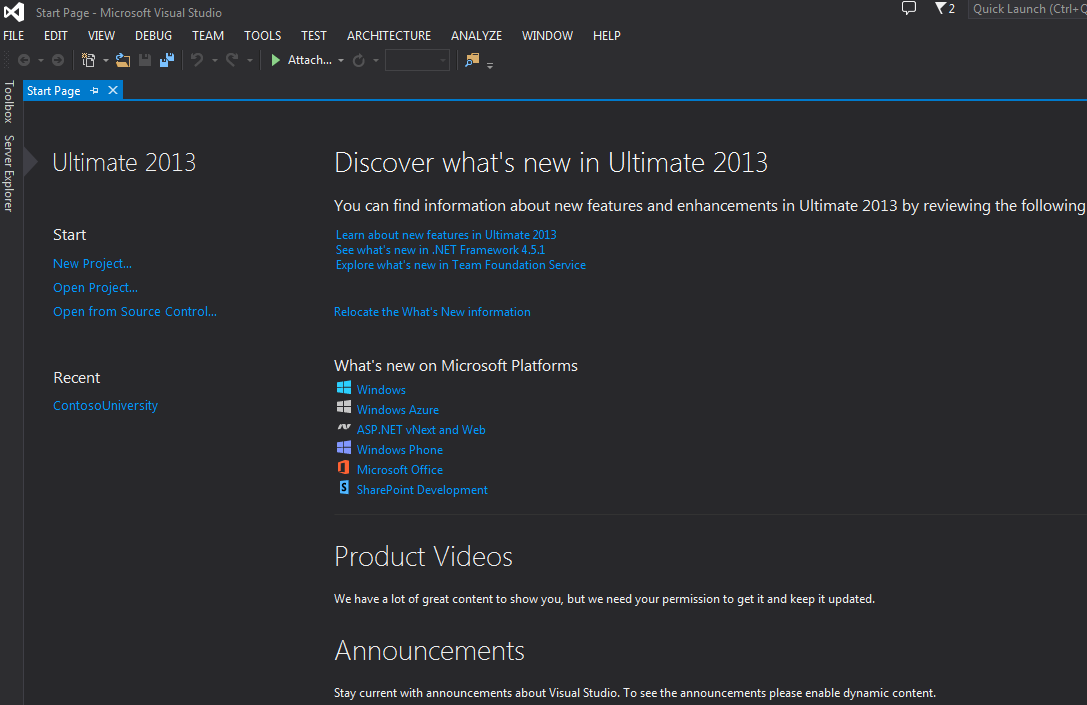
在正式开始之前,先看一下VS 2013的启动界面,是不是有点冷酷的感觉
好了,言归正传,首先按如下截图创建
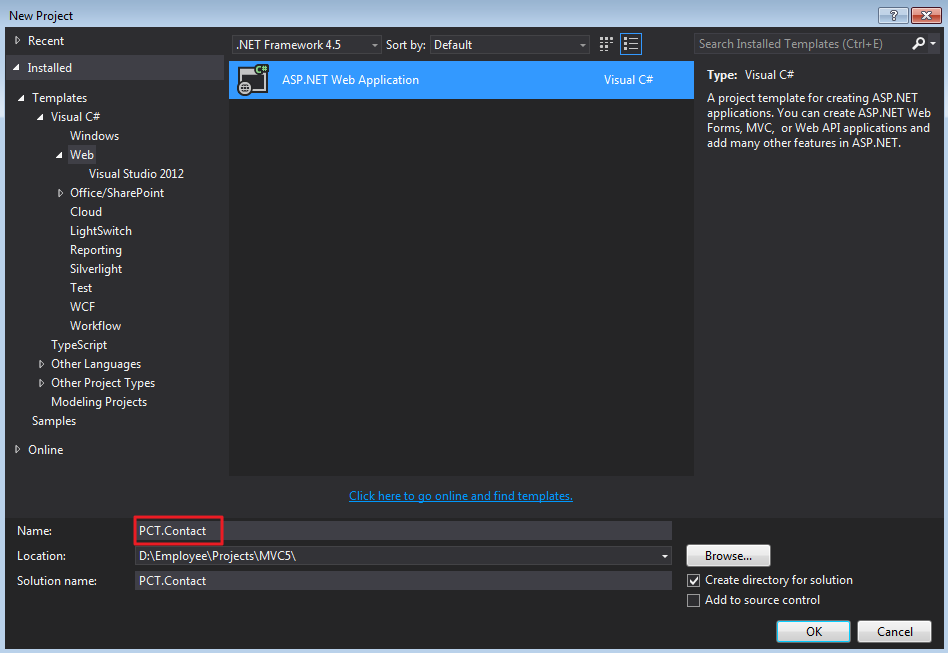
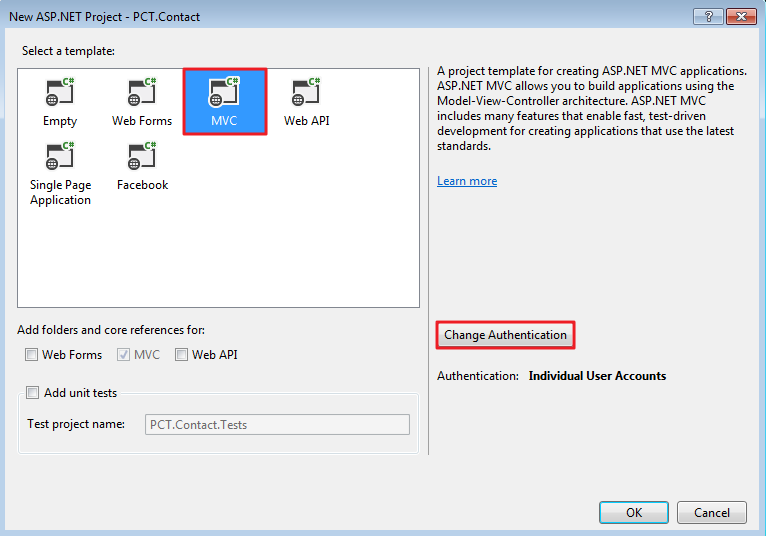
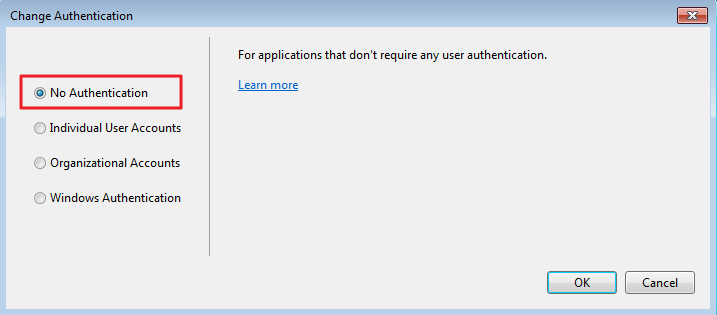
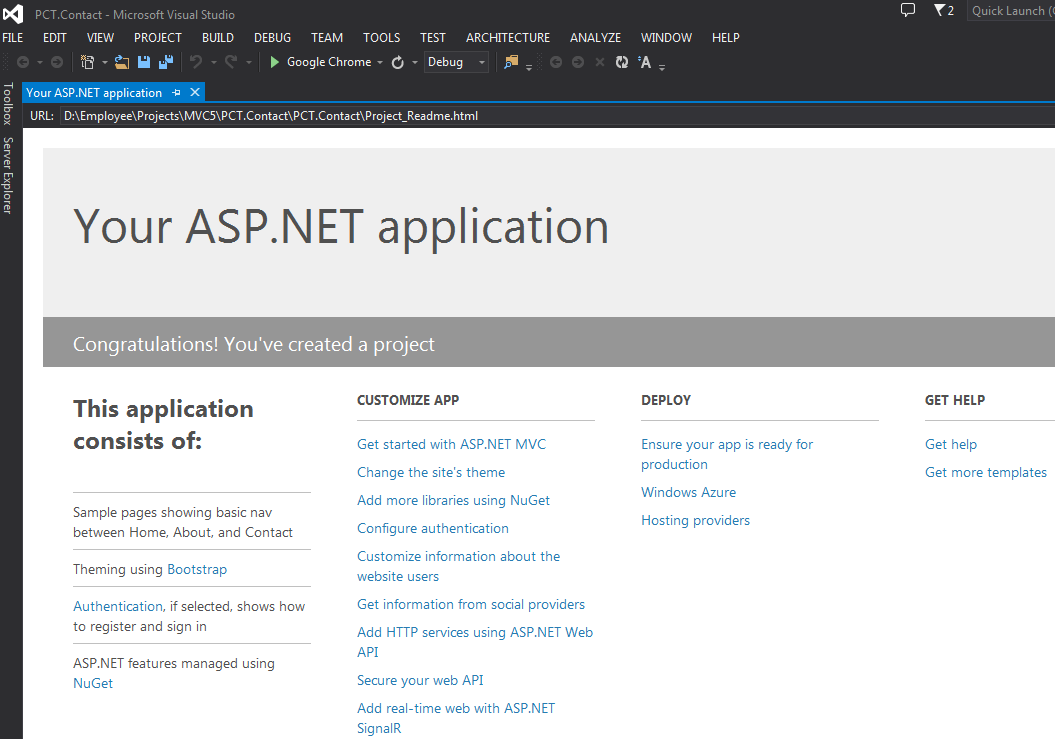
创建完成后,我们对网站的风格做些微调,以便能契合应用主题
Views\Shared\_Layout.cshtml做如下更改(请看黄色高亮部分)
<!DOCTYPE html>
<html>
<head>
<meta charset="utf-8" />
<meta name="viewport" content="width=device-width, initial-scale=1.0">
<title>@ViewBag.Title - Contact</title>
@Styles.Render("~/Content/css")
@Scripts.Render("~/bundles/modernizr")
</head>
<body>
<div class="navbar navbar-inverse navbar-fixed-top">
<div class="container">
<div class="navbar-header">
<button type="button" class="navbar-toggle" data-toggle="collapse" data-target=".navbar-collapse">
<span class="icon-bar"></span>
<span class="icon-bar"></span>
<span class="icon-bar"></span>
</button>
@Html.ActionLink("Contact", "Index", "Home", null, new { @class = "navbar-brand" })
</div>
<div class="navbar-collapse collapse">
<ul class="nav navbar-nav">
<li>@Html.ActionLink("Home", "Index", "Home")</li>
<li>@Html.ActionLink("About", "About", "Home")</li>
<li>@Html.ActionLink("Contacts", "Index", "Contact")</li>
<li>@Html.ActionLink("Groups", "Index", "Group")</li>
</ul>
</div>
</div>
</div>
<div class="container body-content">
@RenderBody()
<hr />
<footer>
<p>© @DateTime.Now.Year - Contact</p>
</footer>
</div>
@Scripts.Render("~/bundles/jquery")
@Scripts.Render("~/bundles/bootstrap")
@RenderSection("scripts", required: false)
</body>
</html>
Views\Home\Index.cshtml 替换成如下内容
@{
ViewBag.Title = "Home Page";
}
<div class="jumbotron">
<h1>Contact</h1>
</div>
<div class="row">
<div class="col-md-4">
<h2>Welcome to Contact</h2>
<p>
Contact is a sample application that
demonstrates how to use Entity Framework 6 in an
ASP.NET MVC 5 web application.
</p>
</div>
<div class="col-md-4">
<h2>Build it from scratch</h2>
<p>You can build the application by following the steps in the tutorial series on the following site.</p>
<p><a class="btn btn-default" href="http://www.cnblogs.com/panchunting/p/creating-an-entity-framework-data-model-for-an-asp-net-mvc-application.html">See the tutorial »</a></p>
</div>
</div>
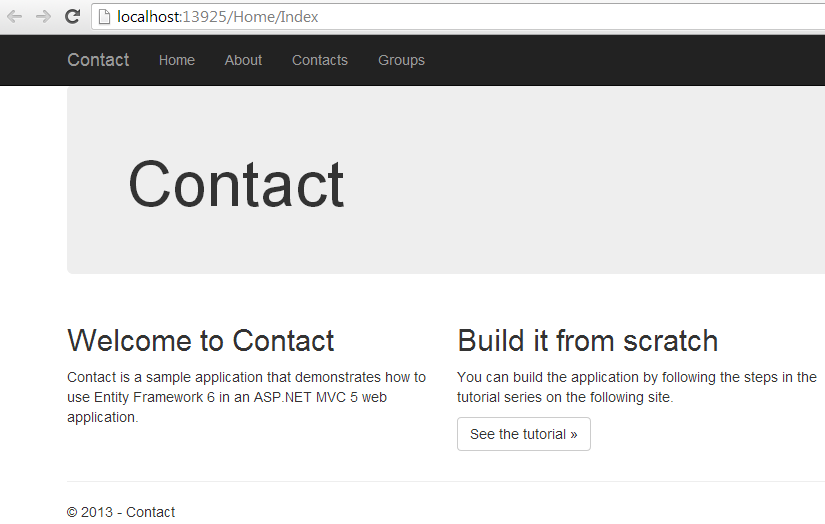
运行看一下效果吧
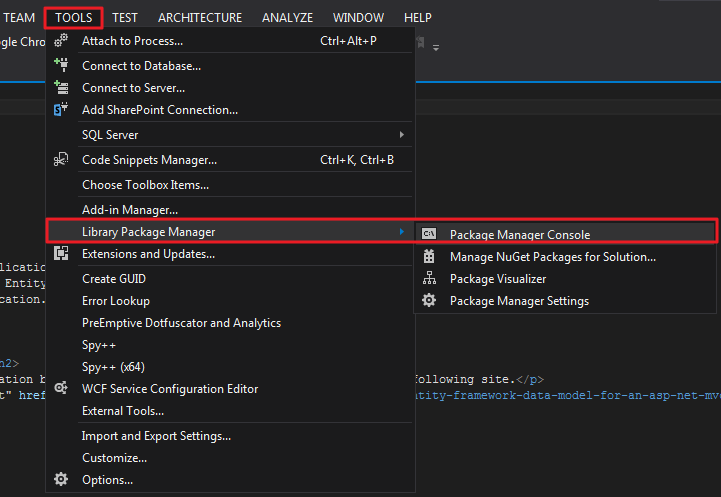
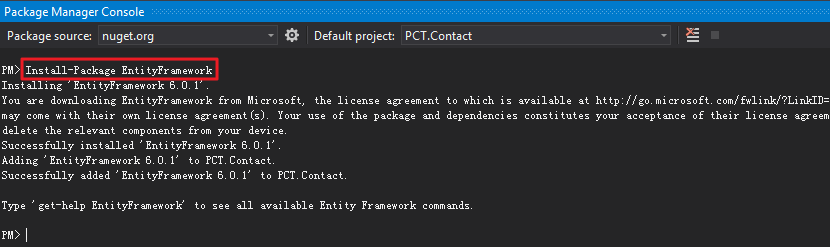
安装EF6
创建数据模型
在Models文件夹下,分别创建Contact.cs、Enrollment.cs、Group.cs三个类
using System;
using System.Collections.Generic;
using System.Linq;
using System.Web;

namespace PCT.Contact.Models
{
 public class Contact
 {
  public int ID { get; set; }
  public string Name { get; set; }
  public DateTime EnrollmentDate { get; set; }
  public virtual ICollection<Enrollment> Enrollments { get; set; }
 }
}

using System;
using System.Collections.Generic;
using System.Linq;
using System.Web;

namespace PCT.Contact.Models
{
 public class Enrollment
 {
  public int EnrollmentID { get; set; }
  public int ContactID { get; set; }
  public int GroupID { get; set; }
  public virtual Contact Contact { get; set; }
  public virtual Group Group { get; set; }
 }
}

using System;
using System.Collections.Generic;
using System.Linq;
using System.Web;

namespace PCT.Contact.Models
{
 public enum GroupName
 {
  Friend, Family, Colleague, Schoolmate, Stranger
 }

 public class Group
 {
  public int GroupID { get; set; }
  public GroupName? GroupName { get; set; }
  public virtual ICollection<Enrollment> Enrollments { get; set; }
 }
}
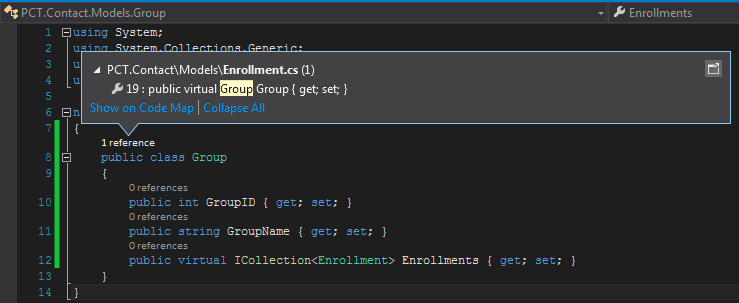
PS:发现VS 2013有一个自动提示reference,是不是很方便啊
创建Database Context
在PCT.Contact项目下新建文件夹DAL(Data Access Layer),继而继续新建CommunicationContext.cs
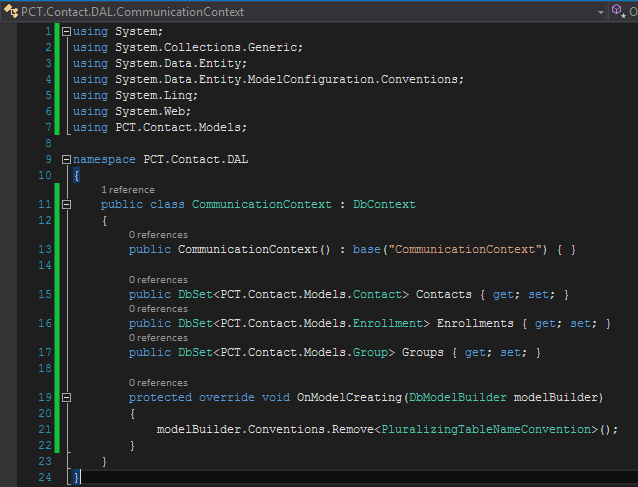
悲剧啊,由于类Contact和项目名称Contact重复,不得不写全称啊,以后注意。
继续在DAL目录下创建CommunicationInitializer.cs
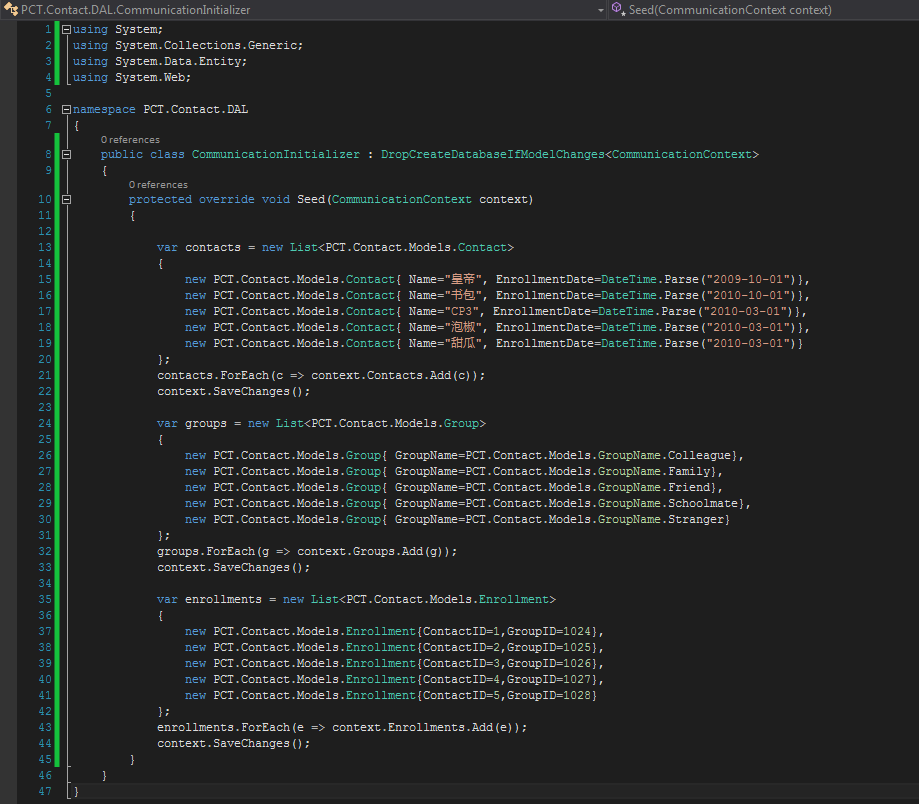
为了通知EF使用你创建的initializer class,在项目的web.config中添加entityFramework节点
 <entityFramework>
 <contexts>
  <context type="PCT.Contact.DAL.CommunicationContext, PCT.Contact">
  <databaseInitializer type="PCT.Contact.DAL.CommunicationInitializer, PCT.Contact" />
  </context>
 </contexts>
 <defaultConnectionFactory type="System.Data.Entity.Infrastructure.SqlConnectionFactory, EntityFramework" />
 <providers>
  <provider invariantName="System.Data.SqlClient" type="System.Data.Entity.SqlServer.SqlProviderServices, EntityFramework.SqlServer" />
 </providers>
 </entityFramework>
在项目web.config中添加connectionstrings(在appSettings之上)
 <connectionStrings>
 <add name="CommunicationContext" connectionString="Data Source=(LocalDb)\v11.0;Initial Catalog=ContactCommunication;Integrated Security=SSPI;" providerName="System.Data.SqlClient"/>
 </connectionStrings>

 <appSettings>
 <add key="webpages:Version" value="3.0.0.0" />
 <add key="webpages:Enabled" value="false" />
 <add key="ClientValidationEnabled" value="true" />
 <add key="UnobtrusiveJavaScriptEnabled" value="true" />
 </appSettings>
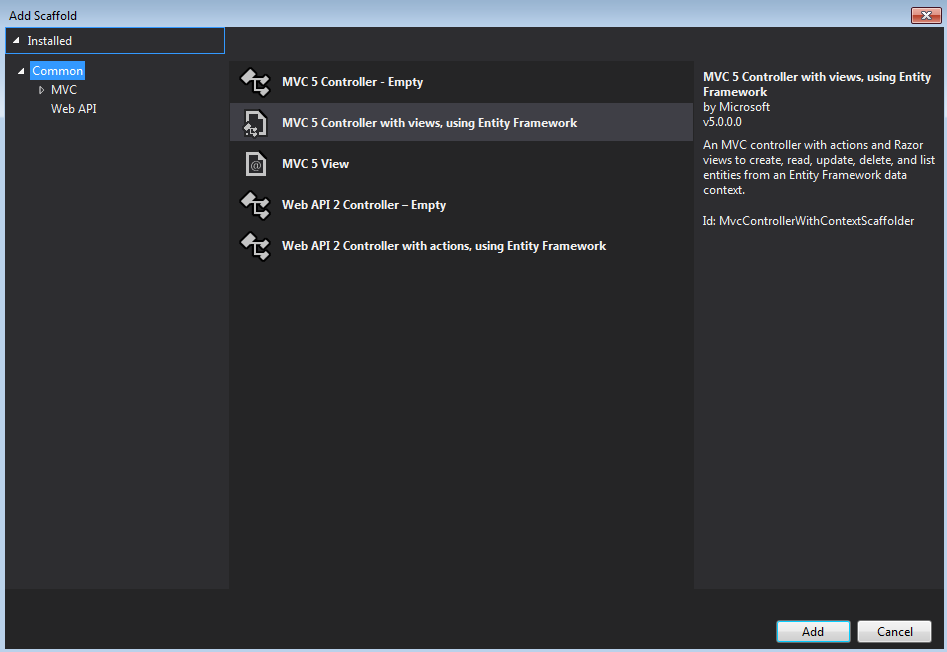
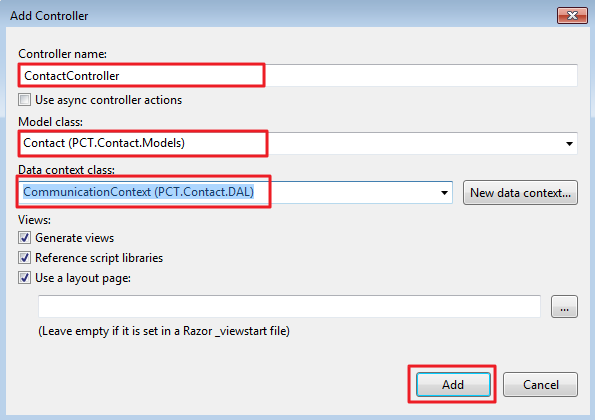
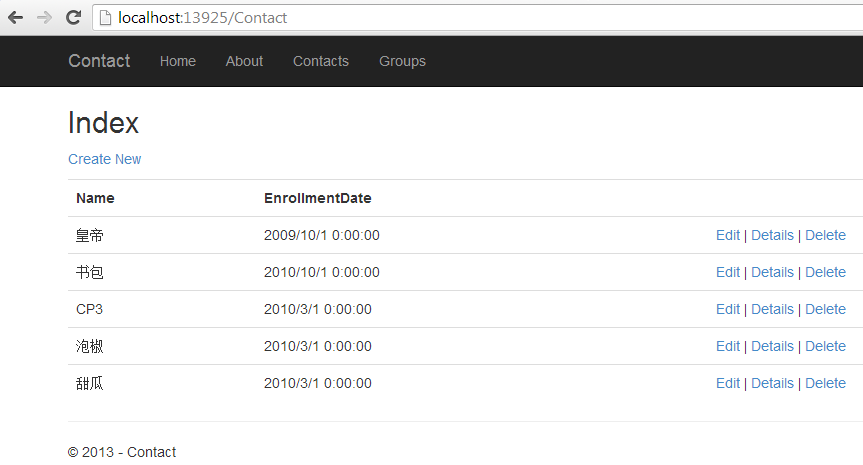
运行结果
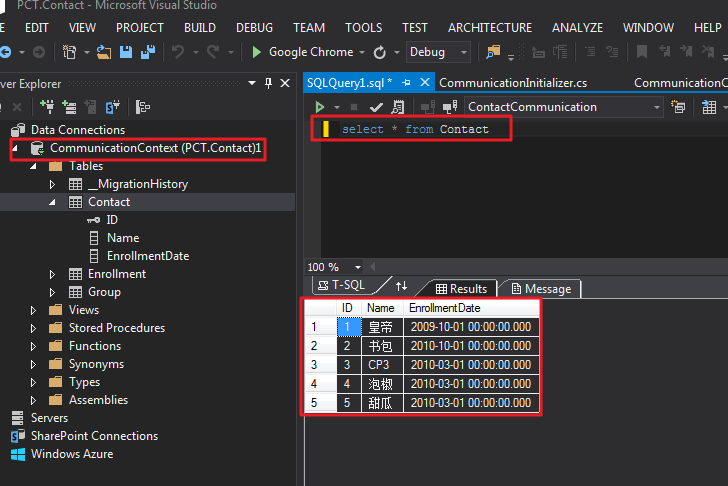
查看LocalDB
希望本文可以对大家学习有所帮助。


