

pyinstaller是一个非常简单的打包python的py文件的库。用起来就几条命令就够了,
官方文档:pyinstaller
代码混淆
使用https://pyob.oxyry.com/ 进行代码的混淆(找不到什么可用的离线混淆库)
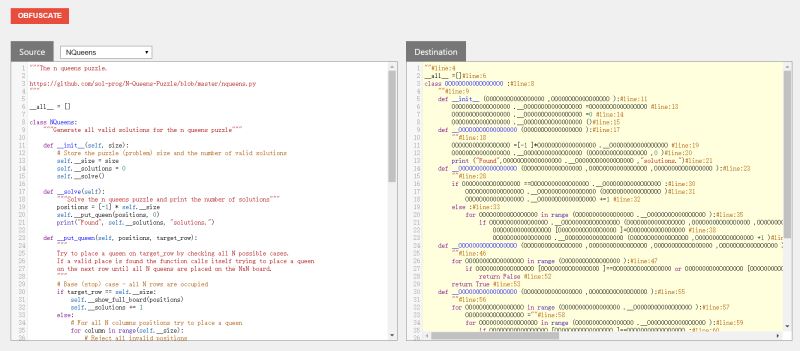
抓取真实api后
def obfuscation(py_file, save_path):
 print("读取文件:", py_file)
 with open(py_file, "r", encoding="utf-8") as f:
  py_content = f.read()

 print("进行混淆中...")
 url = "https://pyob.oxyry.com/obfuscate"
 headers = {
  "User-Agent": "Mozilla/5.0 (Windows NT 10.0; Win64; x64) AppleWebKit/537.36 (KHTML, like Gecko) Chrome/81.0.4044.138 Safari/537.36",
  "Referer": "http://pyob.oxyry.com/",
  "content-type": "application/json",
  "cookie": "_ga=GA1.2.1306886713.1588752647; _gid=GA1.2.46944674.1588899118"
 }
 data = json.dumps({
  "append_source": "false",
  "preserve": "",
  "remove_docstrings": "true",
  "rename_default_parameters": "false",
  "rename_nondefault_parameters": "true",
  "source": py_content
 })
 result = json.loads(requests.post(url, data=data, headers=headers).text)["dest"]
 result = "# cython: language_level=3\n" + result
 print("混淆成功...")

 with open(save_path, "w", encoding="utf-8") as f:
  f.write(result)
 print("混淆文件已写入{}\n".format(save_path))

if __name__ == '__main__':
 obfuscation("my.py", "../混淆/my.py")
 obfuscation("approach.py", "../混淆/approach.py")
编译pyd
build_pyd.py
from distutils.core import setup
from Cython.Build import cythonize

setup(
 name='any words.....',
 ext_modules=cythonize(["my.py","approach.py" ])
)
执行打包
import json
import os
# 清理旧pyd文件
import uuid
import requests
def clearPyd():
 for file in os.listdir():
  if ".pyd" in file:
   print("删除.pyd:", file)
   os.remove(file)
 print("***********************************************************************")
# 构建pyd文件
def buildPyd():
 os.system("python build_pyd.py build_ext --inplace")
# 重命名pyd文件
def renamePyd():
 print("***********************************************************************")
 for file in os.listdir():
  if ".pyd" in file:
   print("重新命名pyd:", file)
   os.rename(file, file[:file.find(".")] + ".pyd")
 for file in os.listdir():
  if ".c" in file:
   print("删除.c文件:", file)
   os.remove(file)
 print("***********************************************************************")
# 执行打包
def pyinstaller(key, ico):
 os.system("pyinstaller -F --key {} -i {} main.py".format(key, ico))
# 删除bulid和spec文件
def clearBuildAndSpec():
 import shutil
 shutil.rmtree('build')
 print("删除bulid文件夹")
 os.remove("main.spec")
 print("删除spec文件")
if __name__ == '__main__':
 clearPyd() # 清理旧pyd文件
 buildPyd() # 构建pyd文件
 renamePyd() # 重命名pyd文件
 pyinstaller(uuid.uuid4()[0:16], "1.ico") # 执行打包
 clearPyd() # 清理pyd文件
 clearBuildAndSpec() # 删除bulid和spec文件


