

本文为大家分享了python实现文字识别功能大全,供大家参考,具体内容如下
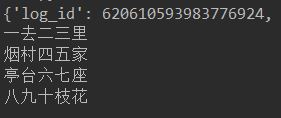
1.通用文字识别
# -*- coding: UTF-8 -*-
from aip import AipOcr

# 定义常量
APP_ID = '11352343'
API_KEY = 'Nd5Z1NkGoLDvHwBnD2bFLpCE'
SECRET_KEY = 'A9FsnnPj1Ys2Gof70SNgYo23hKOIK8Os'

# 初始化AipFace对象
aipOcr = AipOcr(APP_ID, API_KEY, SECRET_KEY)

# 读取图片
filePath = "test3.png"

def get_file_content(filePath):
 with open(filePath, 'rb') as fp:
 return fp.read()

# 定义参数变量
options = {
 'detect_direction': 'true',
 'language_type': 'CHN_ENG',
}

# 调用通用文字识别接口
result = aipOcr.basicGeneral(get_file_content(filePath), options)
print(result)
words_result=result['words_result']
for i in range(len(words_result)):
 print(words_result[i]['words'])
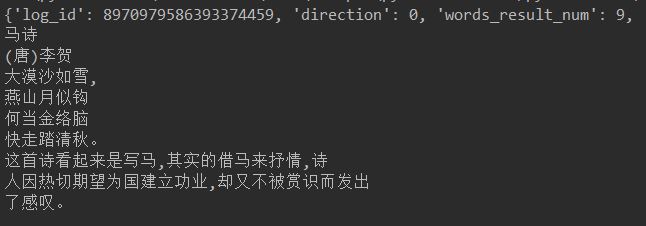
2.网络图片文字识别
识别一些网络上背景复杂,特殊字体的文字。
# -*- coding: UTF-8 -*-
from aip import AipOcr

# 定义常量
APP_ID = '11352343'
API_KEY = 'Nd5Z1NkGoLDvHwBnD2bFLpCE'
SECRET_KEY = 'A9FsnnPj1Ys2Gof70SNgYo23hKOIK8Os'

# 初始化AipFace对象
aipOcr = AipOcr(APP_ID, API_KEY, SECRET_KEY)

# 读取图片
filePath = "2-5.jpg"

def get_file_content(filePath):
 with open(filePath, 'rb') as fp:
 return fp.read()

options={}
options["detect_direction"] = "true" #检测朝向
options["detect_language"] = "true" #检测语言

result= aipOcr.webImage(get_file_content(filePath),options)
print(result)
for i in range(len(result['words_result'])):
 print(result['words_result'][i]['words'])
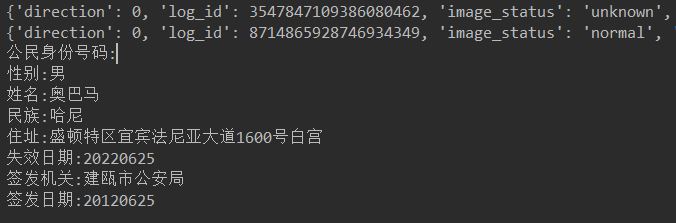
3.身份证识别
身份证识别包括正面和背面。
# -*- coding: UTF-8 -*-
from aip import AipOcr
# 定义常量
APP_ID = '11352343'
API_KEY = 'Nd5Z1NkGoLDvHwBnD2bFLpCE'
SECRET_KEY = 'A9FsnnPj1Ys2Gof70SNgYo23hKOIK8Os'

# 初始化AipFace对象
aipOcr = AipOcr(APP_ID, API_KEY, SECRET_KEY)

# 读取图片
filePath1 = "2-6-2.jpg" #正面
filePath2 = "2-6-1.jpg" #背面
def get_file_content(filePath):
 with open(filePath, 'rb') as fp:
 return fp.read()

options={}
options["detect_direction"] = "true" #检测朝向
options["detect_risk"] = "true"
#是否开启身份证风险类型(身份证复印件、临时身份证、身份证翻拍、修改过的身份证)功能,默认不开启

result1= aipOcr.idcard(get_file_content(filePath1),'front',options)
result2= aipOcr.idcard(get_file_content(filePath2),'back',options)
print(result1)
print(result2)
for key in result1['words_result'].keys():
 print(key+':'+result1['words_result'][key]['words'])

for key in result2['words_result'].keys():
 print(key+':'+result2['words_result'][key]['words'])
4.银行卡识别
识别银行卡并返回卡号和发卡行。
# -*- coding: UTF-8 -*-
from aip import AipOcr

# 定义常量
APP_ID = '11352343'
API_KEY = 'Nd5Z1NkGoLDvHwBnD2bFLpCE'
SECRET_KEY = 'A9FsnnPj1Ys2Gof70SNgYo23hKOIK8Os'

# 初始化AipFace对象
aipOcr = AipOcr(APP_ID, API_KEY, SECRET_KEY)

# 读取图片
filePath = "2-7.jpeg"

def get_file_content(filePath):
 with open(filePath, 'rb') as fp:
 return fp.read()

options={}

result=aipOcr.bankcard(get_file_content(filePath),options)
print(result)
#bank_card_type 银行卡类型,0:不能识别; 1: 借记卡; 2: 信用卡
for key in result['result']:
 print(key+':'+str(result['result'][key]))

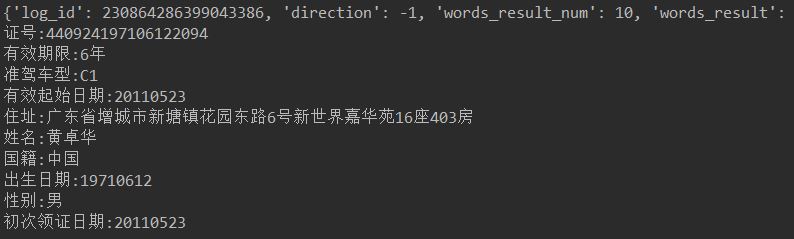
5.驾驶证识别
对机动车驾驶证所有关键字段进行识别。
# -*- coding: UTF-8 -*-
from aip import AipOcr

# 定义常量
APP_ID = '11352343'
API_KEY = 'Nd5Z1NkGoLDvHwBnD2bFLpCE'
SECRET_KEY = 'A9FsnnPj1Ys2Gof70SNgYo23hKOIK8Os'

# 初始化AipFace对象
aipOcr = AipOcr(APP_ID, API_KEY, SECRET_KEY)

# 读取图片
filePath = "2-8.jpg"

def get_file_content(filePath):
 with open(filePath, 'rb') as fp:
 return fp.read()

options={}

result=aipOcr.drivingLicense(get_file_content(filePath),options)
print(result)

for key in result['words_result']:
 print(key+':'+str(result['words_result'][key]['words']))
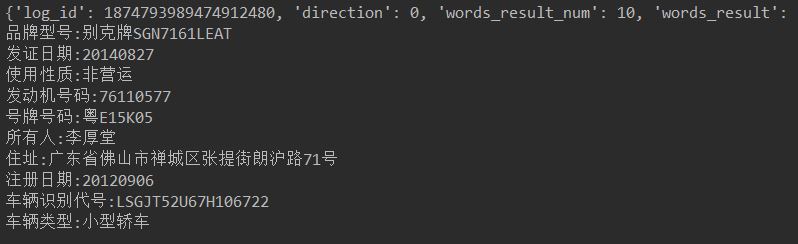
6.行驶证识别
对机动车行驶证正本所有关键字段进行识别。
# -*- coding: UTF-8 -*-
from aip import AipOcr

# 定义常量
APP_ID = '11352343'
API_KEY = 'Nd5Z1NkGoLDvHwBnD2bFLpCE'
SECRET_KEY = 'A9FsnnPj1Ys2Gof70SNgYo23hKOIK8Os'

# 初始化AipFace对象
aipOcr = AipOcr(APP_ID, API_KEY, SECRET_KEY)

# 读取图片
filePath = "2-9.jpg"

def get_file_content(filePath):
 with open(filePath, 'rb') as fp:
 return fp.read()

options={}

result=aipOcr.vehicleLicense(get_file_content(filePath),options)
print(result)

for key in result['words_result']:
 print(key+':'+str(result['words_result'][key]['words']))
7.车牌识别
# -*- coding: UTF-8 -*-
from aip import AipOcr

# 定义常量
APP_ID = '11352343'
API_KEY = 'Nd5Z1NkGoLDvHwBnD2bFLpCE'
SECRET_KEY = 'A9FsnnPj1Ys2Gof70SNgYo23hKOIK8Os'

# 初始化AipFace对象
aipOcr = AipOcr(APP_ID, API_KEY, SECRET_KEY)

# 读取图片
filePath = "2-3.png"

def get_file_content(filePath):
 with open(filePath, 'rb') as fp:
 return fp.read()

options={}
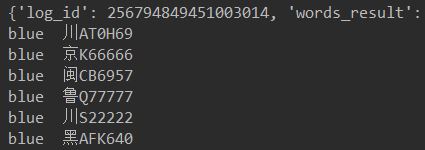
options["multi_detect"] = "true"
#是否检测多张车牌,默认为false,当置为true的时候可以对一张图片内的多张车牌进行识别

result= aipOcr.licensePlate(get_file_content(filePath),options)

for i in range(len(result['words_result'])):
 print(result['words_result'][i]['color']+' '+result['words_result'][i]['number'])
8.营业执照识别
识别营业执照,并返回关键字段的值,包括单位名称、法人、地址、有效期、证件编号、社会信用代码等。
# -*- coding: UTF-8 -*-
from aip import AipOcr

# 定义常量
APP_ID = '11352343'
API_KEY = 'Nd5Z1NkGoLDvHwBnD2bFLpCE'
SECRET_KEY = 'A9FsnnPj1Ys2Gof70SNgYo23hKOIK8Os'

# 初始化AipFace对象
aipOcr = AipOcr(APP_ID, API_KEY, SECRET_KEY)

# 读取图片
filePath = "2-10.jpg"

def get_file_content(filePath):
 with open(filePath, 'rb') as fp:
 return fp.read()

options={}

result=aipOcr.businessLicense(get_file_content(filePath),options)
print(result)

for key in result['words_result']:
 print(key+':'+str(result['words_result'][key]['words']))
以上就是本文的全部内容,希望对大家的学习有所帮助,也希望大家多多支持脚本之家。


