

时间:2020年8月15日10:25:47
Xdebug插件安装省略,自己百度安装,win和linux环境安装方式不一样。
注意和php版本匹配
1、phpinfo信息
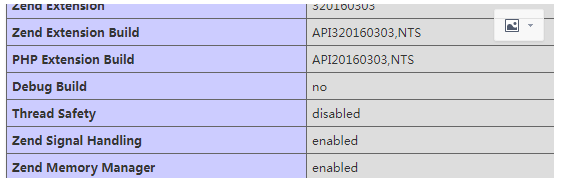
2、php.ini配置
[xdebug]
zend_extension=/usr/lib64/php/modules/xdebug.so
xdebug.remote_enable =1
xdebug.profiler_enable = On
xdebug.auto_trace=On
xdebug.profiler_enable_trigger = On
xdebug.profiler_output_name = cachegrind.out.%t.%p
xdebug.remote_handler ="dbgp"
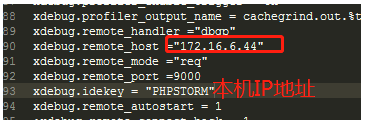
xdebug.remote_host ="172.16.6.44"
xdebug.remote_mode ="req"
xdebug.remote_port =9000
xdebug.idekey = "PHPSTORM"
xdebug.remote_autostart = 1
;xdebug.remote_connect_back = 1
; If openssl.cafile is not specified or if the CA file is not found, the
; directory pointed to by openssl.capath is searched for a suitable
; certificate. This value must be a correctly hashed certificate directory.
; Most users should not specify a value for this directive as PHP will
; attempt to use the OS-managed cert stores in its absence. If specified,
; this value may still be overridden on a per-stream basis via the "capath"
; SSL stream context option.
;openssl.capath=

; Local Variables:
; tab-width: 4
; End:

xdebug.var_display_max_children=10240
xdebug.var_display_max_data=10240
xdebug.var_display_max_depth=10240
3、当然你的xdebug.so扩展也要安装起来。

4、编辑器phpstorm配置
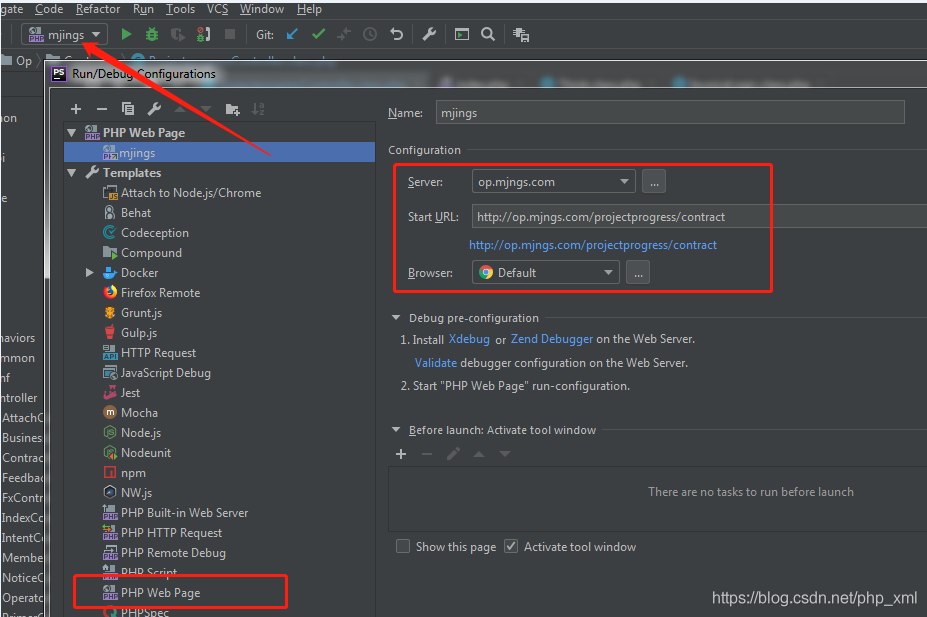
setting配置
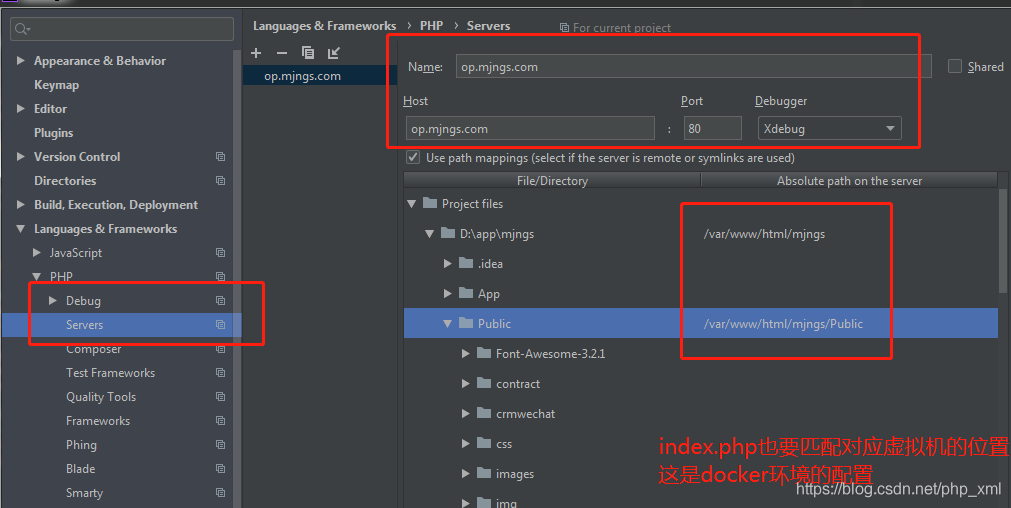
端口和ini中配置的一样
本机IP配置,虚拟机的IP是192.168.99.26
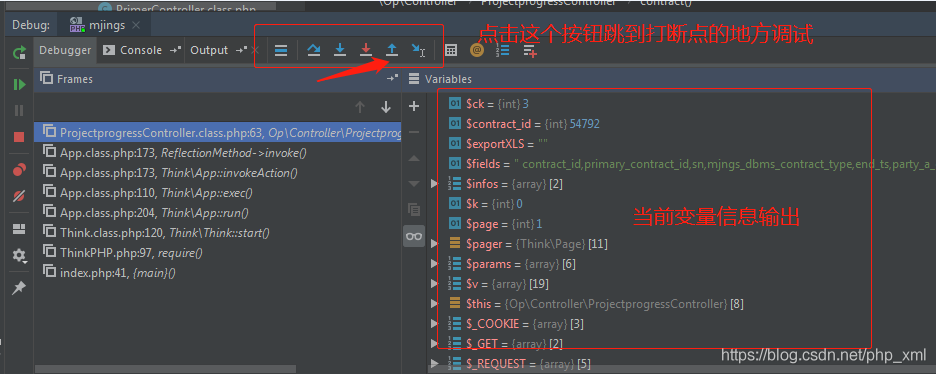
输出窗口信息
代码界面输出

1.首先检查phpstorm的xdebug配置
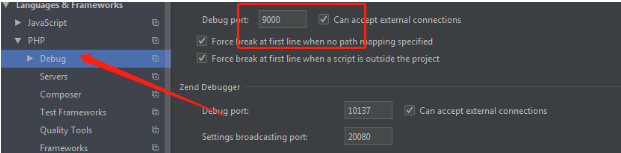
->这里的debug port要和php.ini里面的 xdebug.remote_port相一致!默认是9000,如果9000端口被占用的话,可以改成其他 端口。
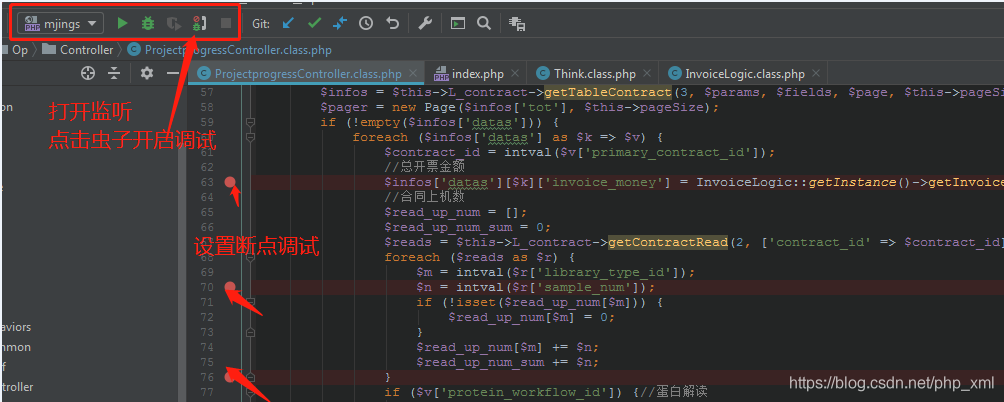
4.开始使用断点调试
-〉开启调试(phpstrom)
1、设置断点
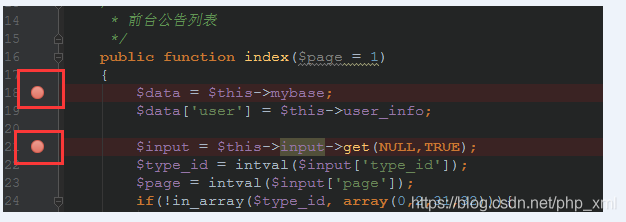
F9跳出
F8下一步
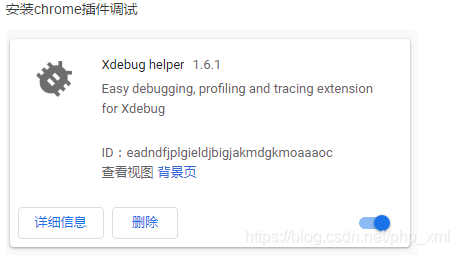
->浏览器增加开启和关闭按钮
https://www.jetbrains.com/phpstorm/marklets/
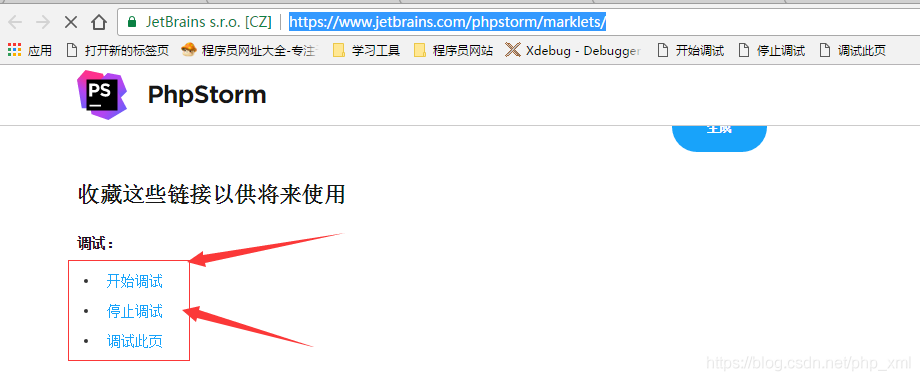
-〉在代码中打断点,运行访问该页面的url
浏览器开启调试,然后刷新页面即可。


