

Struts1之url截取
先我们来对ActionServlet深层次进行分析。我们用断点的调试的方式来看底层源码。因为这个实例是post方式提交,所以将断点设置到doPost方法上。
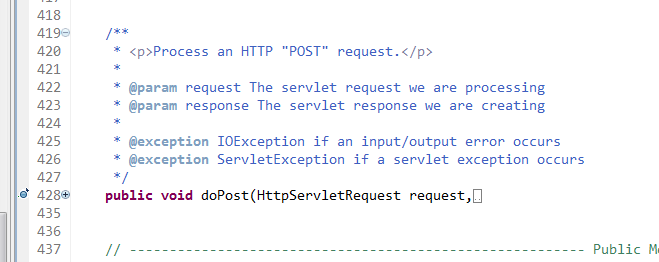
我们debug运行程序,进入doPost里面的方法:
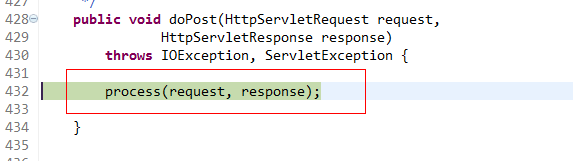
这个方法非常重要是ActionServlet运行的核心方法。
我们进入这个方法:
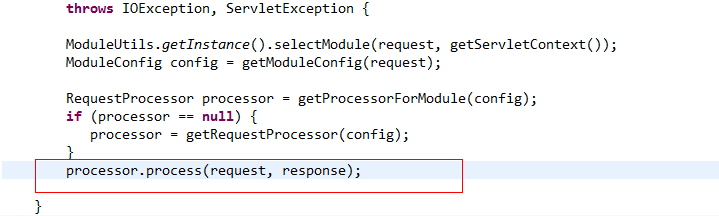
再继续进入:
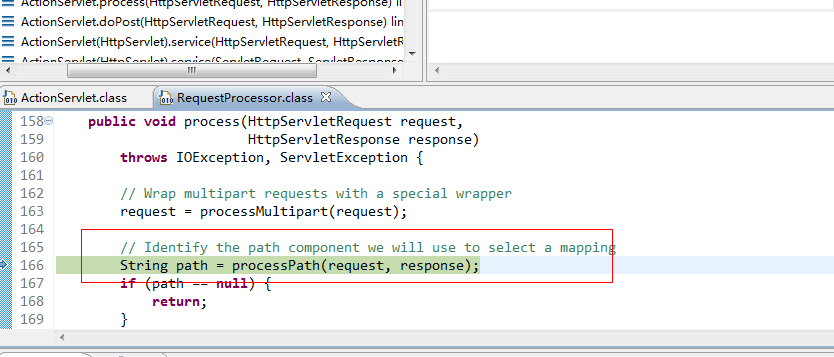
我们赫然发现了这样一个方法就是processPath方法,这个方法就是截取字符串的方法。这个方法的源代码如下:
/**
  * <p>Identify and return the path component(from the request URI) that
  * we will use to select an <code>ActionMapping</code> with which todispatch.
  * If no such path can be identified,create an error response and return
  * <code>null</code>.</p>
  *
  * @param request The servlet request weare processing
  * @param response The servlet response weare creating
  *
  * @exception IOException if an input/outputerror occurs
  */
 protectedString processPath(HttpServletRequest request,
        HttpServletResponse response)
  throws IOException {

  String path = null;

  // For prefix matching, match on the path info (if any)
  path = (String) request.getAttribute(INCLUDE_PATH_INFO);
  if (path == null) {
   path = request.getPathInfo();
  }
  if ((path != null) && (path.length() > 0)) {
   return (path);
  }

  // For extension matching, strip the module prefix and extension
  path = (String) request.getAttribute(INCLUDE_SERVLET_PATH);
  if (path == null) {
   path = request.getServletPath();
  }
  String prefix = moduleConfig.getPrefix();
  if (!path.startsWith(prefix)) {
   String msg =getInternal().getMessage("processPath");

   log.error(msg + " " + request.getRequestURI());
   response.sendError(HttpServletResponse.SC_BAD_REQUEST, msg);

   return null;
  }

  path = path.substring(prefix.length());
  int slash = path.lastIndexOf("/");
  int period = path.lastIndexOf(".");
  if ((period >= 0) && (period >slash)) {
   path = path.substring(0, period);
  }
  return (path);

}
分析一下这段代码:
path = (String)request.getAttribute(INCLUDE_PATH_INFO);
  if (path == null) {
   path = request.getPathInfo();
  }
  if ((path != null) && (path.length() > 0)) {
   return (path);
  }
这段代码首先判断一下javax.servlet.include.path_info是否存在路径信息,这里要知道当当一个页面是以RequestDispatcher.include方式显示的话,这个属性值才存在。所以这里没有值,就会进入path=request.getPathInfo()程序中,这里的getPathInfo获取的值是相对servlet的路径信息。
// For extension matching, stripthe module prefix and extension
  path = (String) request.getAttribute(INCLUDE_SERVLET_PATH);
  if (path == null) {
   path = request.getServletPath();
  }
  String prefix = moduleConfig.getPrefix();
  if (!path.startsWith(prefix)) {
   String msg =getInternal().getMessage("processPath");

   log.error(msg + " " + request.getRequestURI());
   response.sendError(HttpServletResponse.SC_BAD_REQUEST, msg);

   return null;
  }
这一段代码是判断javax.servlet.include.servlet_path是否存在值,这个也是当一个页面是以equestDispatcher.include方式显示的话,这个属性值才存在,所以这里的值没有。之后进入path = request.getServletPath();这个方法是获得返回请求URI上下文后的子串,所以这里的返回值就是“/”和访问页面名称和后缀(这里和我的mvc实例截取的是不是一样的道理)。随后进入下面代码:
path = path.substring(prefix.length());
  intslash = path.lastIndexOf("/");
  intperiod = path.lastIndexOf(".");
  if((period >= 0) && (period > slash)) {
   path = path.substring(0, period);
  }
  return (path);
这里的方法主要和我的上面的那里是一样的,主要就是去掉后缀。


