

很久没写过angular2.x ,最近一次也是几个月之前,为了下次查阅方便,相关命令记录下
1.ng --version 检查下自己angular cli版本
顺便看看npm -v node -v
E:\phpStudy\PHPTutorial\WWW>ng --version

  _           _         ____ _   ___
  / \  _ __  __ _ _  _| | __ _ _ __   / ___| |  |_ _|
 / △ \ | '_ \ / _` | | | | |/ _` | '__|  | |  | |  | |
 / ___ \| | | | (_| | |_| | | (_| | |   | |___| |___ | |
/_/  \_\_| |_|\__, |\__,_|_|\__,_|_|    \____|_____|___|
        |___/

Angular CLI: 1.7.3
Node: 8.9.3
OS: win32 x64
Angular:
E:\phpStudy\PHPTutorial\WWW>npm -v
5.5.1

E:\phpStudy\PHPTutorial\WWW>node -v
v8.9.3
2.ng new blog-web 创建一个项目
ng new blog-web --skip-install 这里只跳过安装 如果没有跳过没关系,目录安装完下载很慢可以直接终止,再用cnpm安装
E:\phpStudy\PHPTutorial\WWW>ng new blog-web --skip-install
 create blog-web/e2e/app.e2e-spec.ts (290 bytes)
 create blog-web/e2e/app.po.ts (208 bytes)
 create blog-web/e2e/tsconfig.e2e.json (235 bytes)
 create blog-web/karma.conf.js (923 bytes)
 create blog-web/package.json (1293 bytes)
 create blog-web/protractor.conf.js (722 bytes)
 create blog-web/README.md (1023 bytes)
 create blog-web/tsconfig.json (363 bytes)
 create blog-web/tslint.json (3012 bytes)
 create blog-web/.angular-cli.json (1243 bytes)
 create blog-web/.editorconfig (245 bytes)
 create blog-web/.gitignore (544 bytes)
 create blog-web/src/assets/.gitkeep (0 bytes)
 create blog-web/src/environments/environment.prod.ts (51 bytes)
 create blog-web/src/environments/environment.ts (387 bytes)
 create blog-web/src/favicon.ico (5430 bytes)
 create blog-web/src/index.html (294 bytes)
 create blog-web/src/main.ts (370 bytes)
 create blog-web/src/polyfills.ts (3114 bytes)
 create blog-web/src/styles.css (80 bytes)
 create blog-web/src/test.ts (642 bytes)
 create blog-web/src/tsconfig.app.json (211 bytes)
 create blog-web/src/tsconfig.spec.json (283 bytes)
 create blog-web/src/typings.d.ts (104 bytes)
 create blog-web/src/app/app.module.ts (316 bytes)
 create blog-web/src/app/app.component.html (1141 bytes)
 create blog-web/src/app/app.component.spec.ts (986 bytes)
 create blog-web/src/app/app.component.ts (207 bytes)
 create blog-web/src/app/app.component.css (0 bytes)
Project 'blog-web' successfully created.
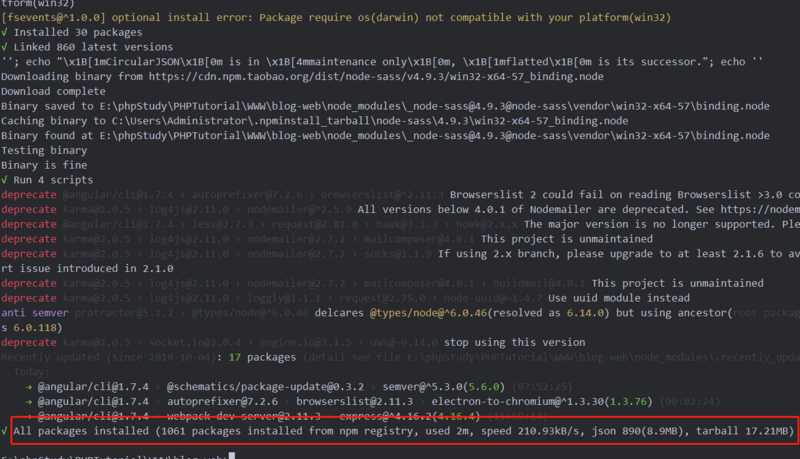
3.cnpm install
这里用淘宝镜像源,所以上一步只新建目录相关文件,国内cnpm会快很多,不过后期ng build时候需要注意点
切换进项目目录
E:\phpStudy\PHPTutorial\WWW>cd blog-web
cnpm install
E:\phpStudy\PHPTutorial\WWW\blog-web>cnpm install
4.ng serve 运行
这里的 -open就是自动打开网页了 默认的端口是4200如果端口被占用 可以使用 ng serve --port 4201
E:\phpStudy\PHPTutorial\WWW\blog-web>ng serve -open
** NG Live Development Server is listening on localhost:4200, open your browser on http://localhost:4200/ **
 11% building modules 10/10 modules 0 activewebpack: wait until bundle finished: /
Date: 2018-10-11T05:15:14.052Z
Hash: fc83a109759056196c47
Time: 8328ms
chunk {inline} inline.bundle.js (inline) 3.85 kB [entry] [rendered]
chunk {main} main.bundle.js (main) 18.3 kB [initial] [rendered]
chunk {polyfills} polyfills.bundle.js (polyfills) 575 kB [initial] [rendered]
chunk {styles} styles.bundle.js (styles) 42.5 kB [initial] [rendered]
chunk {vendor} vendor.bundle.js (vendor) 7.45 MB [initial] [rendered]

webpack: Compiled successfully.
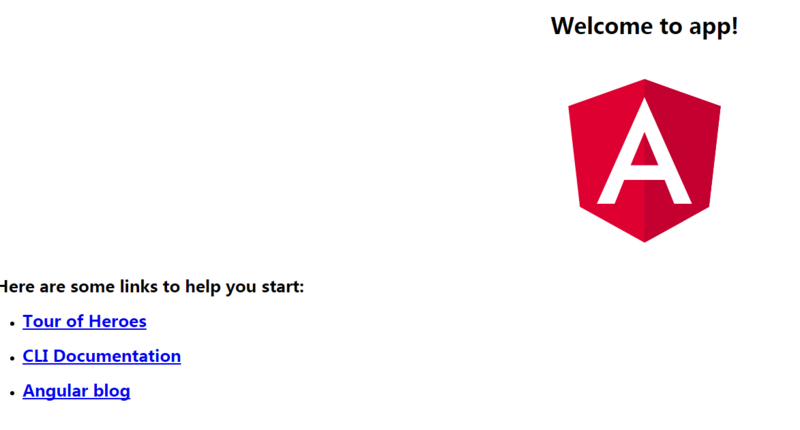
最后页面如下
这里面很多指令没写,只是当做自己再来操作一次,下一篇转载一份ng指令列表 很全
以上就是本文的全部内容,希望对大家的学习有所帮助,也希望大家多多支持脚本之家。


