

本文实例为大家分享了vue swiper实现侧滑菜单效果的具体代码,供大家参考,具体内容如下
先上效果图:
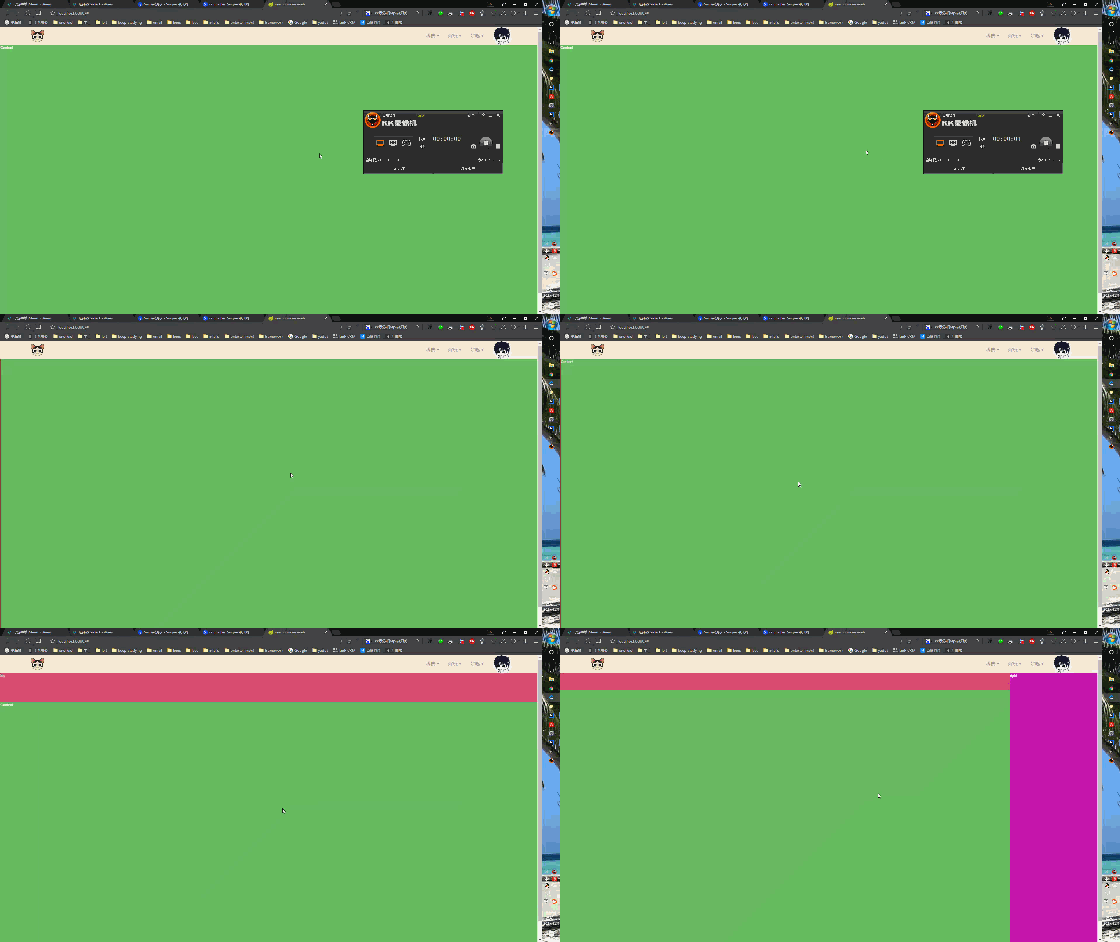
这个左右滑动以及上下滑动主要使用了Swiper的轮播功能,首先是该自定义组件的代码:
<template>
 <div class="s-slider">
 <swiper :options="horizontalSwiperOptions" ref="horizontalSwiper">
  <swiper-slide class="left" ref="left" v-bind:style="{'background':getRandomColor()}">
  <slot name="left"></slot>
  </swiper-slide>
  <swiper-slide class="content">
  <swiper :options="verticalSwiperOptions" ref="verticalSwiper">
   <swiper-slide class="top" ref="top" v-bind:style="{'background':getRandomColor()}">
   <slot name="top"></slot>
   </swiper-slide>
   <swiper-slide class="content" ref="content" v-bind:style="{'background':getRandomColor()}">
   <slot name="content"></slot>
   </swiper-slide>
   <swiper-slide class="bottom" ref="bottom" v-bind:style="{'background':getRandomColor()}">
   <slot name="bottom"></slot>
   </swiper-slide>
  </swiper>
  </swiper-slide>
  <swiper-slide class="right" ref="right" v-bind:style="{'background':getRandomColor()}">
  <slot name="right"></slot>
  </swiper-slide>
 </swiper>
 </div>
</template>
<script>
 import {swiper, swiperSlide, swiperWraper} from 'vue-awesome-swiper'
 export default {
 name: "s-slider",
 props: ['leftWidth','rightWidth','topHeight','bottomHeight'],
 data() {
  return {
  horizontalSwiperOptions: {
   slidesPerView: 'auto',
   initialSlide: 0,
   direction: 'horizontal'
  },
  verticalSwiperOptions:{
   slidesPerView: 'auto',
   initialSlide: 0,
   direction: 'vertical'
  }
  }
 },
 mounted() {
  setTimeout(() => {
  this._initMenuWidth();
  }, 20);

 },
 methods: {
  _initMenuWidth() {
  this.$refs.left.$el.style.width = this.leftWidth;
  this.$refs.right.$el.style.width = this.rightWidth;
  this.$refs.top.$el.style.height = this.topHeight;
  this.$refs.bottom.$el.style.height = this.bottomHeight;
  this.horizontalSwiper.updateSlides();
  this.horizontalSwiper.slideTo(1, 1000, false);
  this.verticalSwiper.updateSlides();
  this.verticalSwiper.slideTo(1, 1000, false);
  },
  /*获取随机颜色*/
  getRandomColor() {
  return "#" + ("00000" + ((Math.random() * 16777215 + 0.5) >> 0).toString(16)).slice(-6);
  }
 },
 computed: {
  horizontalSwiper() {
  return this.$refs.horizontalSwiper.swiper;
  },
  verticalSwiper(){
  return this.$refs.verticalSwiper.swiper;
  }
 }
 }
</script>

<style scoped lang="scss">
 @import "src/base/css/public/variable.scss";
 @import "swiper/dist/css/swiper.css";

 .s-slider {
 height: 100%;
 color: white;
 .swiper-container {
  @include fill-with-parent
 }
 }
</style>
该组件自定义了四个属性,分别是左右侧滑菜单的宽度,上下滑动菜单的高度,leftWdith、rightWidth、topHeight、bottomHeight,然后用了一个横向的轮播用来存放左滑菜单,中间内容,右滑菜单,然后在中间内容又放了一个纵向的轮播用来放置上滑菜单,内容以及下滑菜单,具体思路就是这样。在组件挂载的时候,需要根据父组件传入的数值去初始化四个菜单的宽高,初始化完毕宽高之后,还要调用swiper本身的updateSlides更新所有的slides,不然滑动的时候,还是按照没设置之前的宽高进行滑动。在父组件中调用:
<s-slider leftWidth="200px" rightWidth="300px" topHeight="100px" bottomHeight="150px">
  <div slot="left">
  left
  </div>
  <div slot="content">
  Content
  </div>
  <div slot="right">
  right
  </div>
  <div slot="top">
  top
  </div>
  <div slot="bottom">
  bottom
  </div>
 </s-slider>
不要忘了在父组件中还要引入这个vue组件。
以上就是本文的全部内容,希望对大家的学习有所帮助,也希望大家多多支持脚本之家。


