

对于前端的我们而言,并非是只有写界面才是最大的问题,很多的情况下,我们需要关注的是数据,比如js页面的数据传递等等,学习vue我们也是需要知道怎么去使用数据
当然,使用存储也是可以得,但是并非一定要缓存,当然在vue中有推荐了我们去使用vuex去数据交互,Vuex会让你的Vue代码足够灵活可控,把数据统一存入state, 只允许通过Actions触发Mutations修改。然而,有时候我们的项目并没有复杂到需要用上Vuex。,(我们也不讨论已经废除的vm.$dispatch)很多情况下我们都是需要一个事件的捕获,这时候我们就可以用到vue的eventbus了
受用eventbus的方法很是简单,我们需要做三步事情,第一步,我们需要创造一个容器去充当我们的eventbus
第二步,我们需要去抛出,或者说提交我们的事件
第三步,我们去监听我们的那个事件(也许这才是第二部)
首先,我们需要在全局定义我们的eventbus
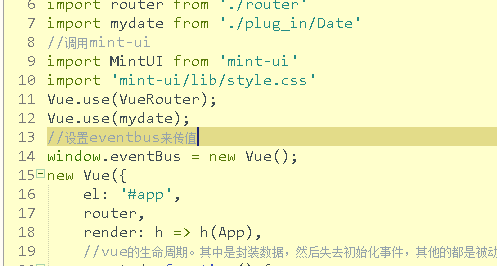
这里我们定义到了eventbus。这就简单的完成了我们的第一步,当然,全局变量,我想你应该知道定义在哪儿的
接着我们先去抛出这个事件,使用¥。emit去“提交”
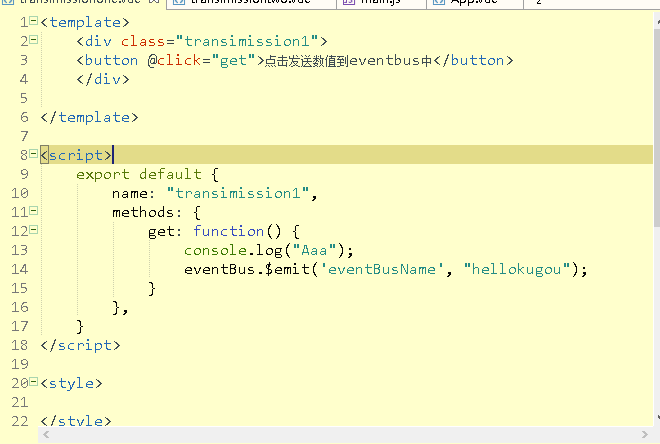
怎样,这点都可以理解吧,其次我们经行第三步,去监听
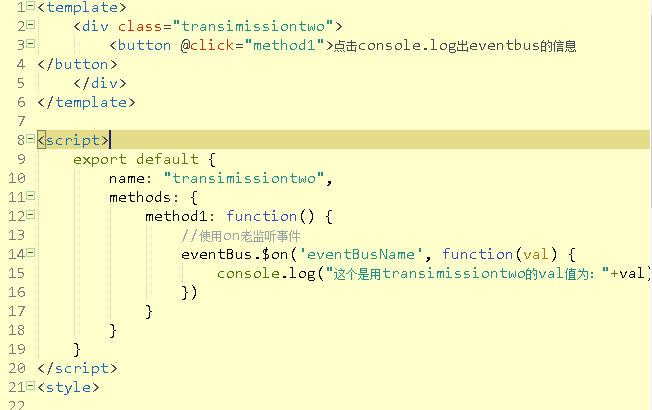
当然。这里已经监听好的。点击事件俺只是个累赘,
接下来我们就要去界面中使用它们了
首先,倒入我们所需要的文件:
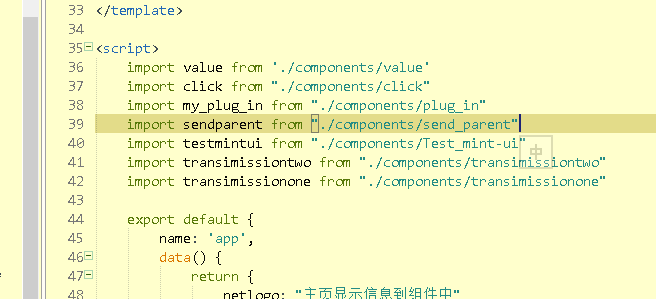
这里我使用的是谈transimissionone还有transimissiontwo两个文件‘
接着是定义
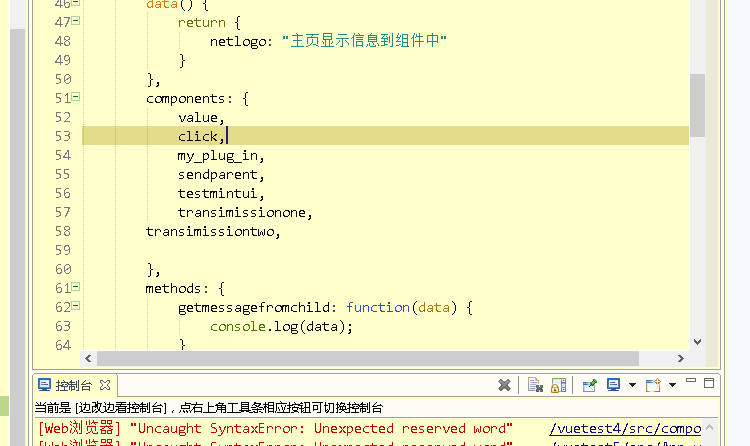
其次是使用

最后运行我们的项目,查看下效果
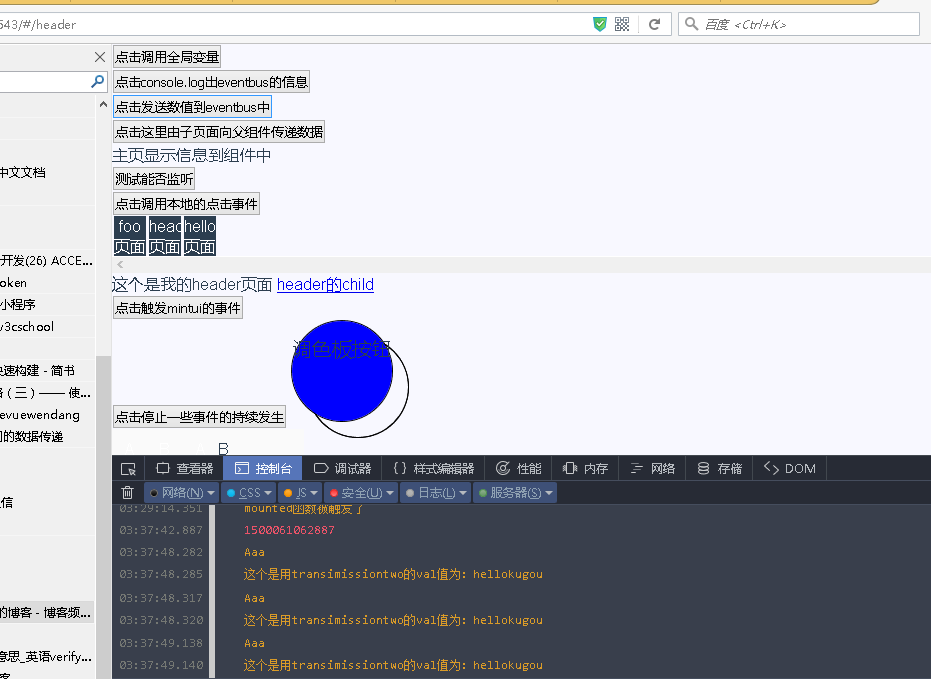
这边主要是交大家使用,所以代码就俘虏在下面,主要是四个文件
transimissionone。vue(发送事件的文件)
<template>
  <div class="transimission1">
  <button @click="get">点击发送数值到eventbus中</button>
  </div>

</template>

<script>
  export default {
    name: "transimission1",
    methods: {
      get: function() {
        console.log("Aaa");
        eventBus.$emit('eventBusName', "hellokugou");
      }
    },
  }
</script>

<style>

</style>
其次是transimissiontwo(监听者)
<template>
  <div class="transimissiontwo">
    <button @click="method1">点击console.log出eventbus的信息
</button>
  </div>
</template>

<script>
  export default {
    name: "transimissiontwo",
    methods: {
      method1: function() {
        //使用on老监听事件
        eventBus.$on('eventBusName', function(val) {
          console.log("这个是用transimissiontwo的val值为:"+val)
        })
      }
    }
  }
</script>
<style>

</style>
接着是我们的中枢。app。vue中使用
<template>
  <div id="app">
    <click></click>
  <transimissiontwo></transimissiontwo>
    <transimissionone></transimissionone>
  <sendparent @listenertochildevent="getmessagefromchild"></sendparent>
    <value :locallogo="netlogo"></value>
    <!--无法监听,说明要在那个组件中-->
    <button @listenertochildevent="getmessagefromchild">测试能否监听</button>
    <my_plug_in></my_plug_in>
    <div class="choose_div">
      <ul>

        <li>
          <router-link to="/foo">foo页面</router-link>
        </li>
        <li>
          <router-link to="/header">header页面</router-link>
        </li>
        <li>
          <router-link to="/hello">hello页面</router-link>
        </li>
        <li style="clear: both;list-style: none;"></li>
      </ul>

    </div>

    <div class="main">
      <router-view class="my_router_iew"></router-view>
    </div>
    <testmintui></testmintui>
  </div>
</template>

<script>
  import value from './components/value'
  import click from "./components/click"
  import my_plug_in from "./components/plug_in"
  import sendparent from "./components/send_parent"
  import testmintui from "./components/Test_mint-ui"
  import transimissiontwo from "./components/transimissiontwo"
  import transimissionone from "./components/transimissionone"

  export default {
    name: 'app',
    data() {
      return {
        netlogo: "主页显示信息到组件中"
      }
    },
    components: {
      value,
      click,
      my_plug_in,
      sendparent,
      testmintui,
      transimissionone,
    transimissiontwo,

    },
    methods: {
      getmessagefromchild: function(data) {
        console.log(data);
      }
    }
  }
</script>

<style>
  body {
    background-color: #f8f8ff;
    font-family: 'Avenir', Helvetica, Arial, sans-serif;
    color: #2c3e50;
  }

  ul {
    width: 12rem;
  }

  ul li {
    list-style: none;
  }

  ul li:not(:last-child) {
    list-style: none;
    width: 2rem;
    margin-left: 0.1rem;
    margin-right: 0.1rem;
    float: left;
    text-align: center;
    background: #2C3E50;
    color: white;
  }

  ul li a {
    text-decoration: none;
    font-size: 16px;
    color: white;
    line-height: 1rem;
    text-align: center;
  }

  ul li:nth-child {
    list-style: none;
    clear: both;
  }

  .choose_div {
    width: 100%;
    overflow: scroll;
  }
</style>
请无视掉没用的代码。接着就是定义eventbus了
window.eventBus = new Vue();
就这样,很是简单,当然,对于级别的可以使用prop,下回再讲
以上就是本文的全部内容,希望对大家的学习有所帮助,也希望大家多多支持脚本之家。


