

html部分
     <!-- The template for adding new field -->
     <div class="form-group hide" id="bookTemplate">
      <label class="col-sm-3 control-label">承包商</label>
      <div class="col-sm-2">
       <form:input path="names" cssClass="form-control" name="names" placeholder="名称"/>
      </div>
      <div class="col-sm-2">
       <form:input path="merchantIds" cssClass="form-control" name="merchantIds" placeholder="ID"/>
      </div>
      <div class="col-sm-2">
       <button type="button" class="btn btn-default removeButton"><i class="fa fa-minus"></i>
       </button>
      </div>
     </div>
js部分
<script src="${context}/plugins/datatables/jquery.dataTables.min.js"></script>
 <script src="${context}/plugins/datatables/dataTables.bootstrap.min.js"></script>
 <script src="${context}/plugins/datatables/dataTables.bootstrap.js"></script>
 <script src="${context}/js/public.js"></script>
 <script>
 $(document).ready(function () {
   var index = 0;
   $('#form')
   // Add button click handler
     .on('click', '.addButton', function () {
      if (this.name > 0 && index == 0) {
       index = this.name;
      }
      index++;
      var $template = $('#bookTemplate'),
        $clone = $template
          .clone()
          .removeClass('hide')
          .removeAttr('id')
          .attr('data-book-index', index)
          .insertBefore($template);
      // Update the name attributes
      $clone
        .find('[name="names"]').attr('path', 'contractor[' + index + '].names').attr('name', 'contractor[' + index + '].names').end()
        .find('[name="merchantIds"]').attr('path', 'contractor[' + index + '].merchantIds').attr('name', 'contractor[' + index + '].merchantIds').end();
      // Add new fields
      // Note that we also pass the validator rules for new field as the third parameter
     })
     // Remove button click handler
     .on('click', '.removeButton', function () {
      var $row = $(this).parents('.form-group'),
        index = $row.attr('data-book-index');
      // Remove fields
      // Remove element containing the fields
      $row.remove();
     });
</script>
效果图
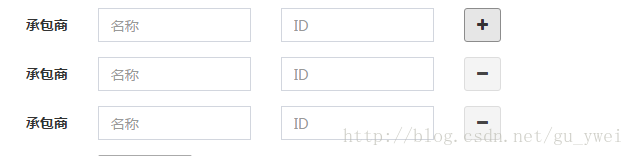
以上所述是小编给大家介绍的BootStrap 动态表单效果,希望对大家有所帮助,如果大家有任何疑问请给我留言,小编会及时回复大家的。在此也非常感谢大家对脚本之家网站的支持!


