

又是轮播?没错,换个样式玩轮播。
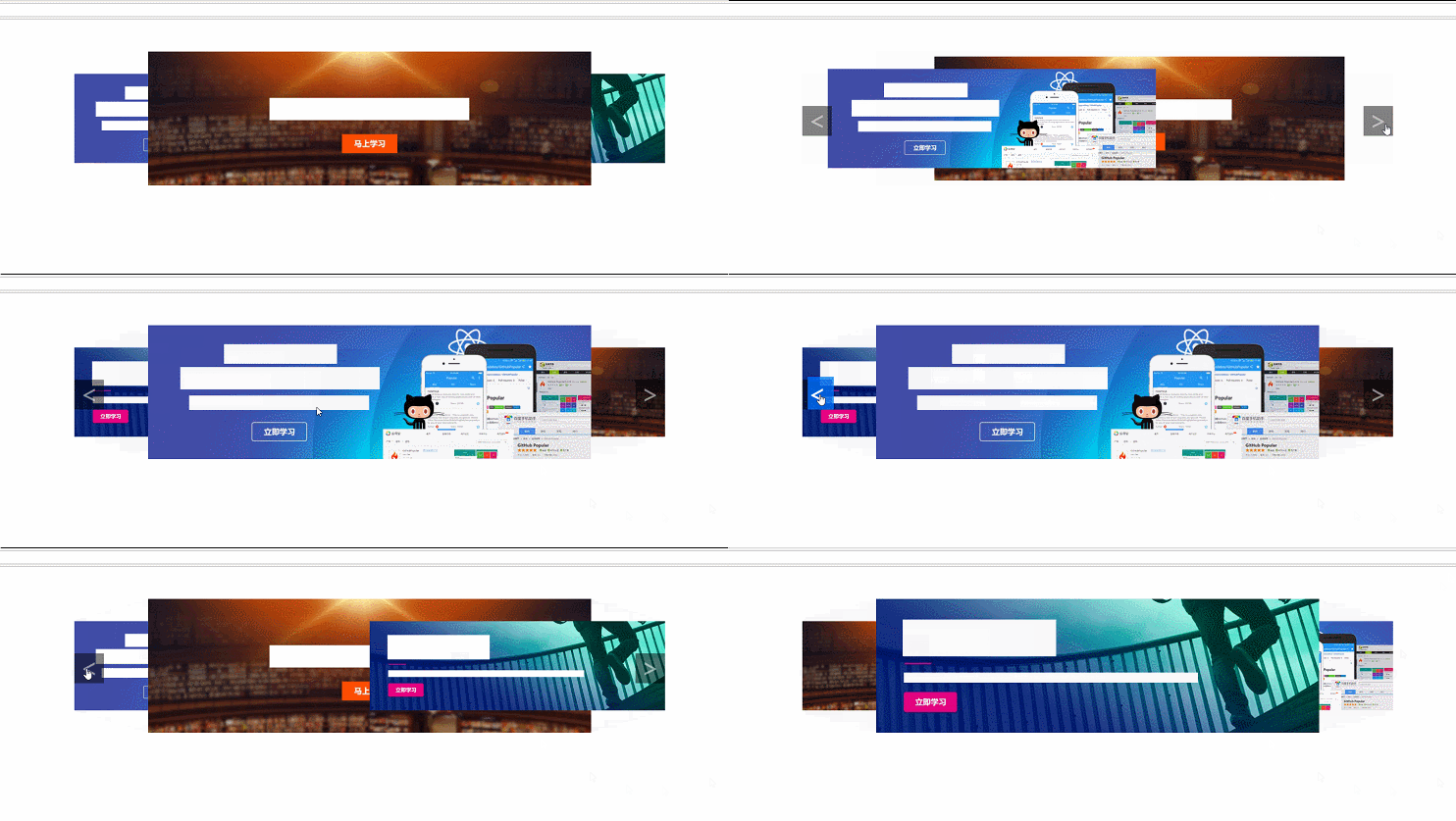
HTML:
<!DOCTYPE html> <html lang="en"> <head> <meta charset="UTF-8"> <title>wtf</title> </head> <body> <div class="container"> <div class="box"> <img class="front" src="img/A.jpg" alt="PIC"> <img class="back" src="img/B.jpg" alt="PIC"> <img class="active" src="img/C.jpg" alt="PIC"> <div class="btns"> <span class="btn"><</span> <span class="btn">></span> </div> </div> </div> </body> </html>
CSS:
 <style>
 .box {width: 1200px; height: 300px; transform-style: perserve-3d; margin: 50px auto; position: relative;}
 .box img{width:600px; position: absolute; top: 60px; transition:all .3s linear;}

 .box:hover .btn{opacity: 1;}

 .front {left: 0px;}
 .back {left: 600px;}
 .active {left: 300px; transform: scale(1.5); z-index: 10;}

 .btns .btn {width: 60px; height: 60px; display: block; position: absolute; background-color: rgba(0,0,0,.5); font-size: 50px; font-family: "微软雅黑"; color:rgba(255,255,255,.5); line-height: 55px; text-align: center; cursor: pointer; z-index: 100; opacity: 0; transition:opacity .3s linear;}
 .btns .btn:first-child {top: 125px;}
 .btns .btn:last-child {top: 125px; right: 0px;}
 </style>
JS:
 <script>
 onload = function(){
 var btns = document.getElementsByClassName('btn'),
  imgs = document.getElementsByClassName('box')[0].getElementsByTagName('img');

 var index = 2,
  front = 0,
  back = 0,
  offset = false,
  timer = setInterval(timer,5000);


 for(var i=0;i<btns.length;i++){
 (function(i){
  btns[i].onclick = function(){click(i)};
 })(i);

 btns[i].onmouseover = function(){
  offset = true;
 }
 btns[i].onmouseout = function(){
  offset = false;
 }
 }

 for(var i=0;i<imgs.length;i++){
 imgs[i].onmouseover = function(){
  offset = true;
 }
 imgs[i].onmouseout = function(){
  offset = false;
 }
 }

 function timer(){
 console.log(offset)
 if(offset){
  return;
 }
 else{
  click(1)
 }
 }

 function click(x){
 imgs[index].setAttribute('class','');
 if(x === 0){
  if(--index < 0){
  index = --imgs.length;
  }
  front = back = index;
  if(++front > --imgs.length){front = 0}
  if(--back < 0){back = --imgs.length}
  imgs[front].style.zIndex = '1';
  imgs[back].style.zIndex = '0';
 }
 else{
  if(++index > --imgs.length){
  index = 0;
  }
  front = back = index;
  if(++front > --imgs.length){front = 0}
  if(--back < 0){back = --imgs.length}
  imgs[front].style.zIndex = '0';
  imgs[back].style.zIndex = '1';
 }
 imgs[index].style.zIndex = '10';
 imgs[front].setAttribute('class','front')
 imgs[back].setAttribute('class','back')
 imgs[index].setAttribute('class','active');
 }
 }
 </script>
精彩专题分享:jQuery图片轮播 JavaScript图片轮播 Bootstrap图片轮播
以上就是本文的全部内容,希望对大家的学习有所帮助,也希望大家多多支持脚本之家。


