

本文介绍vue.js组件,具体如下:
5.2 组件通信
尽管子组件可以用this.$parent访问它的父组件及其父链上任意的实例,不过子组件应当避免直接依赖父组件的数据,尽量显式地使用 props 传递数据。另外,在子组件中修改父组件的状态是非常糟糕的做法,因为:
1.这让父组件与子组件紧密地耦合;
2.只看父组件,很难理解父组件的状态。因为它可能被任意子组件修改!理想情况下,只有组件自己能修改它的状态。
每个Vue实例都是一个事件触发器:
5.2.1 监听与触发
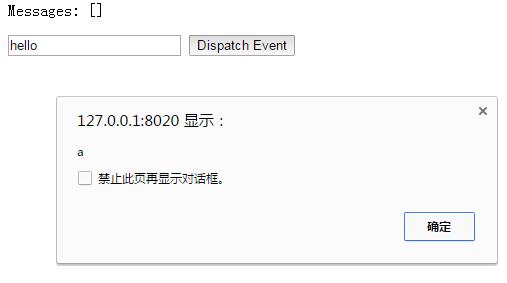
v-on监听自定义事件:
<!DOCTYPE html>
<html>
  <head>
    <meta charset="UTF-8">
    <title></title>
  </head>
  <body>
    <!--子组件模板-->
    <template id="child-template">
      <input v-model="msg" />
      <button v-on:click="notify">Dispatch Event</button>
    </template>
    <!--父组件模板-->
    <div id="events-example">
      <p>Messages: {{ messages | json }}</p>
      <child v-on:child-msg="handleIt"></child>
    </div>
  </body>
  <script src="js/vue.js"></script>
  <script>
//    注册子组件
//    将当前消息派发出去
    Vue.component('child', {
      template: '#child-template',
      data: function (){
        return { msg: 'hello' }
      },
      methods: {
        notify: function() {
          if(this.msg.trim()){
            this.$dispatch('child-msg',this.msg);
            this.msg = '';
          }
        }
      }
    })
//    初始化父组件
//    在收到消息时将事件推入一个数组中
    var parent = new Vue({
      el: '#events-example',
      data: {
        messages: []
      },
      methods:{
        'handleIt': function(){
          alert("a");
        }
      }
    })
  </script>
</html>
父组件可以在使用子组件的地方直接用 v-on 来监听子组件触发的事件:
<!DOCTYPE html>
<html>
  <head>
    <meta charset="UTF-8">
    <title></title>
  </head>
  <body>
    <div id="counter-event-example">
     <p>{{ total }}</p>
     <button-counter v-on:increment="incrementTotal"></button-counter>
     <button-counter v-on:increment="incrementTotal"></button-counter>
    </div>
  </body>
  <script src="js/vue.js" type="text/javascript" charset="utf-8"></script>
  <script type="text/javascript">
    Vue.component('button-counter', {
     template: '<button v-on:click="increment">{{ counter }}</button>',
     data: function () {
      return {
       counter: 0
      }
     },
     methods: {
      increment: function () {
       this.counter += 1
       this.$emit('increment')
      }
     },
    })
    new Vue({
     el: '#counter-event-example',
     data: {
      total: 0
     },
     methods: {
      incrementTotal: function () {
       this.total += 1
      }
     }
    })
  </script>
</html>


在某个组件的根元素上监听一个原生事件。可以使用 .native 修饰v-on 。例如:
<my-component v-on:click.native="doTheThing"></my-component>
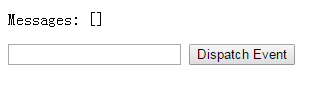
5.2.2 派发事件——$dispatch()
<!DOCTYPE html>
<html>
  <head>
    <meta charset="UTF-8">
    <title></title>
  </head>
  <body>
    <div id="app">
      <p>Messages: {{ messages | json }}</p>
      <child-component></child-component>
    </div>
    <template id="child-component">
      <input v-model="msg" />
      <button v-on:click="notify">Dispatch Event</button>
    </template>

  <script src="js/vue.js"></script>
  <script>
    // 注册子组件
    Vue.component('child-component', {
      template: '#child-component',
      data: function() {
        return {
          msg: ''
        }
      },
      methods: {
        notify: function() {
          if (this.msg.trim()) {
            this.$dispatch('child-msg', this.msg)
            this.msg = ''
          }
        }
      }
    })

    // 初始化父组件
    new Vue({
      el: '#app',
      data: {
        messages: []
      },
      events: {
        'child-msg': function(msg) {
          this.messages.push(msg)
        }
      }
    })
  </script>
  </body>
</html>


5.2.3 广播事件——$broadcast()
<!DOCTYPE html>
<html>
  <head>
    <meta charset="UTF-8">
    <title></title>
  </head>
  <body>
    <div id="app">
      <input v-model="msg" />
      <button v-on:click="notify">Broadcast Event</button>
      <child-component></child-component>
    </div>

    <template id="child-component">
      <ul>
        <li v-for="item in messages">
          父组件录入了信息:{{ item }}
        </li>
      </ul>
    </template>

  <script src="js/vue.js"></script>
  <script>
    // 注册子组件
    Vue.component('child-component', {
      template: '#child-component',
      data: function() {
        return {
          messages: []
        }
      },
      events: {
        'parent-msg': function(msg) {
          this.messages.push(msg)
        }
      }
    })
    // 初始化父组件
    new Vue({
      el: '#app',
      data: {
        msg: ''
      },
      methods: {
        notify: function() {
          if (this.msg.trim()) {
            this.$broadcast('parent-msg', this.msg)
          }
        }
      }
    })
  </script>
  </body>
</html>
和派发事件相反。前者在子组件绑定,调用$dispatch派发到父组件;后者在父组件中绑定,调用$broadcast广播到子组件。
5.2.4 父子组件之间的访问
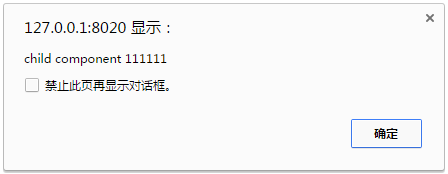
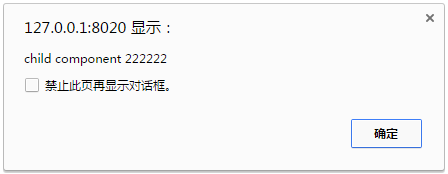
$children:
<!DOCTYPE html>
<html>
  <head>
    <meta charset="UTF-8">
    <title></title>
  </head>
  <body>
    <div id="app">
      <parent-component></parent-component>
    </div>

    <template id="parent-component">
      <child-component1></child-component1>
      <child-component2></child-component2>
      <button v-on:click="showChildComponentData">显示子组件的数据</button>
    </template>

    <template id="child-component1">
      <h2>This is child component 1</h2>
    </template>

    <template id="child-component2">
      <h2>This is child component 2</h2>
    </template>
    <script src="js/vue.js"></script>
    <script>
      Vue.component('parent-component', {
        template: '#parent-component',
        components: {
          'child-component1': {
            template: '#child-component1',
            data: function() {
              return {
                msg: 'child component 111111'
              }
            }
          },
          'child-component2': {
            template: '#child-component2',
            data: function() {
              return {
                msg: 'child component 222222'
              }
            }
          }
        },
        methods: {
          showChildComponentData: function() {
            for (var i = 0; i < this.$children.length; i++) {
              alert(this.$children[i].msg)
            }
          }
        }
      })

      new Vue({
        el: '#app'
      })
    </script>
  </body>
</html>

$ref可以给子组件指定索引ID:
<!DOCTYPE html>
<html>
  <head>
    <meta charset="UTF-8">
    <title></title>
  </head>
  <body>
    <div id="app">
      <parent-component></parent-component>
    </div>

    <template id="parent-component">
      <!--<child-component1></child-component1>
      <child-component2></child-component2>-->
      <child-component1 v-ref:cc1></child-component1>
      <child-component2 v-ref:cc2></child-component2>
      <button v-on:click="showChildComponentData">显示子组件的数据</button>
    </template>

    <template id="child-component1">
      <h2>This is child component 1</h2>
    </template>

    <template id="child-component2">
      <h2>This is child component 2</h2>
    </template>
    <script src="js/vue.js"></script>
    <script>
      Vue.component('parent-component', {
        template: '#parent-component',
        components: {
          'child-component1': {
            template: '#child-component1',
            data: function() {
              return {
                msg: 'child component 111111'
              }
            }
          },
          'child-component2': {
            template: '#child-component2',
            data: function() {
              return {
                msg: 'child component 222222'
              }
            }
          }
        },
        methods: {
          showChildComponentData: function() {
//            for (var i = 0; i < this.$children.length; i++) {
//              alert(this.$children[i].msg)
//            }
            alert(this.$refs.cc1.msg);
            alert(this.$refs.cc2.msg);
          }
        }
      })
      new Vue({
        el: '#app'
      })
    </script>
  </body>
</html>
效果与$children相同。
$parent:
<!DOCTYPE html>
<html>
  <head>
    <meta charset="UTF-8">
    <title></title>
  </head>
  <body>
    <div id="app">
      <parent-component></parent-component>
    </div>

    <template id="parent-component">
      <child-component></child-component>
    </template>

    <template id="child-component">
      <h2>This is a child component</h2>
      <button v-on:click="showParentComponentData">显示父组件的数据</button>
    </template>

    <script src="js/vue.js"></script>
    <script>
      Vue.component('parent-component', {
        template: '#parent-component',
        components: {
          'child-component': {
            template: '#child-component',
            methods: {
              showParentComponentData: function() {
                alert(this.$parent.msg)
              }
            }
          }
        },
        data: function() {
          return {
            msg: 'parent component message'
          }
        }
      })
      new Vue({
        el: '#app'
      })
    </script>
  </body>
</html>

如开篇所提,不建议在子组件中修改父组件的状态。
5.2.5 非父子组件通信
有时候非父子关系的组件也需要通信。在简单的场景下,使用一个空的 Vue 实例作为中央事件总线:
var bus = new Vue()

// 触发组件 A 中的事件
bus.$emit('id-selected', 1)

// 在组件 B 创建的钩子中监听事件
bus.$on('id-selected', function (id) {
  // ...
})
在更多复杂的情况下,可以考虑使用专门的 状态管理模式。
以上就是本文的全部内容,希望对大家的学习有所帮助,也希望大家多多支持脚本之家。


