

aria-label
正常情况下,form表单的input组件都有对应的label.当input组件获取到焦点时,屏幕阅读器会读出相应的label里的文本。
如:
<!DOCTYPE html>
<html>
<head>
 <meta charset = "utf-8">
 <title>demo</title>
 <link href="bootstrap-3.3.4-dist/css/bootstrap.min.css" rel="stylesheet">
 <style type="text/css">
  body{padding: 20px;}
 </style>
</head>
<body>
 <form role = "form">
  <div class="form-group col-lg-3 form-horizontal">
   <label for = "idCard" class="control-label col-lg-5">身份证号:</label>
   <div class="col-lg-7">
    <input type = "text" id = "idCard" class="form-control">
   </div>
  </div>
 </form>
</body>
</html>
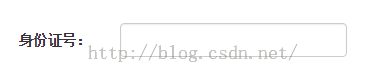
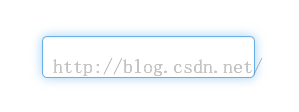
但是如果我们没有给输入框设置label时,当其获得焦点时,屏幕阅读器会读出aria-label属性的值,aria-label不会在视觉上呈现效果。
如:
<body>
 <form role = "form">
  <div class="form-group col-lg-3 form-horizontal">
   <div class="col-lg-7">
    <input type = "text" id = "idCard" class="form-control" aria-label = "身份证号">
   </div>
  </div>
 </form>
</body>
aria-labelledby属性
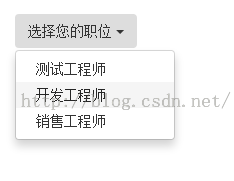
当想要的标签文本已在其他元素中存在时,可以使用aria-labelledby,并将其值为所有读取的元素的id。如下:
当ul获取到焦点时,屏幕阅读器是会读:“选择您的职位”
<body>
 <div class="dropdown">
  <button type="button" class="btn dropdown-toggle" id="dropdownMenu1"
   data-toggle="dropdown">
   选择您的职位
   <span class="caret"></span>
  </button>
  <ul class="dropdown-menu" role="menu" aria-labelledby="dropdownMenu1">
   <li role="presentation">
    <a role="menuitem" tabindex="-1" href="#">测试工程师</a>
   </li>
   <li role="presentation">
    <a role="menuitem" tabindex="-1" href="#">开发工程师</a>
   </li>
   <li role="presentation">
    <a role="menuitem" tabindex="-1" href="#">销售工程师</a>
   </li>
  </ul>
 </div>
</body>
PS:如果一个元素同时有aria-labelledby和aria-label,读屏软件会优先读出aria-labelledby的内容
以上内容是小编给大家介绍的Bootstrap的aria-label和aria-labelledby应用相关内容,希望本文分享能够给大家带来帮助,同时感谢大家一直以来对脚本之家网站的支持。


