

原生JS实现的瀑布流布局,代码及demo代码地址:https://github.com/leozdgao/responsive_waterfall
Demo:http://leozdgao.github.io/demo/responsive_waterfall/
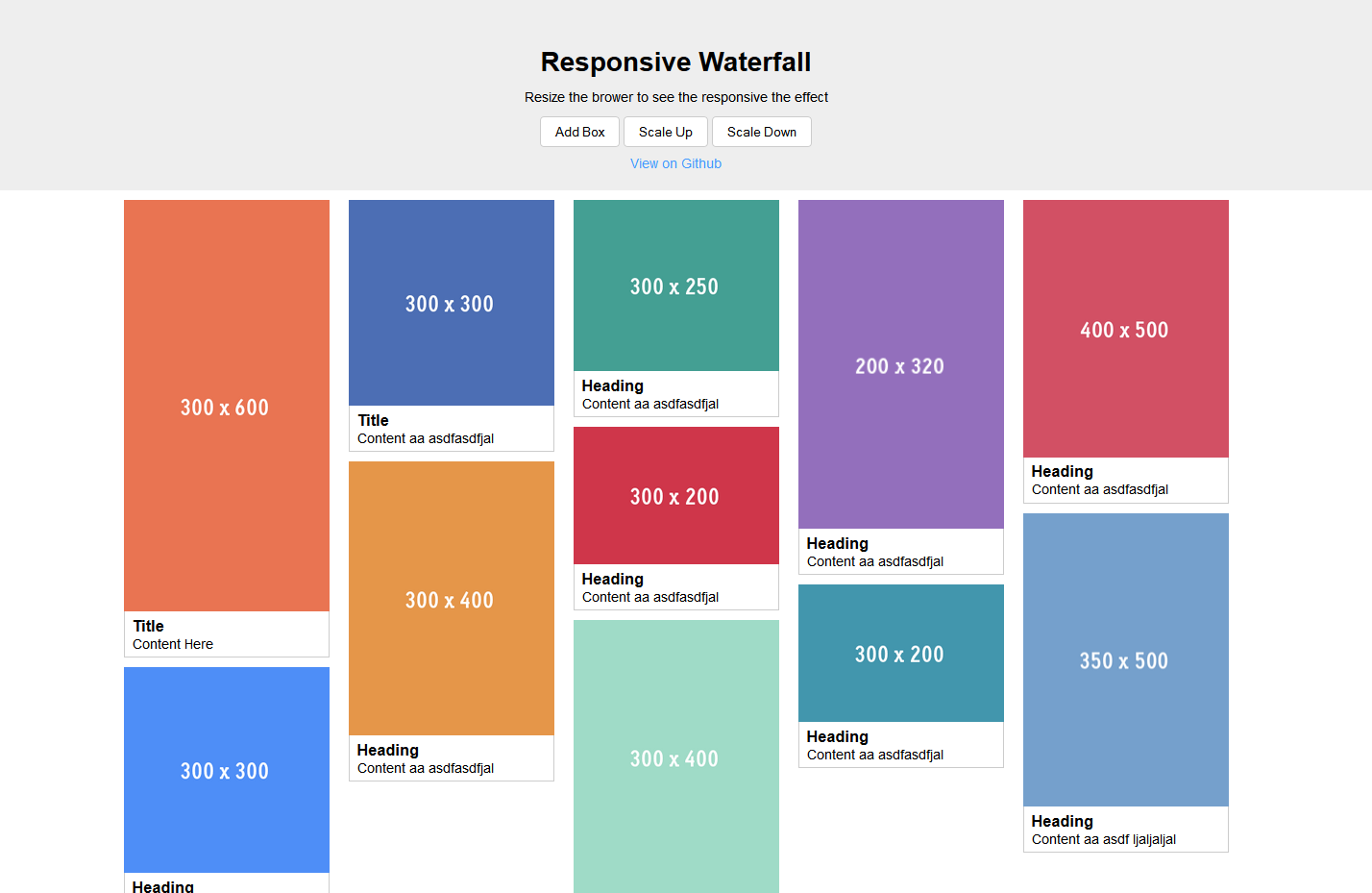
演示图:
核心代码:
responsive_waterfall.js
(function() {
  var Waterfall = function(opts) {
    var minBoxWidth;
    Object.defineProperty(this, 'minBoxWidth', {
      get: function() { return minBoxWidth; },
      set: function(value) {
        if(value < 100) value = 100;
        if(value > 1000) value = 1000;

        minBoxWidth = value;
      }
    });

    opts = opts || {};
    var containerSelector = opts.containerSelector || '.wf-container';
    var boxSelector = opts.boxSelector || '.wf-box';

    // init properties
    this.minBoxWidth = opts.minBoxWidth || 250;
    this.columns = [];
    this.container = document.querySelector(containerSelector);
    this.boxes = this.container ?
      Array.prototype.slice.call(this.container.querySelectorAll(boxSelector)) : [];

    // compose once in constructor
    this.compose();

    // handle the image or something which might change size after loaded
    var images = this.container.querySelectorAll('img'), that = this;
    var clr;
    for (var i = 0; i < images.length; i++) {
      var img = images[i];
      img.onload = function() {
        if(clr) clearTimeout(clr);

        clr = setTimeout(function() {
          that.compose(true);
        }, 500);
      }
    }

    window.addEventListener('resize', function() {
      that.compose();
    });
  }

  // compute the number of columns under current setting
  Waterfall.prototype.computeNumberOfColumns = function() {
    var num = Math.floor(this.container.clientWidth / this.minBoxWidth);
    num = num || 1; // at least one column

    return num;
  }

  // init enough columns and set the width
  Waterfall.prototype.initColumns = function(num) {
    if(num > 0) {
      // create column div
      this.columns = [];
      var width = (100 / num) + '%';
      while(num--) {
        var column = document.createElement('div');
        column.className = 'wf-column';
        column.style.width = width;
        this.columns.push(column);
        this.container.appendChild(column);
      }
    }
  }

  // get the index of shortest column
  Waterfall.prototype.getMinHeightIndex = function() {
    if(this.columns && this.columns.length > 0) {
      var min = this.columns[0].clientHeight, index = 0;
      for (var i = 1; i < this.columns.length; i++) {
        var columnElem = this.columns[i];
        if(columnElem.clientHeight < min) {
          min = columnElem.clientHeight;
          index = i;
        }
      }
      return index;
    }
    else return -1;
  }

  // compose core
  Waterfall.prototype.compose = function(force) {
    var num = this.computeNumberOfColumns();
    var cols = this.columns.length;

    if(force || num != cols) {
      // remove old column
      for (var i = 0; i < this.columns.length; i++) {
        var columnElem = this.columns[i];
        columnElem.remove();
      }

      // init new column
      this.initColumns(num);

      // compose
      for (var i = 0, l = this.boxes.length; i < l; i++) {
        var box = this.boxes[i];
        this.addBox(box);
      }
    }
  }

  // add a new box to grid
  Waterfall.prototype.addBox = function(elem) {
    // push if new box
    if(this.boxes.indexOf(elem) < 0) this.boxes.push(elem);

    var columnIndex = this.getMinHeightIndex();
    if(columnIndex > -1) {
      var column = this.columns[columnIndex];
      column.appendChild(elem);
    }
  }

  window.Waterfall = Waterfall;
})()
以上所述就是本文给大家分享的全部内容了,希望能够对大家熟练使用javascript有所帮助。


