需要在页面中一个小的区域循环滚动展示新闻(公告、活动、图片等等),并且,鼠标悬停时停止滚动并提示,离开后,继续滚动。
效果图:
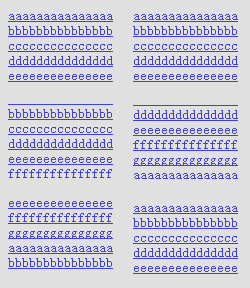
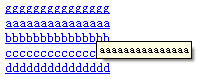
上干货
html:
<div id="news">
<ul>
<li><a href="#" rel="external nofollow" rel="external nofollow" rel="external nofollow" rel="external nofollow" rel="external nofollow" rel="external nofollow" rel="external nofollow" title="aaaaaaaaaaaaaaa">aaaaaaaaaaaaaaa</a></li>
<li><a href="#" rel="external nofollow" rel="external nofollow" rel="external nofollow" rel="external nofollow" rel="external nofollow" rel="external nofollow" rel="external nofollow" title="bbbbbbbbbbbbbbb">bbbbbbbbbbbbbbb</a></li>
<li><a href="#" rel="external nofollow" rel="external nofollow" rel="external nofollow" rel="external nofollow" rel="external nofollow" rel="external nofollow" rel="external nofollow" title="ccccccccccccccc">ccccccccccccccc</a></li>
<li><a href="#" rel="external nofollow" rel="external nofollow" rel="external nofollow" rel="external nofollow" rel="external nofollow" rel="external nofollow" rel="external nofollow" title="ddddddddddddddd">ddddddddddddddd</a></li>
<li><a href="#" rel="external nofollow" rel="external nofollow" rel="external nofollow" rel="external nofollow" rel="external nofollow" rel="external nofollow" rel="external nofollow" title="eeeeeeeeeeeeeee">eeeeeeeeeeeeeee</a></li>
<li><a href="#" rel="external nofollow" rel="external nofollow" rel="external nofollow" rel="external nofollow" rel="external nofollow" rel="external nofollow" rel="external nofollow" title="fffffffffffffff">fffffffffffffff</a></li>
<li><a href="#" rel="external nofollow" rel="external nofollow" rel="external nofollow" rel="external nofollow" rel="external nofollow" rel="external nofollow" rel="external nofollow" title="ggggggggggggggg">ggggggggggggggg</a></li>
</ul>
</div>
css:
ui,li {
list-style: none;
}
#news{
height: 75px;
overflow: hidden;
}
关键是js文件:
$(function() {
var $this = $("#news");
var scrollTimer;
$this.hover(function() {
clearInterval(scrollTimer);
}, function() {
scrollTimer = setInterval(function() {
scrollNews($this);
}, 2000);
}).trigger("mouseleave");
function scrollNews(obj) {
var $self = obj.find("ul");
var lineHeight = $self.find("li:first").height();
$self.animate({
"marginTop": -lineHeight + "px"
}, 600, function() {
$self.css({
marginTop: 0
}).find("li:first").appendTo($self);
})
}
})
主要就是对hover、setInterval、clearInterval、animate这些方法以及marginTop属性(marginLeft、top、left等等)的理解和运用,需要注意的是,如果不加.trigger("mouseleave"),在网页初始化的时候列表不会滚动,还有appendTo能直接移动元素,就这些了。


