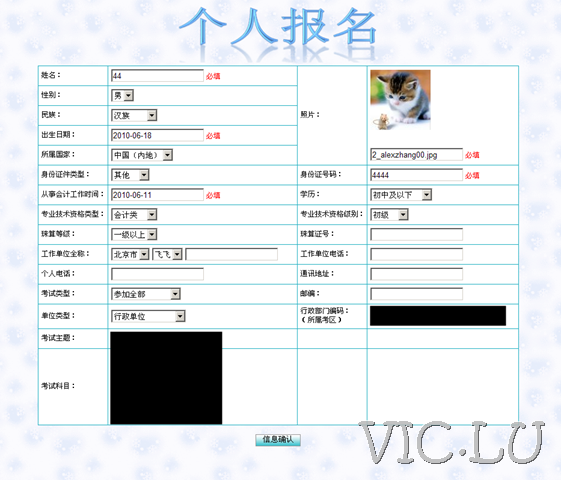
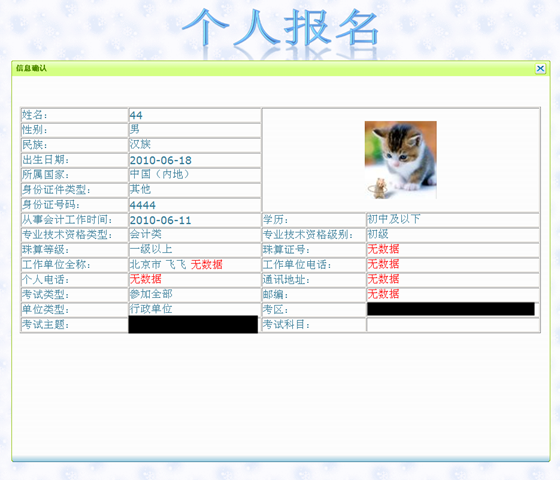
先上图,最终效果如下
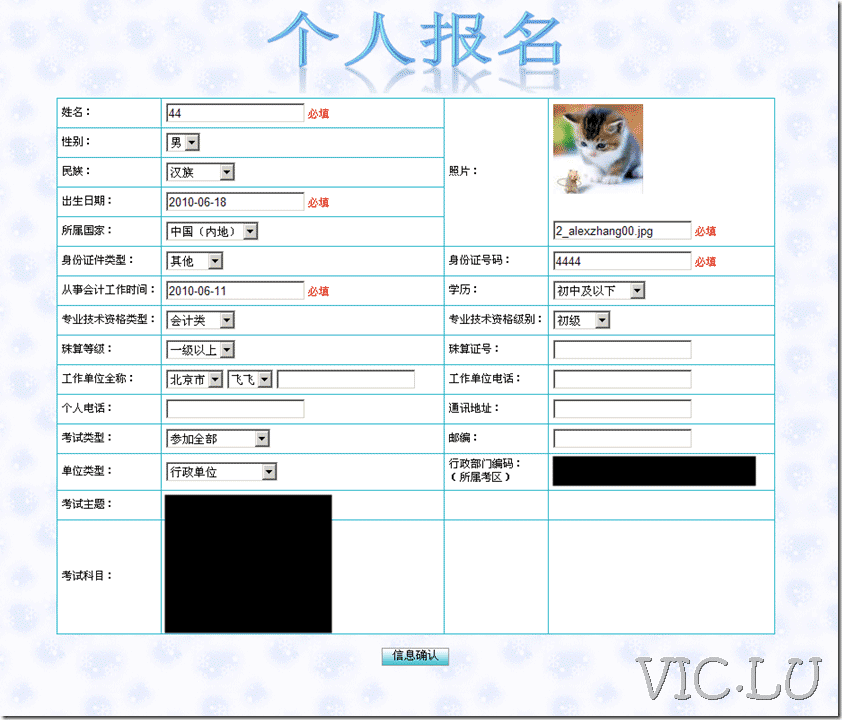
点击“信息确认”
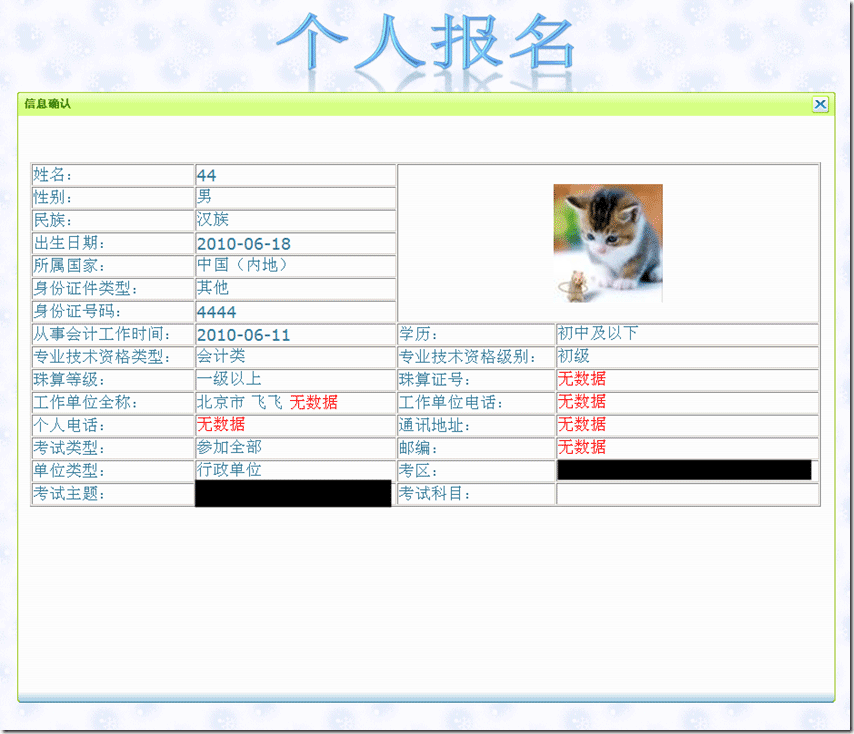
就是弹出一个确认窗口,把已经填报的信息都放到里面看看。
信息放里面很简答,主要是弹出窗口要做得好看点。
所以选择了jQuery+jqmodal实现
实现方法如下
1、页面中引用jquery-1.4.2.js和jqModal.js,注意jQuery要在前面,因为jqmodal是以jQuery为基础的。
2、建立jqModal.css,并引用,主要是些美工的东东,注意div.jqmDialog 的 display为 none。高度和宽度要设置好,挡住下面的,好看~~,我偷个懒,把jqmodal示例的css稍微改了下:)如下:
/*div.whiteOverlay { background: url(dialog/jqmBG.gif) white; }*/
div.jqDrag {cursor: move;}
/* jqmModal dialog CSS courtesy of;
Brice Burgess <bhb@iceburg.net> */
div.jqmDialog {
display: none;
position: fixed;
top: 106px;
left: 50%;
margin-left: -450px;
width: 900px;
overflow: hidden;
font-family:verdana,tahoma,helvetica;
}
/* Fixed posistioning emulation for IE6
Star selector used to hide definition from browsers other than IE6
For valid CSS, use a conditional include instead */
* html div.jqmDialog {
position: absolute;
top: expression((document.documentElement.scrollTop || document.body.scrollTop) + Math.round(17 * (document.documentElement.offsetHeight || document.body.clientHeight) / 100) + 'px');
}
/* [[[ Title / Top Classes ]]] */
div.jqmdTC {
background: #d5ff84 url(dialog/sprite.gif) repeat-x 0px -82px;
color: #528c00;
padding: 7px 22px 5px 5px;
font-family:"sans serif",verdana,tahoma,helvetica;
font-weight: bold;
* zoom: 1;
}
div.jqmdTL { background: url(dialog/sprite.gif) no-repeat 0px -41px; padding-left: 3px;}
div.jqmdTR { background: url(dialog/sprite.gif) no-repeat right 0px; padding-right: 3px; * zoom: 1;}
/* [[[ Body / Message Classes ]]] */
div.jqmdBC {
background: url(dialog/bc.gif) repeat-x center bottom;
padding: 7px 7px 7px;
height: 630px;
overflow: auto;
}
div.jqmdBL { background: url(dialog/bl.gif) no-repeat left bottom; padding-left: 7px; }
div.jqmdBR { background: url(dialog/br.gif) no-repeat right bottom; padding-right: 7px; * zoom: 1 }
div.jqmdMSG { color: #317895; font-size:large; }
/* [[[ Button classes ]]] */
input.jqmdX {
position: absolute;
right: 7px;
top: 4px;
padding: 0 0 0 19px;
height: 19px;
width: 0px;
background: url(dialog/close.gif) no-repeat top left;
overflow: hidden;
}
input.jqmdXFocus {background-position: bottom left; outline: none;}
div.jqmdBC button, div.jqmdBC input[type="submit"] {
margin: 8px 10px 4px 10px;
color: #777;
background-color: #fff;
cursor: pointer;
}
div.jqmDialog input:focus, div.jqmDialog input.iefocus { background-color: #eaffc3; }
3、在网页里面建立弹出窗口的div,注意class="jqmDialog"(就是css里面隐藏的那个)
4、在这个div里面把需要显示的东东整好~~过程略:)
5、建立jquerywin.js并引用,注意放到jqmodal引用的后面,原因同上~~,代码如下:
$().ready(function() {
$('#ex3a').jqm({
trigger: '#ex3aTrigger',
overlay: 30, /* 0-100 (int) : 0 is off/transparent, 100 is opaque */
overlayClass: 'whiteOverlay'});
/* make dialog draggable, assign handle to title */
// Close Button Highlighting. IE doesn't support :hover. Surprise?
$('input.jqmdX')
.hover(
function(){ $(this).addClass('jqmdXFocus'); },
function(){ $(this).removeClass('jqmdXFocus'); })
.focus(
function(){ this.hideFocus=true; $(this).addClass('jqmdXFocus'); })
.blur(
function(){ $(this).removeClass('jqmdXFocus'); });
});
6、注意,里面设置了一个trigger,可以出发弹出窗口,也可以不用trigger,直接使用js出发,方法如下:
<script type="text/javascript" language=javascript>
function showjqm(){
if(document.all.txtTIME_KUAIJI.value!=""){
document.all.txtTIME_KUAIJI0.style.color="#317895";
document.all.txtTIME_KUAIJI0.innerHTML=document.all.txtTIME_KUAIJI.value;}
else{
document.all.txtTIME_KUAIJI0.style.color="Red";
}
if(document.all.txtTIME_BIRTH.value!=""){
document.all.txtTIME_BIRTH0.style.color="#317895";
document.all.txtTIME_BIRTH0.innerHTML=document.all.txtTIME_BIRTH.value;}
else{
document.all.txtTIME_BIRTH0.style.color="Red";
}
if( Page_ClientValidate())
$('#ex3a').jqmShow();
}
</script>
7、在上面的js里面,其实和弹出窗口直接相关的只有一句$('#ex3a').jqmShow(); 其他的都是验证的信息
8、上面的一段js里面,比较重要的还有这句if( Page_ClientValidate()) ,可以在弹出窗口之前直行页面中所有验证控件的验证工作。