

springboot整合vue实现上传下载文件,供大家参考,具体内容如下
环境
springboot 1.5.x
完整代码下载:springboot整合vue实现上传下载
1、上传下载文件api文件
设置上传路径,如例子:
private final static String rootPath =
System.getProperty(“user.home”)+File.separator+fileDir+File.separator;
api接口:
下载url示例:http://localhost:8080/file/download?fileName=新建文本文档.txt
//上传不要用@Controller,用@RestController
@RestController
@RequestMapping("/file")
public class FileController {
 private static final Logger logger = LoggerFactory.getLogger(FileController.class);
 //在文件操作中,不用/或者\最好,推荐使用File.separator
 private final static String fileDir="files";
 private final static String rootPath = System.getProperty("user.home")+File.separator+fileDir+File.separator;
 @RequestMapping("/upload")
 public Object uploadFile(@RequestParam("file") MultipartFile[] multipartFiles, final HttpServletResponse response, final HttpServletRequest request){
 File fileDir = new File(rootPath);
 if (!fileDir.exists() && !fileDir.isDirectory()) {
  fileDir.mkdirs();
 }
 try {
  if (multipartFiles != null && multipartFiles.length > 0) {
  for(int i = 0;i<multipartFiles.length;i++){
   try {
   //以原来的名称命名,覆盖掉旧的
   String storagePath = rootPath+multipartFiles[i].getOriginalFilename();
   logger.info("上传的文件:" + multipartFiles[i].getName() + "," + multipartFiles[i].getContentType() + "," + multipartFiles[i].getOriginalFilename()
    +",保存的路径为:" + storagePath);
    Streams.copy(multipartFiles[i].getInputStream(), new FileOutputStream(storagePath), true);
   //或者下面的
    // Path path = Paths.get(storagePath);
   //Files.write(path,multipartFiles[i].getBytes());
   } catch (IOException e) {
   logger.error(ExceptionUtils.getFullStackTrace(e));
   }
  }
  }

 } catch (Exception e) {
  return ResultUtil.error(e.getMessage());
 }
 return ResultUtil.success("上传成功!");
 }

 /**
 * http://localhost:8080/file/download?fileName=新建文本文档.txt
 * @param fileName
 * @param response
 * @param request
 * @return
 */
 @RequestMapping("/download")
 public Object downloadFile(@RequestParam String fileName, final HttpServletResponse response, final HttpServletRequest request){
 OutputStream os = null;
 InputStream is= null;
 try {
  // 取得输出流
  os = response.getOutputStream();
  // 清空输出流
  response.reset();
  response.setContentType("application/x-download;charset=GBK");
  response.setHeader("Content-Disposition", "attachment;filename="+ new String(fileName.getBytes("utf-8"), "iso-8859-1"));
  //读取流
  File f = new File(rootPath+fileName);
  is = new FileInputStream(f);
  if (is == null) {
  logger.error("下载附件失败,请检查文件“" + fileName + "”是否存在");
  return ResultUtil.error("下载附件失败,请检查文件“" + fileName + "”是否存在");
  }
  //复制
  IOUtils.copy(is, response.getOutputStream());
  response.getOutputStream().flush();
 } catch (IOException e) {
  return ResultUtil.error("下载附件失败,error:"+e.getMessage());
 }
 //文件的关闭放在finally中
 finally
 {
  try {
  if (is != null) {
   is.close();
  }
  } catch (IOException e) {
  logger.error(ExceptionUtils.getFullStackTrace(e));
  }
  try {
  if (os != null) {
   os.close();
  }
  } catch (IOException e) {
  logger.error(ExceptionUtils.getFullStackTrace(e));
  }
 }
 return null;
 }
}
访问:http://localhost:8080
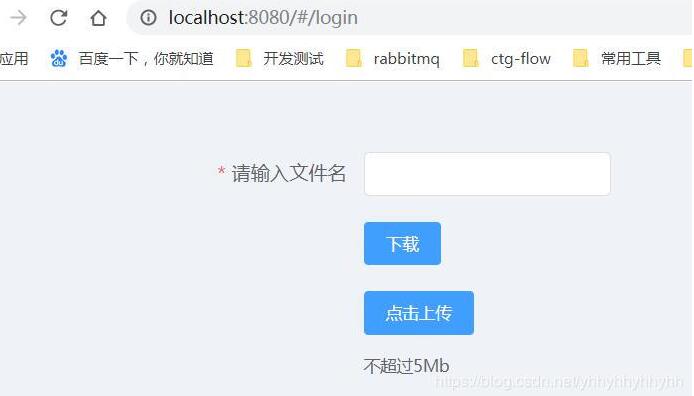
上传:
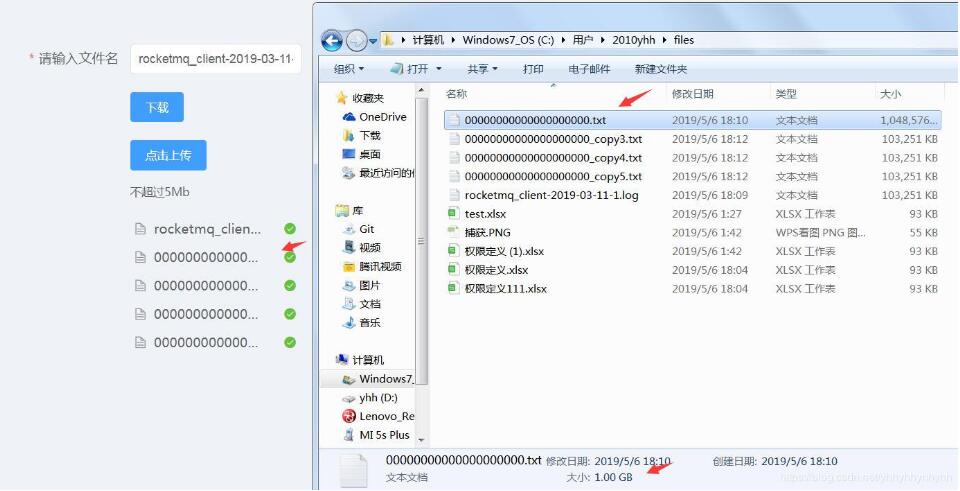
批量上传:

下载:
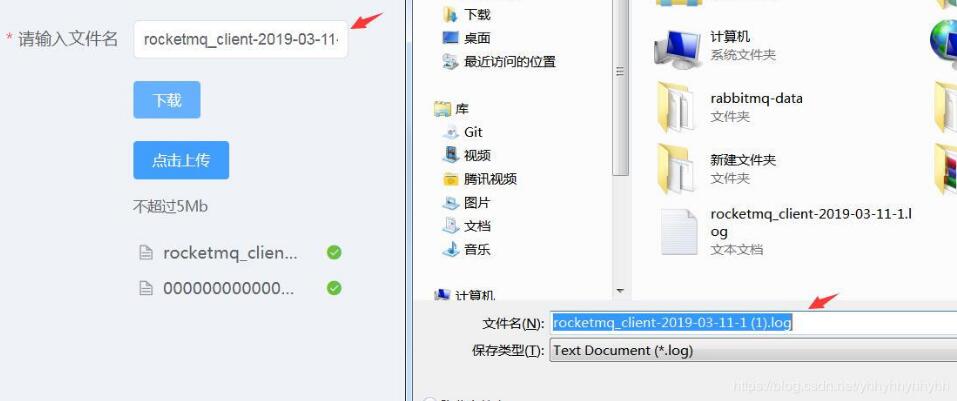
2.上传大文件配置
/**
 * 设置上传大文件大小,配置文件属性设置无效
 */
 @Bean
 public MultipartConfigElement multipartConfigElement() {
 MultipartConfigFactory config = new MultipartConfigFactory();
 config.setMaxFileSize("1100MB");
 config.setMaxRequestSize("1100MB");
 return config.createMultipartConfig();
 }
3.vue前端主要部分
<template>
 <div style="top:100px;width:300px">
 <el-form :model="form" label-width="220px">
  <el-form-item label="请输入文件名" required>
  <el-input v-model="form.fileName" auto-complete="off" class="el-col-width" required></el-input>
  </el-form-item>
  <el-form-item>
  <el-button size="small" type="primary" @click="handleDownLoad">下载</el-button>
  </el-form-item>
  <el-form-item>
  <el-upload class="upload-demo" :action="uploadUrl" :before-upload="handleBeforeUpload" :on-error="handleUploadError" :before-remove="beforeRemove" multiple :limit="5" :on-exceed="handleExceed" :file-list="fileList">
   <el-button size="small" type="primary">点击上传</el-button>
   <div slot="tip" class="el-upload__tip">一次文件不超过1Gb</div>
  </el-upload>
  </el-form-item>
 </el-form>

 </div>
</template>
以上就是本文的全部内容,希望对大家的学习有所帮助,也希望大家多多支持脚本之家。


