

使用Zenject和UniRx的入门级技术实现了伪登录注册功能。
运行效果
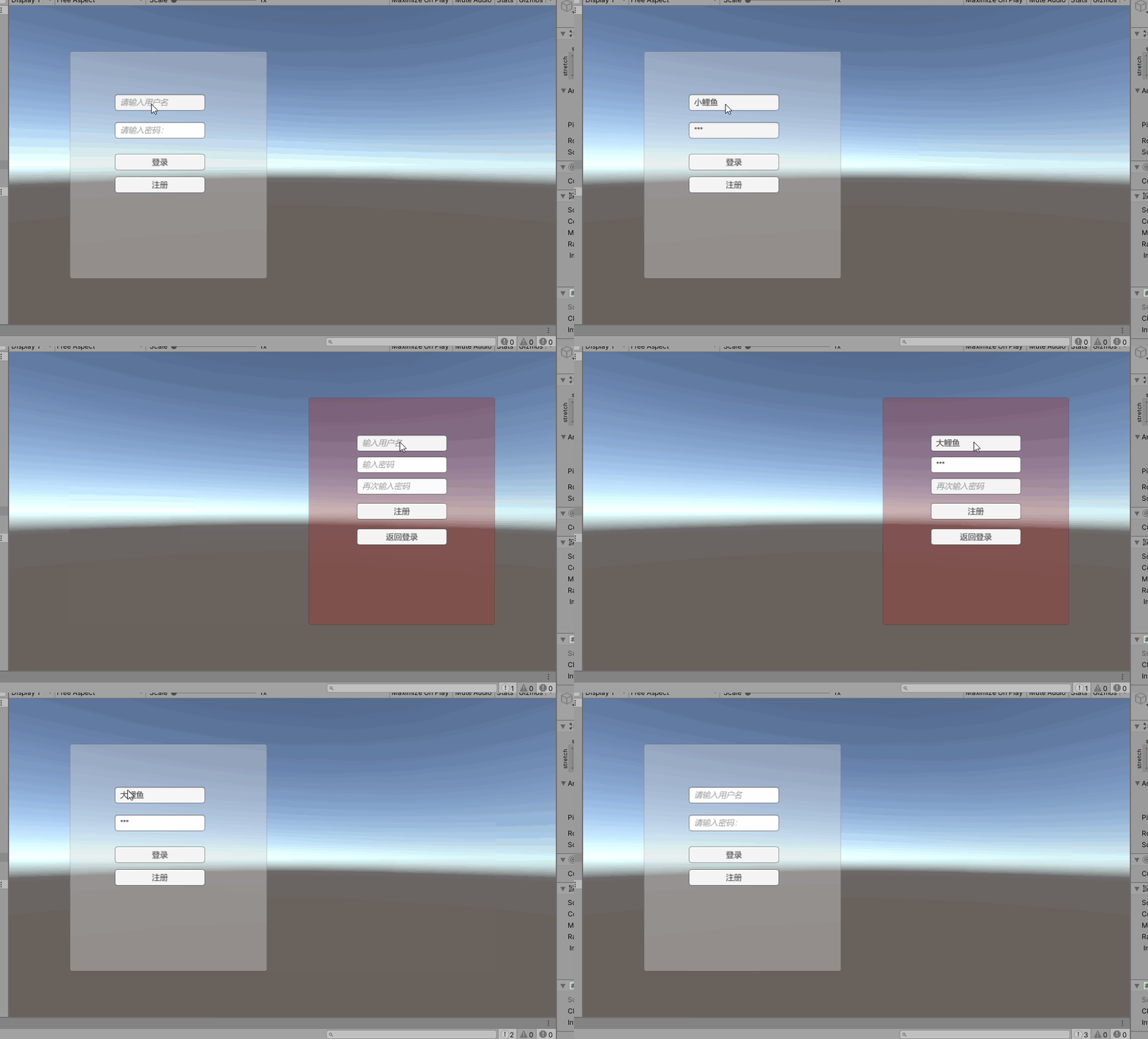
登录面板
using System;
using UniRx;
using UnityEngine;
using UnityEngine.UI;
using Zenject;

public class LoginPanel : MonoBehaviour
{
 public InputField userName;
 public InputField password;
 public Button LoginBtn;
 public Button RegistBtn;
 [Inject] private User _user;


 [Inject] private TipPanel _tipPanel;
 [Inject] private RegistPanel _registPanel;
 void Start()
 {
 //用户名输入完成后光标自动跳转到密码输入框
 userName.OnEndEditAsObservable()
 .Subscribe((s =>
 password.Select()));
 //输入完密码后敲击回车键或者点击登录按钮 都触发登录事件
 var enterDownStream = password.OnEndEditAsObservable()
 .Select((s => "回车键触发登录"));
 var loginBtnStream = LoginBtn.OnClickAsObservable()
 .Select((unit => "通过点击登录按钮触发的登录"));

 Observable.Merge(enterDownStream, loginBtnStream)
 .Subscribe((s =>
 {
 Debug.Log(s);
 if (LoginCheak(userName.text,password.text))
 {
  userName.text=String.Empty;
  password.text=String.Empty;
  _tipPanel.Show("登录成功");
 }
 else
 {
  userName.text=String.Empty;
  password.text=String.Empty;
  _tipPanel.Show("登录失败");
 }
 }));
 RegistBtn.OnClickAsObservable()
 .Subscribe((unit =>
 {
 this.gameObject.SetActive(false);
 _registPanel.gameObject.SetActive(true);
 }));
 }

 public bool LoginCheak(string username,string password)
 {
 bool isOK = false;
 if (_user._dictionary.ContainsKey(username))
 {
 if (_user._dictionary[username] == password)
 {
 isOK = true;
 }
 }
 return isOK;
 }

}
注册面板
using UniRx;
using UnityEngine;
using UnityEngine.UI;
using Zenject;

public class RegistPanel : MonoBehaviour
{
 [Inject] private TipPanel _tipPanel;
 [Inject] private LoginPanel _loginPanel;
 [Inject] private User _user;

 public InputField userName;
 public InputField password01;
 public InputField password02;
 public Button Regist;
 public Button mainMenu;
 void Start()
 {
 //光标跳转
 userName.OnEndEditAsObservable()
 .Subscribe((s => password01.Select()));
 password01.OnEndEditAsObservable()
 .Subscribe((s => password02.Select()));

 var enterPress=password02.OnEndEditAsObservable()
 .Select((s => "回车键触发注册"));
 var btnClick = Regist.OnClickAsObservable()
 .Select((unit => "点击注册按钮触发注册"));

 Observable.Merge(enterPress, btnClick)
 .Subscribe((s =>
  {
  Debug.Log(s);
  if ((userName.text != null) && (password01.text == password02.text))
  {
  if (_user._dictionary.ContainsKey(userName.text))
  {
  _tipPanel.Show("用户名已存在");
  }
  else
  {
  _user._dictionary.Add(userName.text,password01.text);
  _loginPanel.userName.text = userName.text;
  _loginPanel.password.text = password01.text;

  _tipPanel.Show("注册成功");
  }
  }
  else
  {
  _tipPanel.Show("注册失败");
  }
  }
 ));
 mainMenu.OnClickAsObservable()
 .Subscribe((unit =>
 {
 this.gameObject.SetActive(false);
 _loginPanel.gameObject.SetActive(true);
 }));
 }
}
提示面板
using UniRx;
using UnityEngine;
using UnityEngine.UI;

public class TipPanel : MonoBehaviour
{
 public Button CloseBtn;
 public Text InfoText;

 void Start()
 {
 CloseBtn.OnClickAsObservable()
 .Subscribe(Hide);
 }

 public void Show(string message)
 {
 InfoText.text = message;
 this.gameObject.SetActive(true);
 }

 private void Hide(Unit unit)
 {
 InfoText.text = string.Empty;
 this.gameObject.SetActive(false);
 }


}
Installer
using System.Collections.Generic;
using Zenject;

public class LoginInstaller : MonoInstaller
{
 public LoginPanel _loginPanel;
 public RegistPanel _registPanel;
 public TipPanel _tipPanel;
 public User _user=new User();

 public override void InstallBindings()
 {
 Container.Bind<LoginPanel>().FromInstance(_loginPanel).AsSingle();
 Container.Bind<RegistPanel>().FromInstance(_registPanel).AsSingle();
 Container.Bind<TipPanel>().FromInstance(_tipPanel).AsSingle();
 Container.Bind<User>().FromInstance(_user);
 }
}
public class User
{
 public Dictionary<string, string> _dictionary;
 public User()
 {
 _dictionary=new Dictionary<string, string>();
 }
}
以上就是本文的全部内容,希望对大家的学习有所帮助,也希望大家多多支持脚本之家。


