

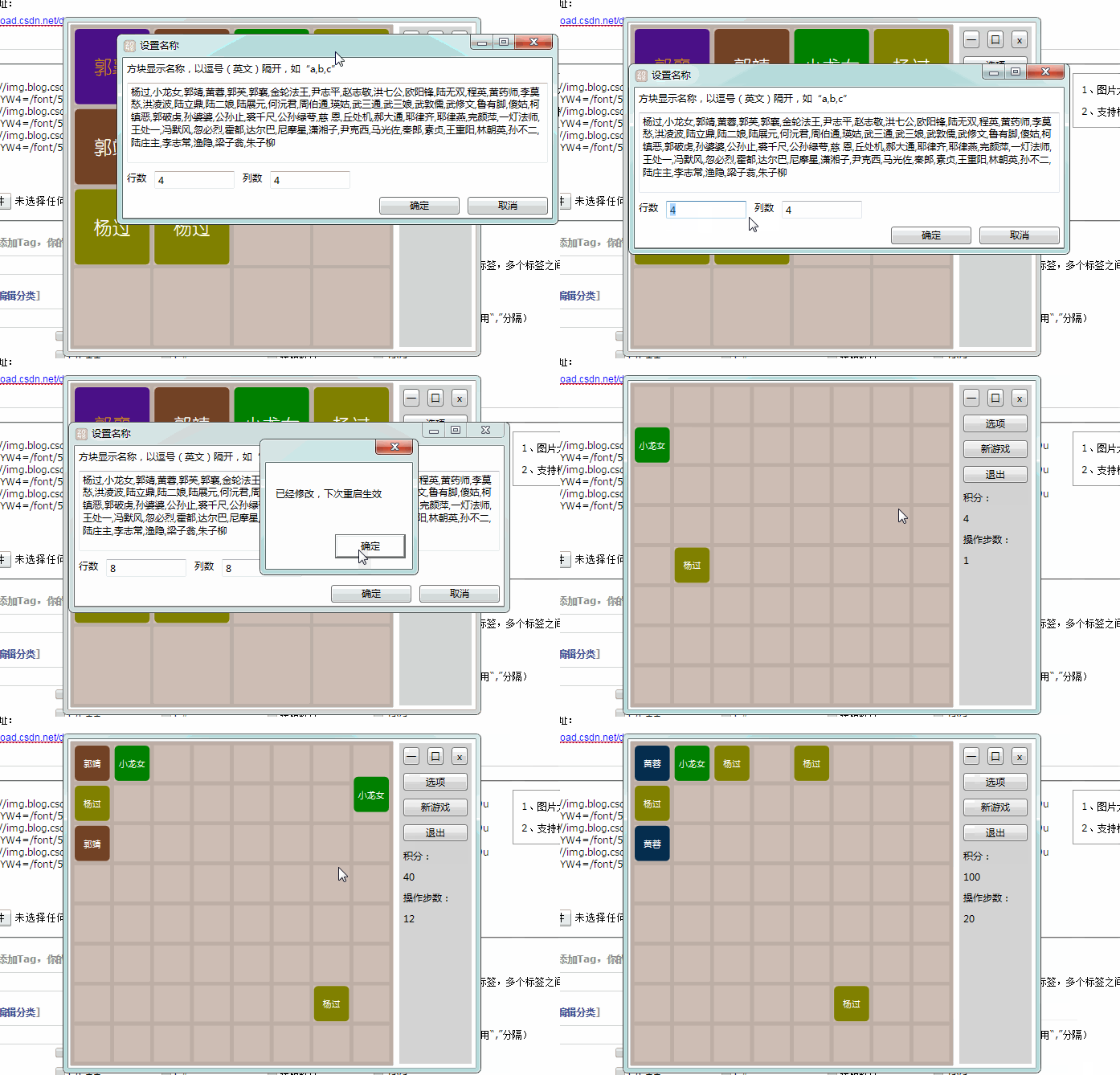
前几天空闲的时候,实现了一个2048游戏。除了可以设置行数和列数之外,支持修改显示名称,比如下面,改成神雕侠侣中的角色名称:
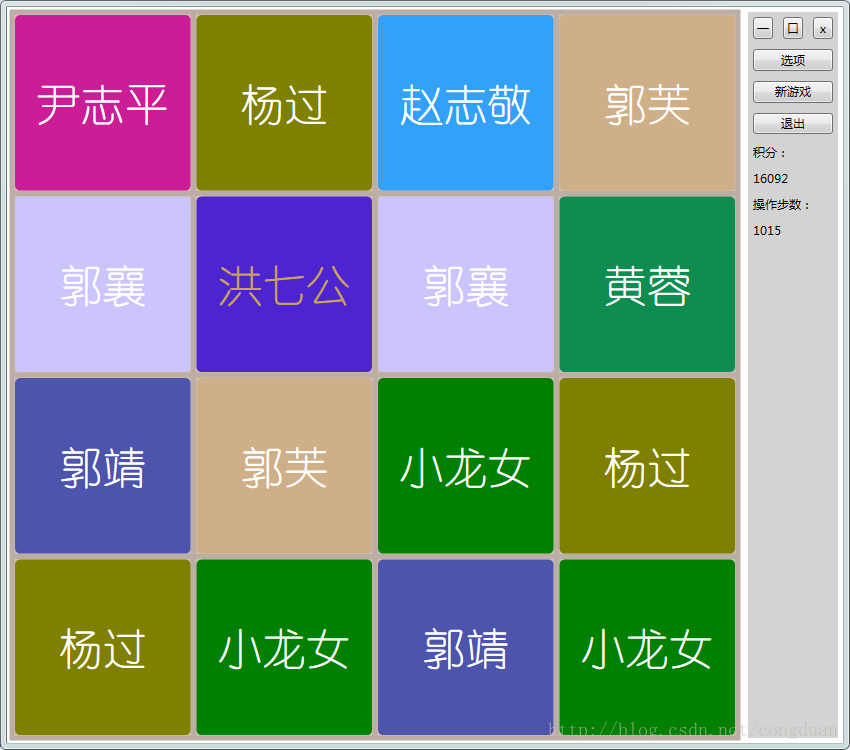
游戏逻辑比较简单,大家都应该玩过。
这里主要实现了四个类:Game、GameBoard还有ColorBlock和BoardGridLine。
Game类主要用来实现游戏的控制,比如初始化、添加新的色块、移除色块、控制色块上下左右移动、改变积分,触发游戏结束等。
GameBoard继承自Canvas,实现了色块的合并、检测每个格子的状态等,另外提供了Game控制色块移动的接口。
ColorBlock类继承自Shape类,用于自定义色块的显示,包含XY坐标、颜色、显示文字等依赖属性,可以进行动画,另外还实现了具体的上下左右移动的方法。最初几个颜色是手动设置,等到色块越来越多,就随机生成一种颜色。
BoardGridLine也继承自Shape类,用于绘制Canvas底部的网格。
另外,游戏使用一个简单的文本文件保存设置,包括行数与列数,以及显示文字及其对应颜色,具体操作在Settings类中。
最后,按键事件封装在KeysNavigation中。
图标使用Expression Design制作:
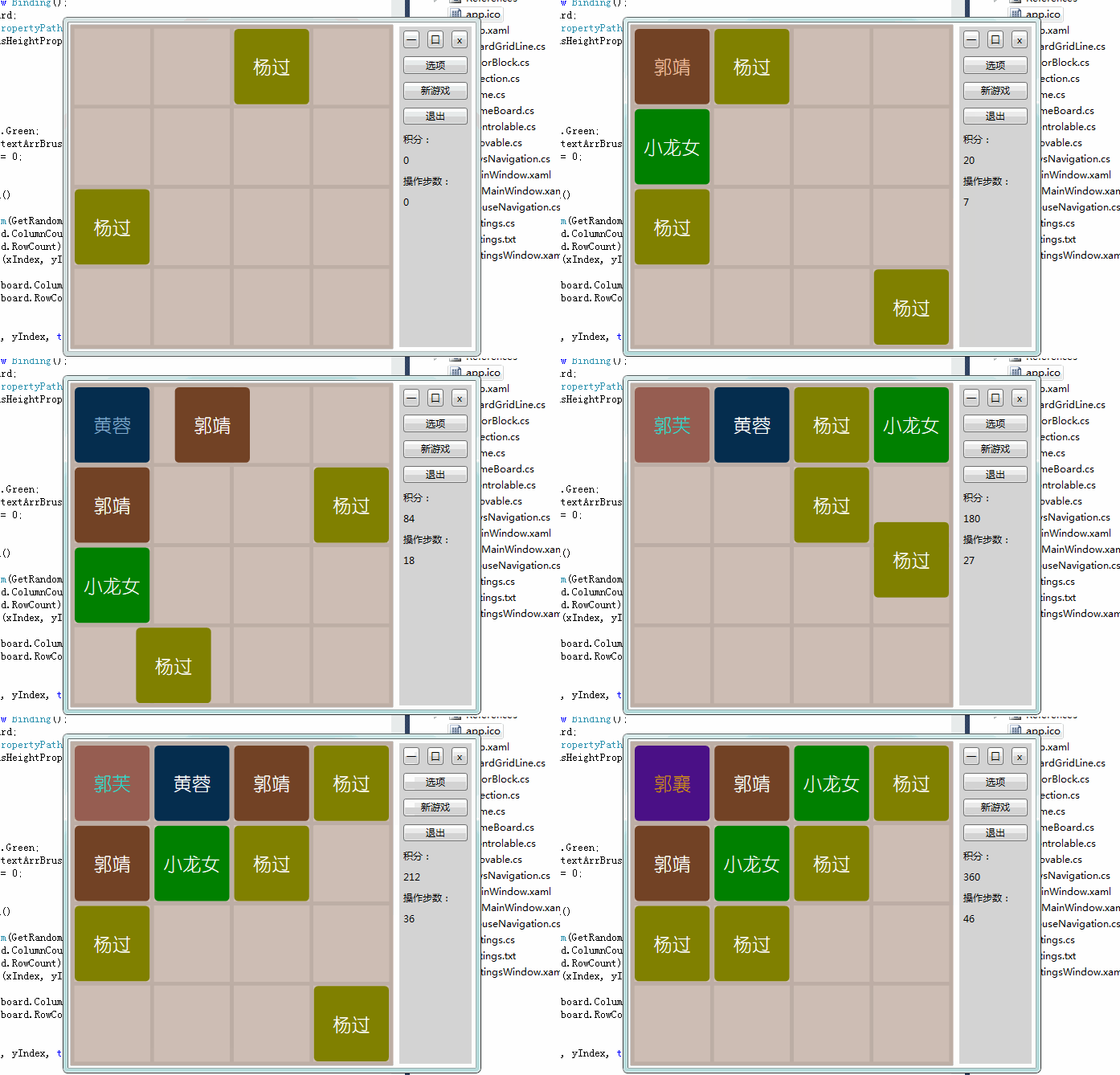
游戏效果如下:
Game.cs
using System;
using System.Collections.Generic;
using System.Linq;
using System.Text;
using System.Windows.Documents;

namespace game2048
{
 public class Game
 {
  public enum State
  {
   Idel,
   Start,
   Running,
  }

  ColorBlock[,] fillState;
  private int score = 0;
  private int step = 0;


  public ColorBlock[,] FillState
  {
   get
   {
    return fillState;
   }
  }

  GameBoard board;

  public Game(GameBoard board)
  {
   this.board = board;
   fillState = new ColorBlock[board.RowCount, board.ColumnCount];
   for (int i = 0; i < board.RowCount; i++)
   {
    for (int j = 0; j < board.ColumnCount; j++)
    {
     fillState[i, j] = null;
    }
   }
  }

  public void init()
  {
   Settings.load();
   ColorBlock block = new ColorBlock(board);
   ColorBlock block1 = new ColorBlock(board);
   //FillState[block.XIndex, block.YIndex] = block;
   // FillState[block1.XIndex, block1.YIndex] = block1;
   //BlockList.Add(block);
   //BlockList.Add(block1);
  }

  public void addNew()
  {
   if (board.hasNoPlace())
   {
    gameOver(false);
    return;
   }
   ColorBlock block = new ColorBlock(board);
   //FillState[block.XIndex, block.YIndex] = block;
   //BlockList.Add(block);
  }

  public void remove(int xIndex,int yIndex)
  {
   if (FillState[yIndex, xIndex] != null)
   {
    board.Children.Remove(FillState[yIndex, xIndex]);
    FillState[yIndex, xIndex] = null;
   }
  }

  public void toLeft()
  {
   bool add = false;
   for (int i = 0; i < board.ColumnCount; i++)
   {
    for (int j = 0; j < board.RowCount; j++)
    {
     if (FillState[j, i] != null)
     {
      add |= FillState[j, i].moveLeft();
     }
    }
   }
   if (add)
   {
    addNew();
    fireSetpChanged();
   }
  }

  public void toRight()
  {
   bool add = false;
   for (int i = board.ColumnCount-1; i >=0 ; i--)
   {
    for (int j = 0; j < board.RowCount; j++)
    {
     if (FillState[j, i] != null)
     {
      add |= FillState[j, i].moveRight();
     }
    }
   }
   if (add)
   {
    addNew();
    fireSetpChanged();
   }
  }

  public void toUp()
  {
   bool add = false;
   for (int i = 0; i < board.ColumnCount; i++)
   {
    for (int j = 0; j < board.RowCount; j++)
    {
     if (FillState[j, i] != null)
     {
      add |= FillState[j, i].moveUp();
     }
    }
   }
   if (add)
   {
    addNew();
    fireSetpChanged();
   }
  }

  public void toDown()
  {
   bool add = false;
   for (int i = 0; i < board.ColumnCount; i++)
   {
    for (int j = board.RowCount-1; j >=0; j--)
    {
     if (FillState[j, i] != null)
     {
      add |= FillState[j, i].moveDown();
     }
    }
   }
   if (add)
   {
    addNew();
    fireSetpChanged();
   }
  }

  public delegate void onScoreChange(int score);
  public event onScoreChange onScoreChangeHandler;
  public delegate void onStepChange(int step);
  public event onStepChange onStepChangeHandler;
  public delegate void onGameOver(bool success);
  public event onGameOver onGameOverHandler;

  public void fireSetpChanged()
  {
   step++;
   if (onStepChangeHandler != null)
    onStepChangeHandler(step);
  }

  /// <summary>
  /// 增加积分
  /// </summary>
  /// <param name="offset"></param>
  public void incScore(int offset)
  {
   score += offset;
   if (onScoreChangeHandler != null)
   {
    onScoreChangeHandler(score);
   }
  }

  public void gameOver(bool success)
  {
   if (onGameOverHandler != null)
   {
    onGameOverHandler(success);
   }
  }

  public void reset()
  {
   score = 0;
   step = 0;
   if (onStepChangeHandler != null)
    onStepChangeHandler(step);
   if (onScoreChangeHandler != null)
    onScoreChangeHandler(score);
   for (int i = 0; i < board.RowCount; i++)
   {
    for (int j = 0; j < board.ColumnCount; j++)
    {
     remove(i, j);
    }
   }
  }
 }
}
GameBoard.cs
using System;
using System.Collections.Generic;
using System.Linq;
using System.Text;
using System.Windows.Controls;
using System.Diagnostics;

namespace game2048
{
 public class GameBoard : Canvas, IControlable
 {
  private int rowCount = 4;

  public int RowCount
  {
   get
   {
    return rowCount;
   }
   set
   {
    rowCount = value;
   }
  }

  private int columnCount = 4;
  public int ColumnCount
  {
   get
   {
    return columnCount;
   }
   set
   {
    columnCount = value;
   }
  }

  Game game = null;

  public GameBoard()
  {
   this.Focusable = true;
   this.Focus();
   this.reset();
  }

  public void reset()
  {
   Settings.load();
   RowCount = Settings.rowCount;
   ColumnCount = Settings.columnCount;
  }

  public void init(Game game)
  {
   this.game = game;
   game.init();
  }

  public void toLeft()
  {
   game.toLeft();
   Debug.WriteLine("Left");
  }

  public void toRight()
  {
   game.toRight();
   Debug.WriteLine("Right");
  }

  public void toUp()
  {
   game.toUp();
   Debug.WriteLine("Up");
  }

  public void toDown()
  {
   game.toDown();
   Debug.WriteLine("Down");
  }

  //合并,是否继续
  public bool union(int xIndex, int yIndex, Direction dirct)
  {
   switch (dirct)
   {
    case Direction.Left:
     game.remove(xIndex - 1, yIndex);
     break;
    case Direction.Right:
     game.remove(xIndex + 1, yIndex);
     break;
    case Direction.Up:
     game.remove(xIndex, yIndex - 1);
     break;
    case Direction.Down:
     game.remove(xIndex, yIndex + 1);
     break;
    default:
     break;
   }
   bool ret = game.FillState[yIndex, xIndex].changeText();
   if (ret)
   {
    game.gameOver(true);
    return false;
   }
   game.incScore(game.FillState[yIndex, xIndex].TextIndex);
   return true;
  }

  public int getState(int xIndex, int yIndex)
  {
   if (xIndex < 0 || xIndex > columnCount - 1)
    return 0;
   if (yIndex < 0 || yIndex > rowCount - 1)
    return 0;
   if (game.FillState[yIndex,xIndex] == null)
    return 0;
   return game.FillState[yIndex, xIndex].TextIndex;
  }

  public bool hasNoPlace()
  {
   return this.Children.Count == this.RowCount * this.ColumnCount+1;
  }

  public bool isLocationFilled(int xIndex,int yIndex)
  {
   if (xIndex < 0 || xIndex > columnCount-1)
    return true;
   if (yIndex < 0 || yIndex > rowCount-1)
    return true;
   if (game.FillState[yIndex, xIndex] == null)
    return false;
   return game.FillState[yIndex, xIndex].TextIndex>0;
  }

  public void setState(int xIndex,int yIndex,ColorBlock block)
  {
   game.FillState[yIndex, xIndex] = block;
  }
 }
}
源码下载地址:2048小游戏
以上就是本文的全部内容,希望对大家的学习有所帮助,也希望大家多多支持脚本之家。


