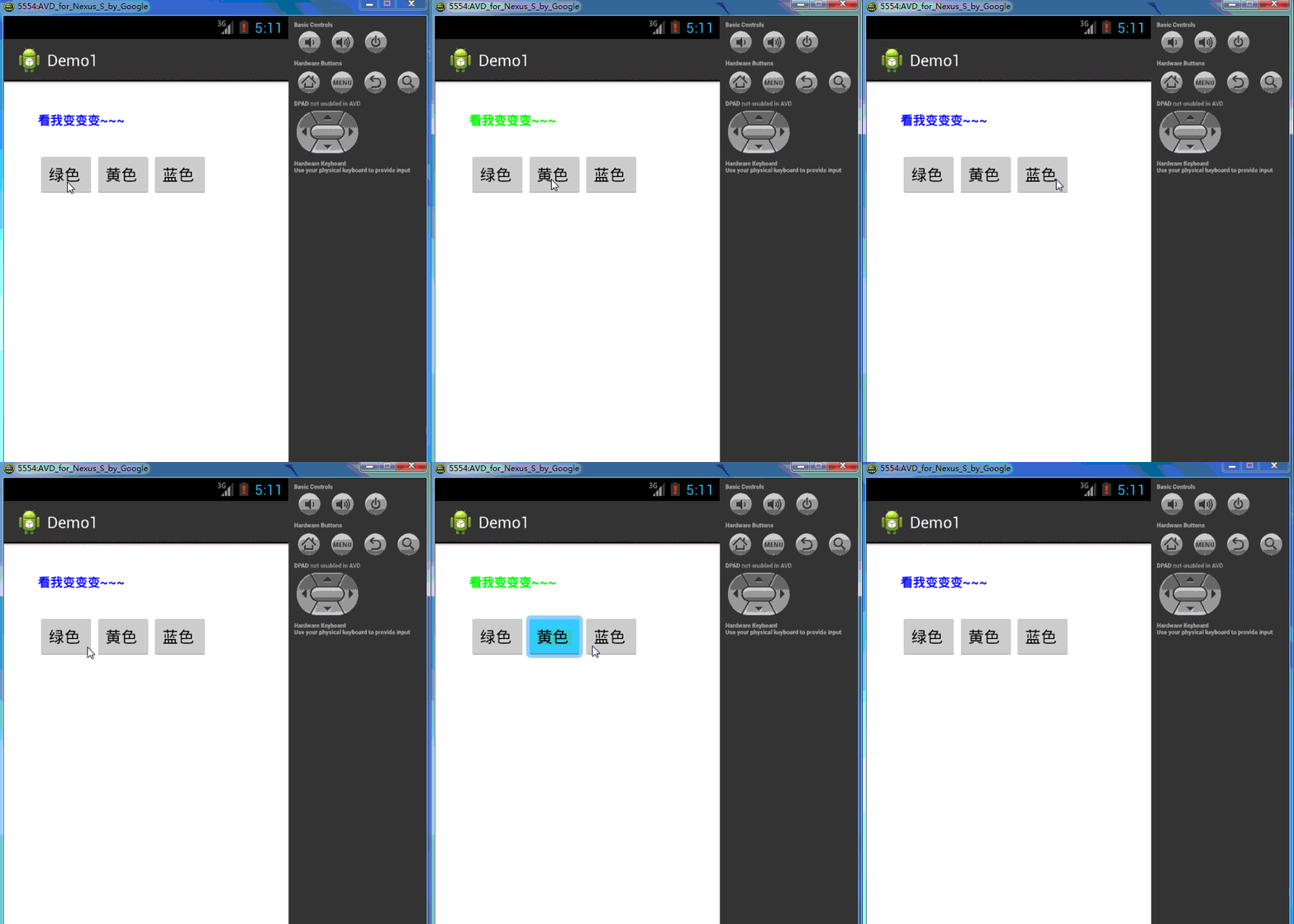
布局文件
<RelativeLayout xmlns:android="http://schemas.android.com/apk/res/android"
xmlns:tools="http://schemas.android.com/tools"
android:layout_width="match_parent"
android:layout_height="match_parent"
android:paddingBottom="@dimen/activity_vertical_margin"
android:paddingLeft="@dimen/activity_horizontal_margin"
android:paddingRight="@dimen/activity_horizontal_margin"
android:paddingTop="@dimen/activity_vertical_margin"
tools:context=".MainActivity" >
<TextView
android:id="@+id/showWord"
android:layout_width="wrap_content"
android:layout_height="wrap_content"
android:layout_alignLeft="@+id/GreenBtn"
android:layout_alignParentTop="true"
android:layout_alignRight="@+id/BlueBtn"
android:layout_marginTop="17dp"
android:text="@string/ShowWordText"
android:textStyle="bold" />
<Button
android:id="@+id/GreenBtn"
android:layout_width="wrap_content"
android:layout_height="wrap_content"
android:layout_alignParentLeft="true"
android:layout_below="@+id/showWord"
android:layout_marginLeft="22dp"
android:layout_marginTop="28dp"
android:gravity="left|center_vertical|center_horizontal"
android:text="@string/GreenBtnText" />
<Button
android:id="@+id/BlueBtn"
android:layout_width="wrap_content"
android:layout_height="wrap_content"
android:layout_alignBaseline="@+id/YellowBtn"
android:layout_alignBottom="@+id/YellowBtn"
android:layout_toRightOf="@+id/YellowBtn"
android:gravity="left|center_vertical|center_horizontal"
android:text="@string/BlueBtnText" />
<Button
android:id="@+id/YellowBtn"
android:layout_width="wrap_content"
android:layout_height="wrap_content"
android:layout_alignBaseline="@+id/GreenBtn"
android:layout_alignBottom="@+id/GreenBtn"
android:layout_toRightOf="@+id/GreenBtn"
android:gravity="left|center_vertical|center_horizontal"
android:text="@string/YellowBtnText" />
</RelativeLayout>
package com.example.demo1;
import android.os.Bundle;
import android.view.View;
import android.view.View.OnClickListener;
import android.widget.Button;
import android.widget.TextView;
import android.app.Activity;
import android.graphics.Color;
public class MainActivity extends Activity implements OnClickListener{
TextView tv_show=null;
Button greenBtn=null;
Button blueBtn=null;
Button yellowBtn=null;
@Override
protected void onCreate(Bundle savedInstanceState) {
super.onCreate(savedInstanceState);
setContentView(R.layout.activity_main);
tv_show=(TextView)findViewById(R.id.showWord);
greenBtn=(Button)findViewById(R.id.GreenBtn);
blueBtn=(Button)findViewById(R.id.BlueBtn);
yellowBtn=(Button)findViewById(R.id.YellowBtn);
greenBtn.setOnClickListener(this);
blueBtn.setOnClickListener(this);
yellowBtn.setOnClickListener(this);
}
@Override
public void onClick(View v) {
switch (v.getId()) {
case R.id.GreenBtn:
tv_show.setTextColor(Color.GREEN);
break;
case R.id.BlueBtn:
tv_show.setTextColor(Color.BLUE);
break;
case R.id.YellowBtn:
tv_show.setTextColor(Color.YELLOW);
break;
default:
break;
}
}
}